One of the smartest ways to make the most of your PlayStation USA gift card balance is to exchange it into cash or a stable cryptocurrency and withdraw it directly to your Kazawallet using the Swapforless platform.
In this article, we will show you how you can easily sell a PlayStation Card and withdraw it to Kazawallet account through Swapforless in a safe, reliable, and straightforward manner.
Quick Summary (TL;DR)
Do you have a PlayStation US balance and want to turn it into cash and withdraw it to your Kazawallet right now? Create your account on Swapforless, head to "Gift Cards," and select PlayStation USA.
Specify the price category, carefully paste the codes, and submit your request.
Once the codes are reviewed, the net profits will be added to your platform wallet, ready for you to instantly and effortlessly withdraw them to your Kazawallet account (either in USD or USDT).
How to Sell a PlayStation Card and Withdraw it to Kazawallet
The process of selling a PlayStation card and withdrawing it to Kazawallet is carried out in two stages:
First: Selling PlayStation Cards on Swapforless
The process is designed to be fast and hassle-free. All you have to do is follow these steps:
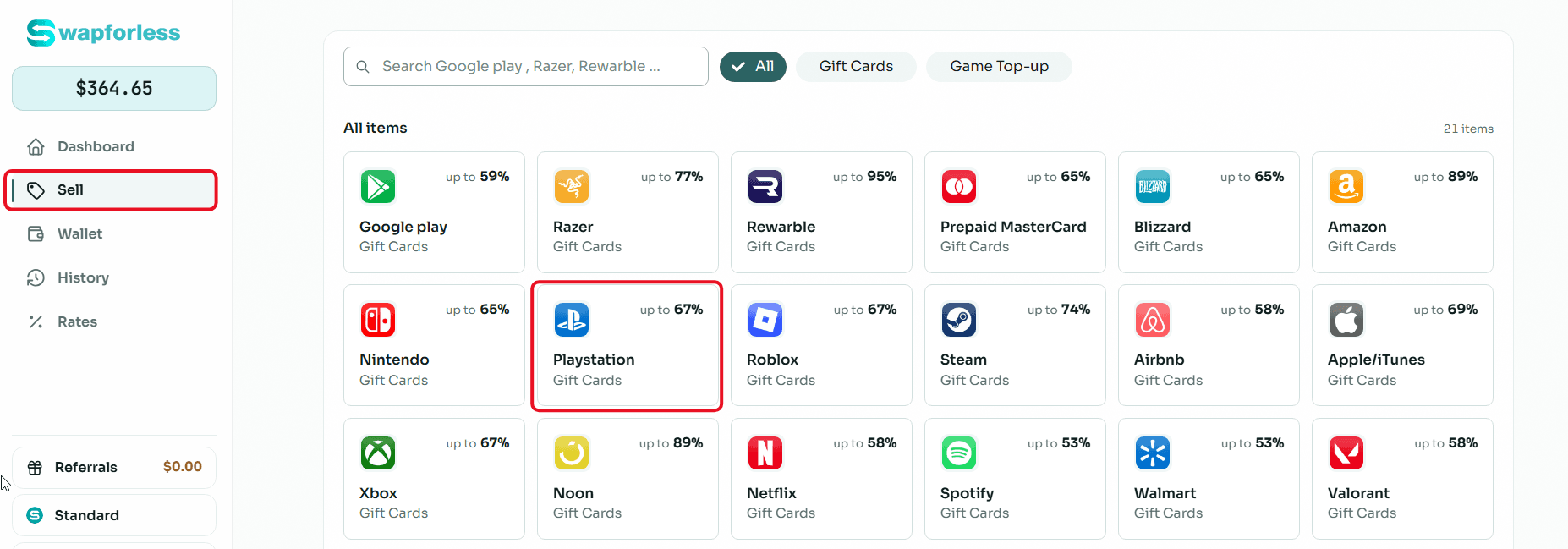
Direct Access: From your account's main dashboard, go to the "Sell" section and click the "PlayStation" icon to start immediately.
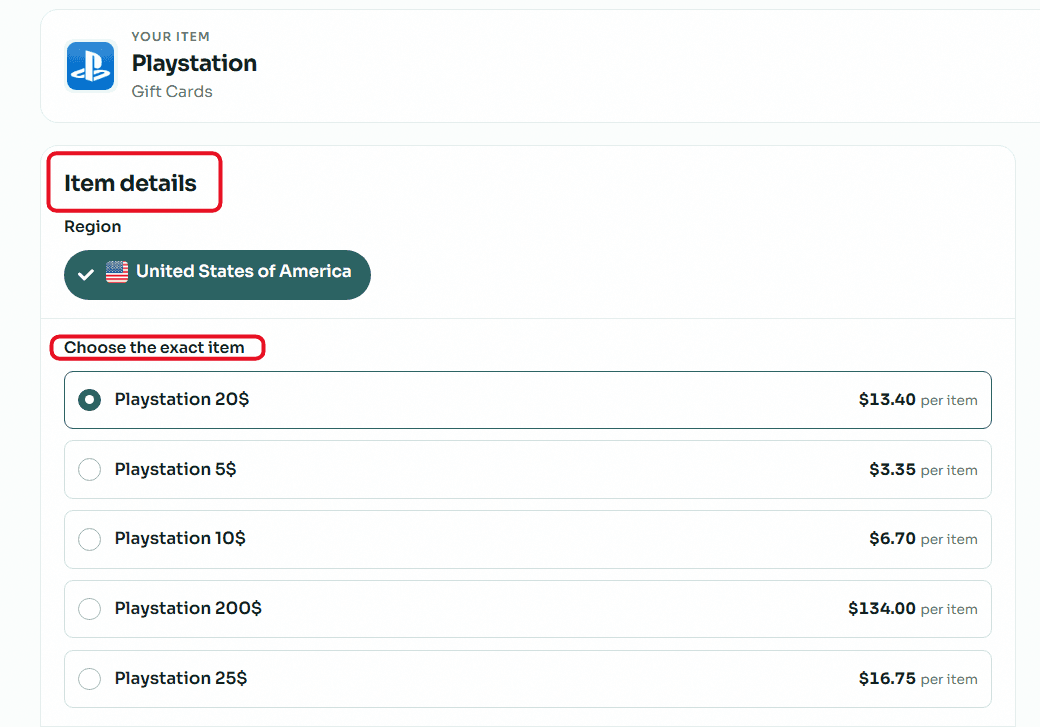
Set Card Details: Select the card's price category (e.g., $10, $50, or $100) to see the available profit rate.
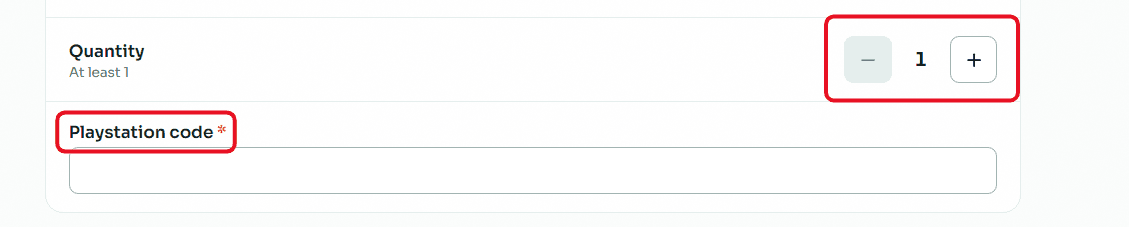
Enter Code and Quantity: If you have multiple cards of the same category and region, set the number in the "Quantity" field. Then, carefully type or paste the card's secret code to avoid request rejection due to typos.
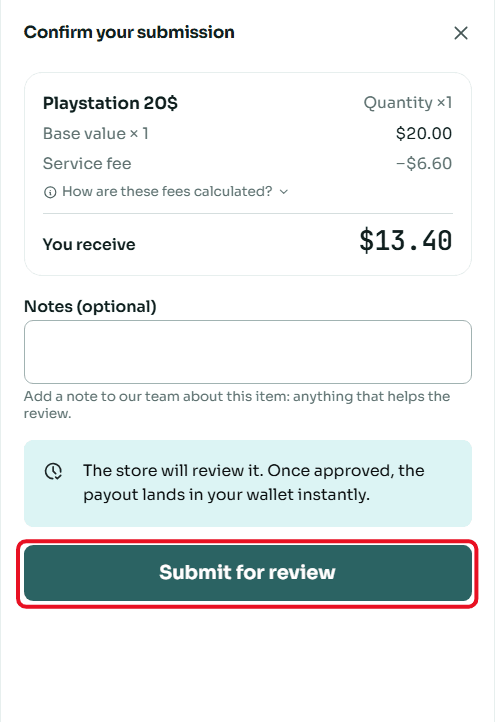
Review and Confirm Sale: A "Confirm Submission" window will appear showing the deal summary and the net amount you will receive. Review the numbers, add any notes for our team if necessary, then click "Submit for Review".
Second: Withdrawing the Balance from Swapforless to Kazawallet
The steps to withdraw balance from Swapforless to Kazawallet are very simple and take only a few seconds. Follow these steps:
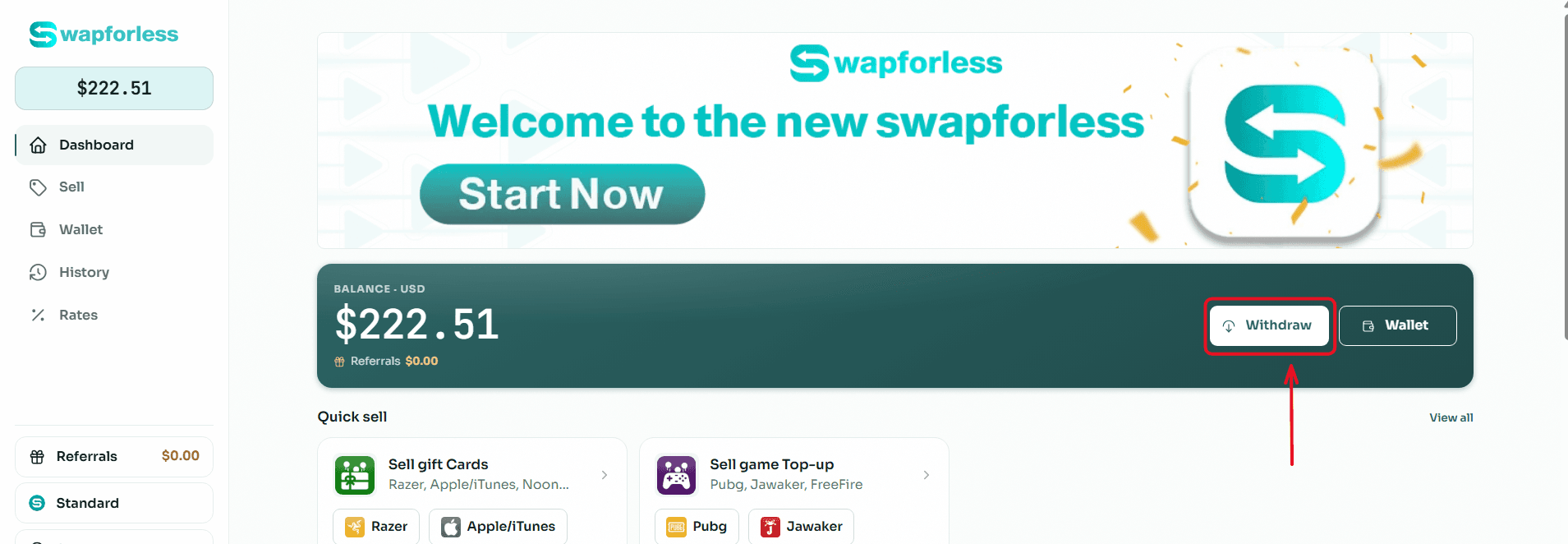
Start the Withdrawal Process: From your main Dashboard, click the "Withdraw" button located next to your available balance.
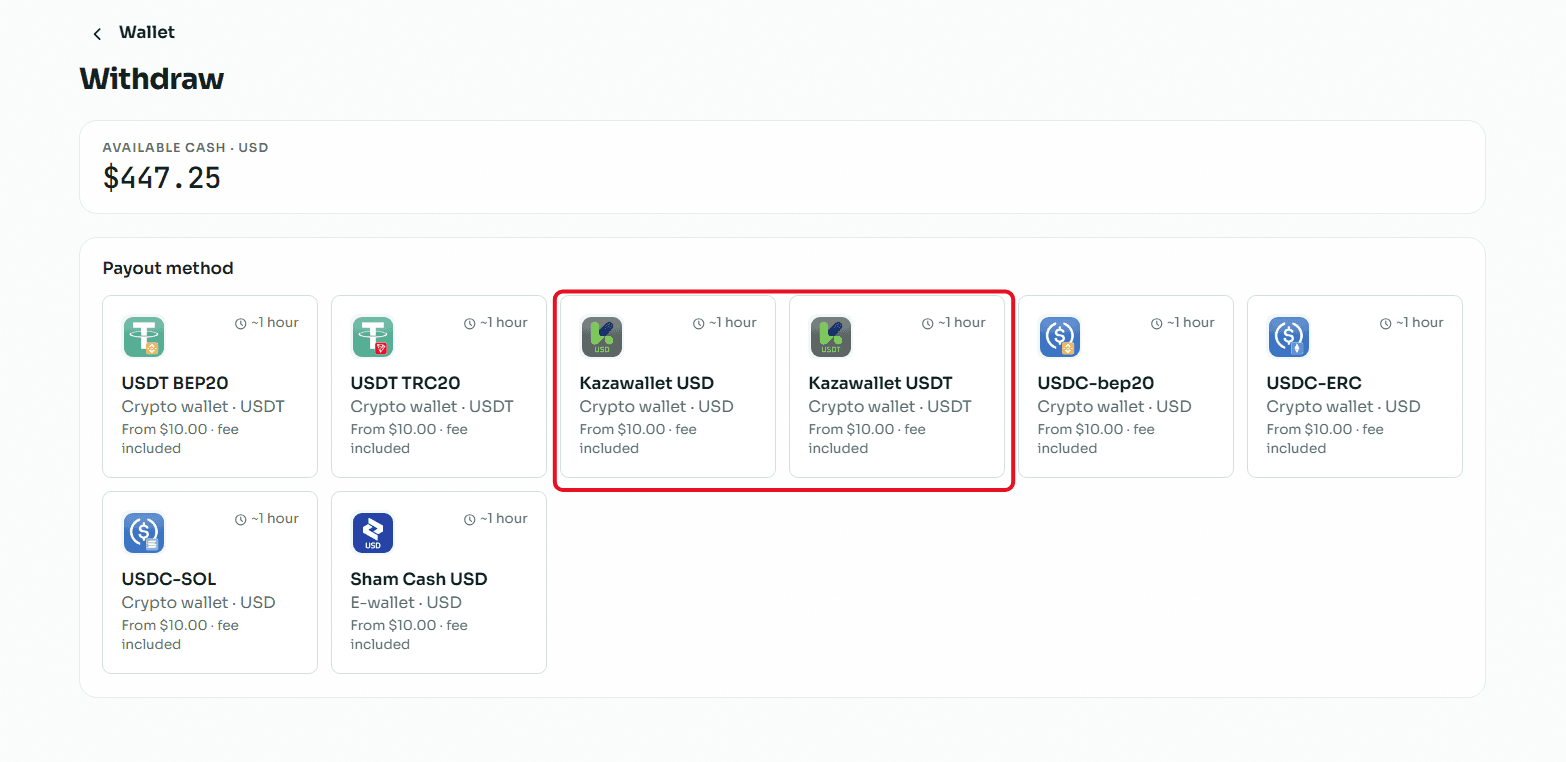
Select the Withdrawal Method: You will be directed to the withdrawal page showing multiple options. Choose "Kazawallet USD or USDT" from the available withdrawal methods.
Enter the Required Amount: In the "Amount" field, type the value you wish to withdraw from your balance, keeping in mind that the minimum withdrawal limit is $10.00 and the maximum limit per transaction is $1,000.00.
Enter Account Details: In the "Your Account Number" field, carefully type or paste your Kazawallet account number to ensure the funds reach the correct destination.
Review and Confirm: Review the transaction summary showing the requested amount, the fixed withdrawal fees, and the net amount you will receive, then click the "Review Withdrawal" button to submit your request.
Read more about how to withdraw balance from Swapforless to Kazawallet
Conclusion
Exchanging your PlayStation USA balance and making the most of it by selling PlayStation cards and withdrawing them to Kazawallet is no longer a complicated matter.
Instead, it is executed through organized and secure steps via the Swapforless platform, granting you complete freedom in managing your financial assets