Many players own Free Fire recharge cards that exceed their actual in-game needs. Instead of keeping these diamonds trapped in your account without any real use, you can smartly convert them into ready-to-spend cash.
The Swapforless platform provides you with the fastest and most reliable environment to sell Free Fire cards and smoothly withdraw their net value directly into your Kazawallet.
In this article, we walk you through the practical and direct steps to sell a Free Fire Card and withdraw to Kazawallet.
Quick Summary (TL;DR)
Do you own a Free Fire card and want to turn it into cash inside your Kazawallet right now? It’s very simple: log in quickly to the Swapforless platform, head to the "Game Recharges" section, and select Free Fire.
Specify the diamond category matching your card, accurately paste the code, and submit your request.
Once our team completes the manual review and approves the code, the profits will be added to your platform wallet, allowing you to comfortably and instantly withdraw them to your Kazawallet account (whether in USD or USDT).
Steps to Sell a Free Fire Card and Withdraw to Kazawallet
The process of turning gaming vouchers into flexible funds is carried out through two essential stages designed to provide maximum security and speed:
First: Selling Free Fire Cards on Swapforless
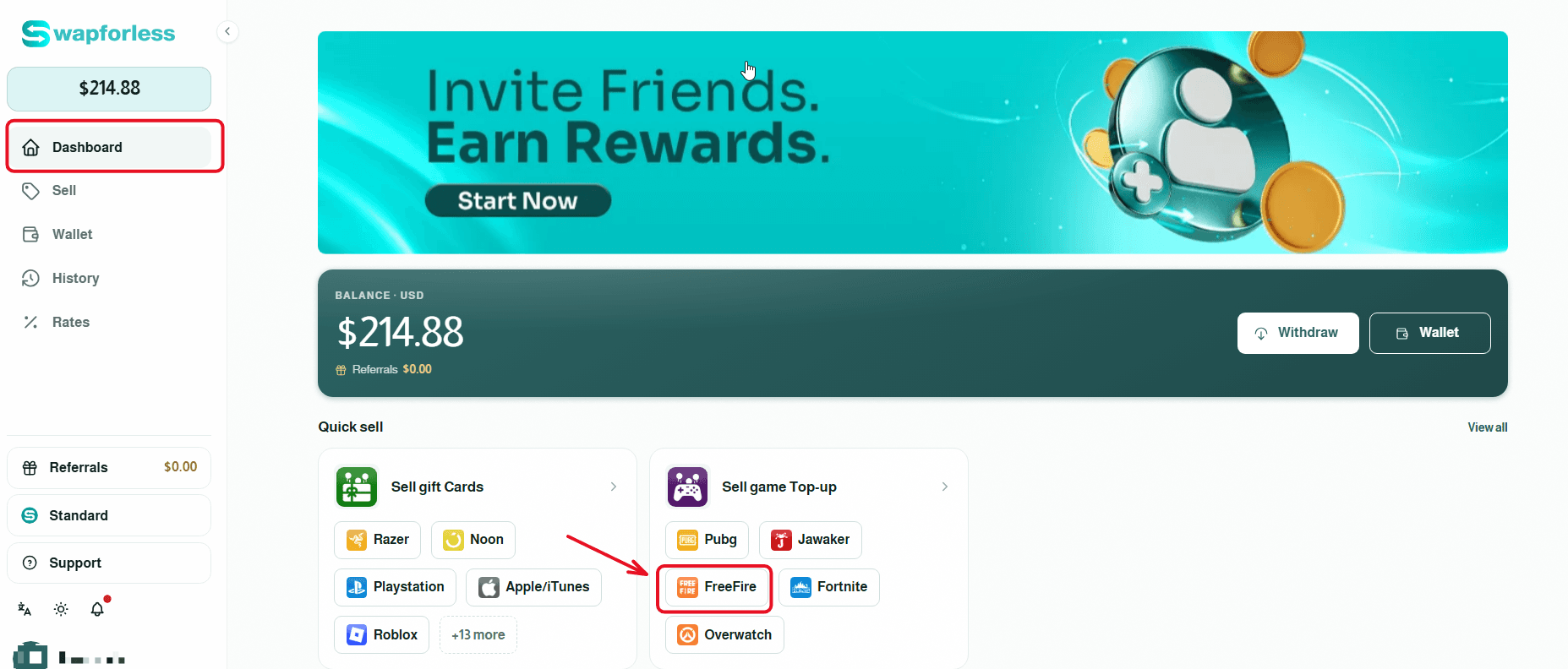
Direct Access: From your account's main dashboard, you can head directly to the "Sell Game Top-up" section and click on the Free Fire icon to begin the process immediately.
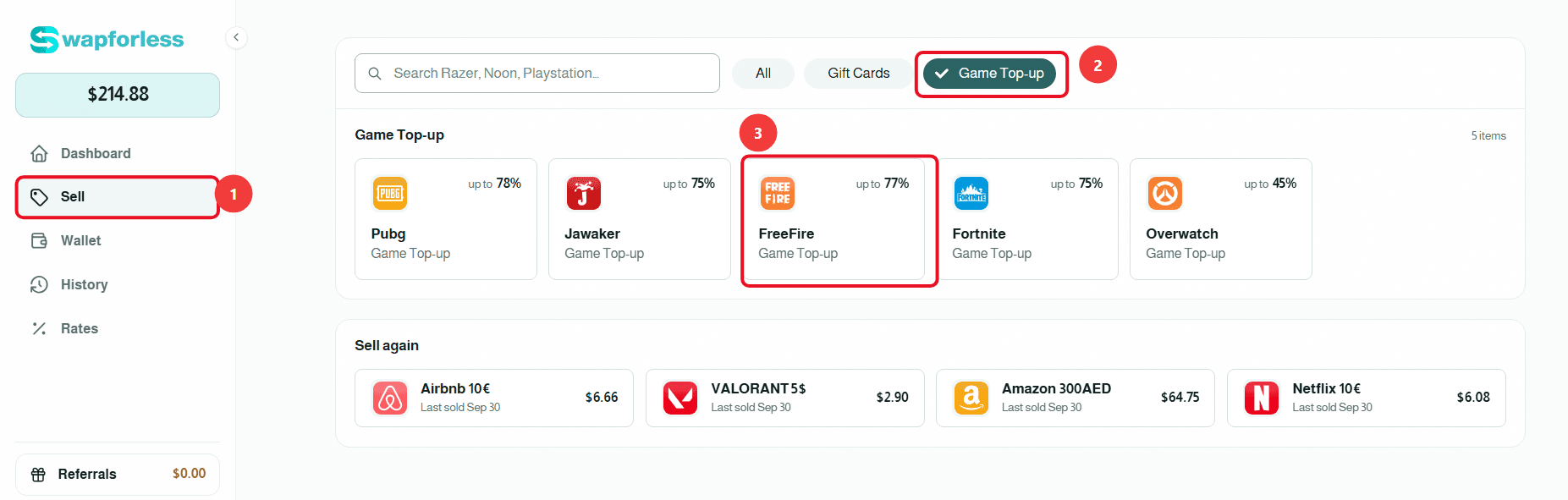
Or via the Sidebar Menu: As an alternative method, you can navigate to the "Sell" tab from the menu, select the "Game Top-up" section, and then choose "Free Fire," where the current selling rate dedicated to these cards will be clearly displayed (e.g., 78%).
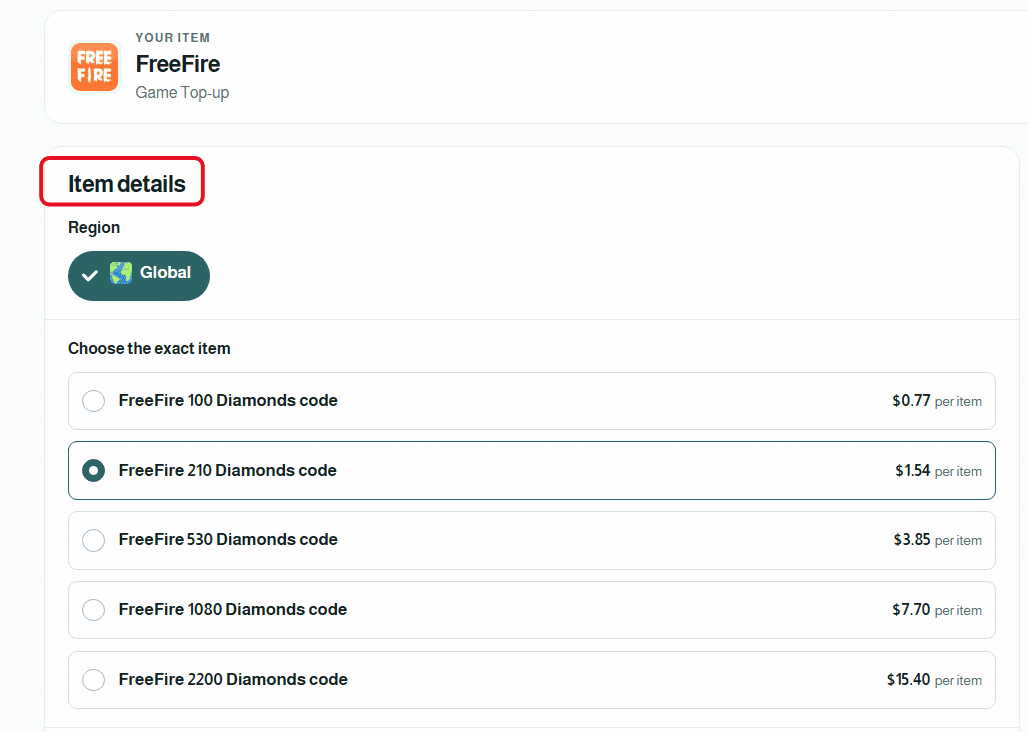
Set Item Details: Select the exact category that perfectly matches your card (for example: 100 diamonds, 210 diamonds, or 530 diamonds) to view its specific price.
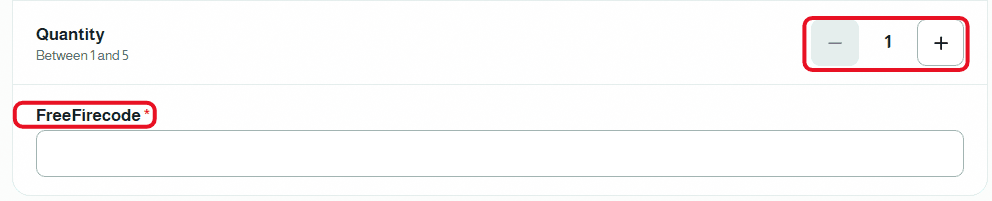
Enter Quantity and Secret Code: Specify the number of cards you wish to sell using the (+) and (-) buttons in the "Quantity" field. Then, carefully type or paste the card's secret code with extreme precision to avoid any errors.
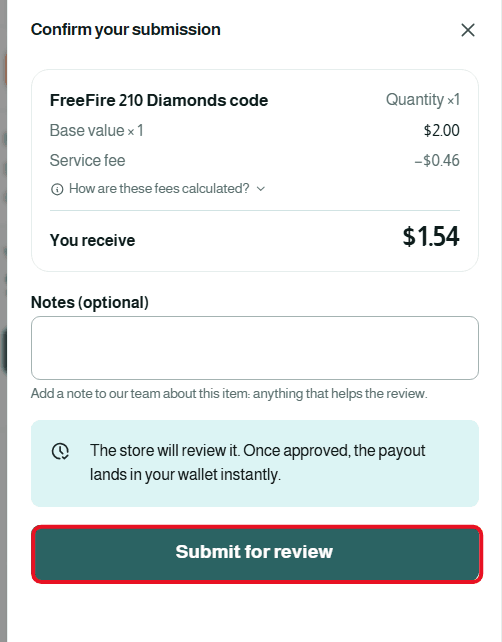
Review and Confirm Submission: Once finished, a "Confirm Submission" window will appear showing the complete deal summary. You can add any optional notes you deem necessary for the support team, then click the "Submit for Review" button.
Second: Withdraw the Balance from Swapforless to Kazawallet
The steps to withdraw balance from Swapforless to Kazawallet are very simple and take only a few seconds. Follow these steps:
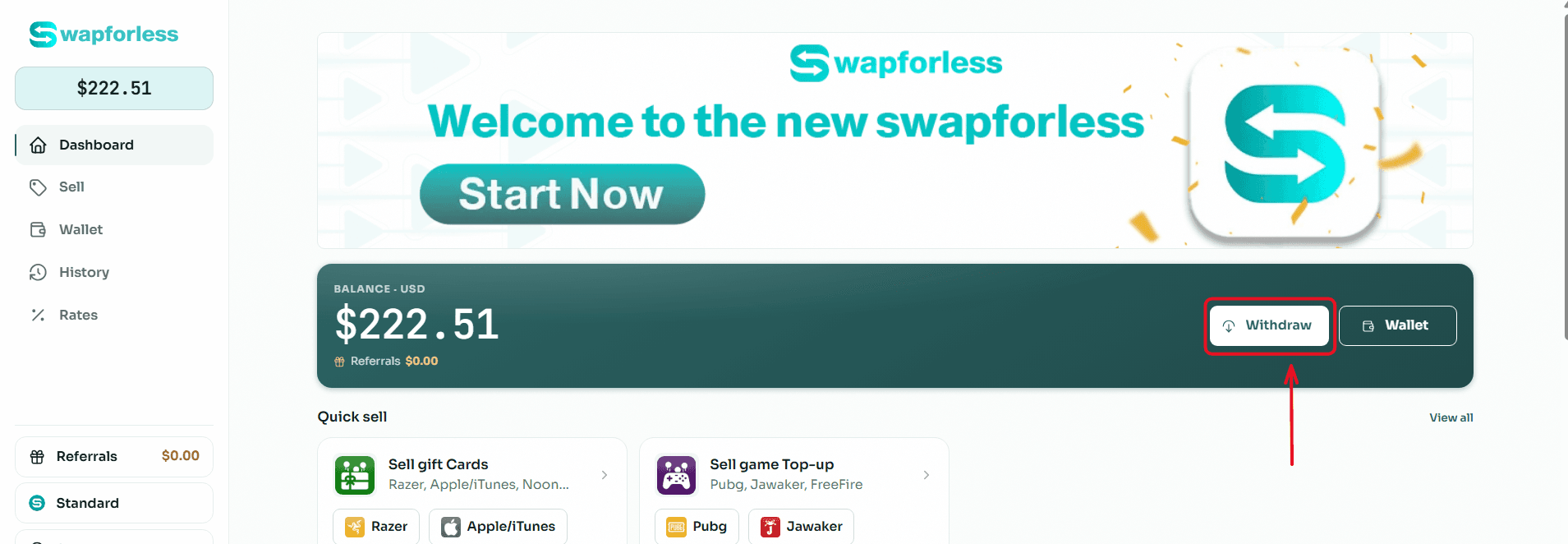
Start the Withdrawal Process: From your main Dashboard, click the "Withdraw" button located next to your available balance.
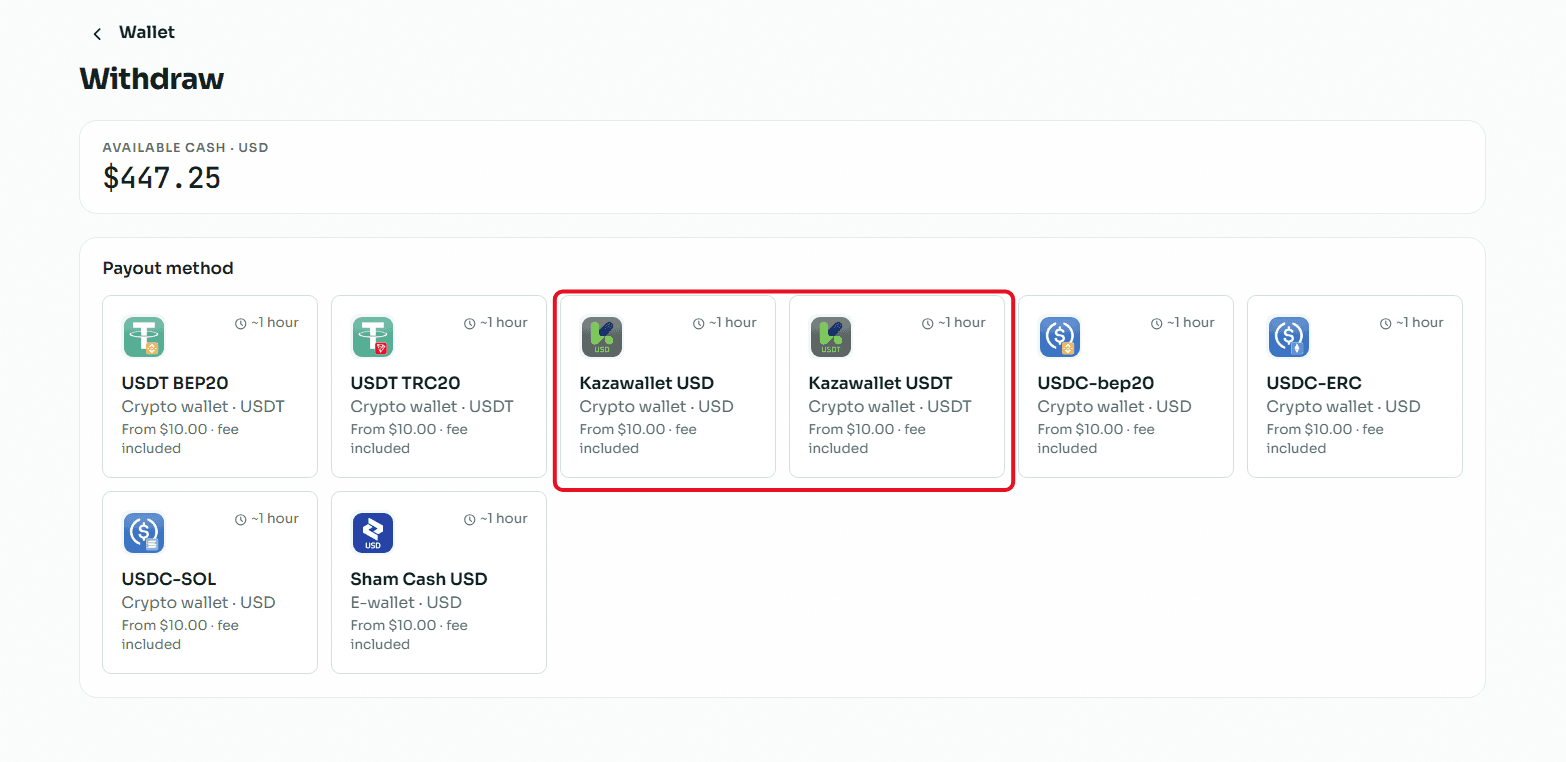
Select the Withdrawal Method: You will be directed to the withdrawal page showing multiple options. Choose "Kazawallet USD or USDT" from the available withdrawal methods.
Enter the Required Amount: In the "Amount" field, type the value you wish to withdraw from your balance, keeping in mind that the minimum withdrawal limit is $10.00 and the maximum limit per transaction is $1,000.00.
Enter Account Details: In the "Your Account Number" field, carefully type or paste your Kazawallet account number to ensure the funds reach the correct destination.
Review and Confirm: Review the transaction summary showing the requested amount, the fixed withdrawal fees, and the net amount you will receive, then click the "Review Withdrawal" button to submit your request.
Read more about how to withdraw balance from Swapforless to Kazawallet
Conclusion
Keeping gaming cards and recharge vouchers frozen loses their true value over time and causes you to miss out on actual financial opportunities.
By taking advantage of the service to sell Free Fire cards via the Swapforless platform and directing your profits to Kazawallet, you ensure the conversion of your digital assets into secure financial liquidity, granting you the freedom to trade, invest, and manage your money in a way that suits your aspirations.