When you order a product online, the first thing you look for after paying is the Tracking Number. You want to know where your package is: has it left the warehouse, or is it still processing?
In the world of cryptocurrency, we don’t rely on a shipping company or a bank to tell us where our money went, because we operate in a system based on decentralization. Instead, we rely on a powerful, free tool available to everyone called a Blockchain Explorer.
So, what is a blockchain explorer? If you read our previous article on What is Blockchain, you know it is a “public ledger.” The Explorer is simply the lens that allows you to read what’s inside that ledger clearly.
What is a Blockchain Explorer?
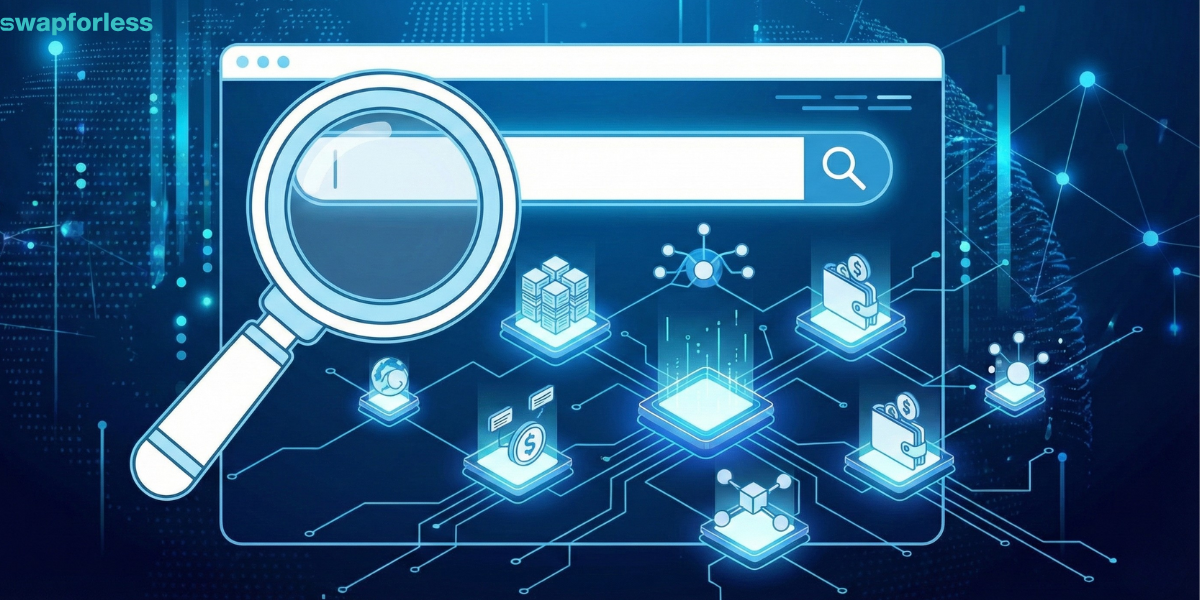
Simply put, a Blockchain Explorer is a search engine specifically for cryptocurrency. It is exactly like Google, but instead of searching for websites and images, you are searching for financial transactions, digital wallets, and data blocks.
Every blockchain network has its own explorer. The Bitcoin network has its own explorers (like Blockchain.com), and the Ethereum network has a famous one called Etherscan.
Without this tool, the blockchain would just be complex computer code that only programmers could understand.
The Explorer takes this complex data and displays it to you in easy-to-read tables and charts, allowing you to check wallet balances or see the status of your transfers instantly.
Why Do You Need to Use a Blockchain Explorer?
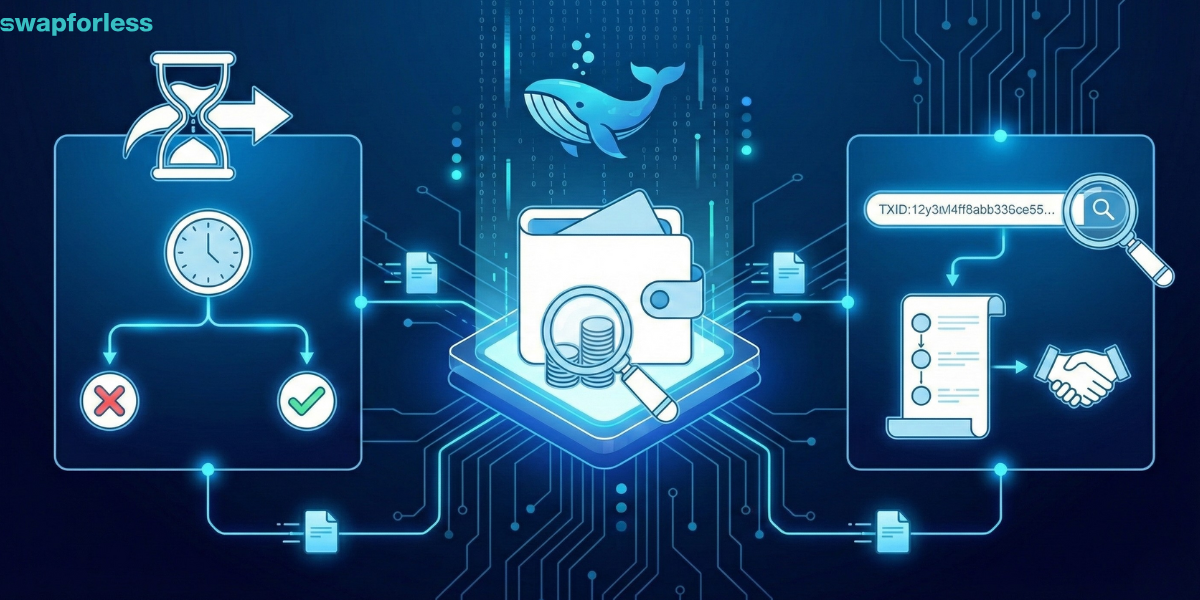
You might ask: “I’m not a programmer, why would I use this website?” In reality, anyone who sends or receives digital currency needs this tool to avoid falling into Beginner Trading Mistakes, specifically in the following situations:
- Tracking Stuck Transactions: Sent money, and it hasn’t arrived yet? The Explorer acts as the judge. It will tell you whether the coins have left your wallet, whether the transaction is pending and waiting for the network to confirm via Consensus Mechanisms, or whether the transaction has completely failed.
- Checking Balance & Transparency: You can see the balance of any wallet and its transaction history (even if you don’t own it). This transparency allows us to see who the Crypto Whales are and monitor their big moves that affect the market.
- Verify Credibility: If someone tells you they sent you money, don’t just take their word for it. Ask for the Transaction ID (TXID) and search for it in the Explorer. If you don’t see it there, they haven’t sent anything.
- Reviewing Transaction History: You can view the entire history associated with a specific wallet address, which helps in tracking funds and auditing your own activity.
- Safe Balance Checks: You can check the balance of a crypto wallet at any time without needing to log in or connect your wallet, making it a safe way to monitor your digital assets.
Terms You Will See in the Explorer
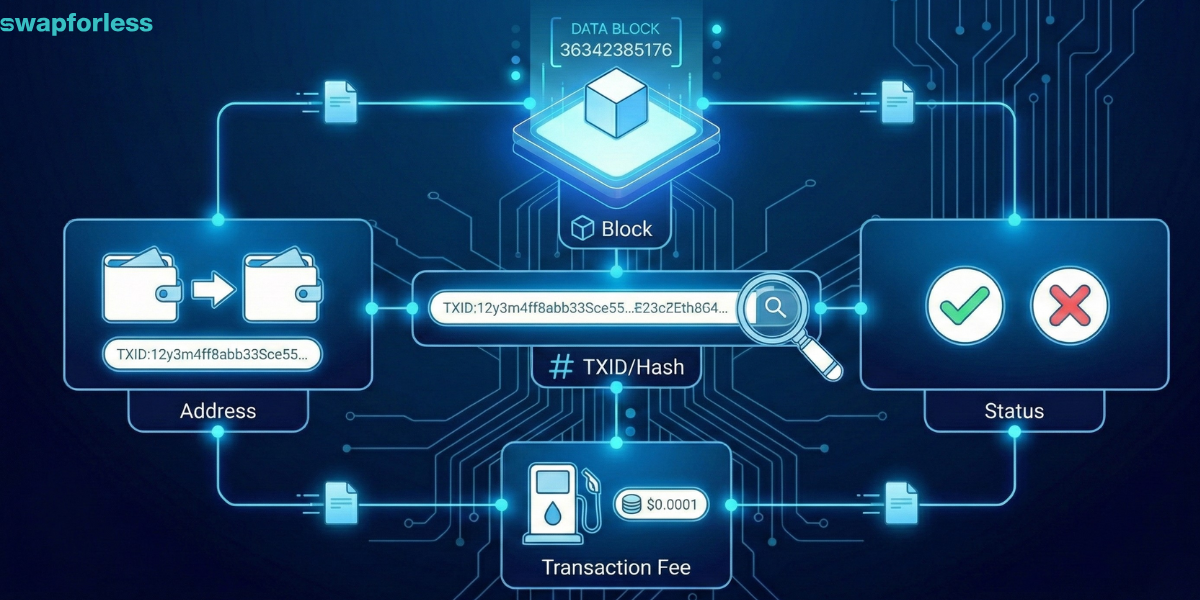
When you open any blockchain explorer, you will encounter a few terms and symbols. Don’t worry, they are simple:
- Transaction ID (TXID / Hash): This is the most important thing. It is your transfer’s tracking number. It is a long string of random numbers and letters.
- Address: This is the digital bank account number for the sender and the receiver. (An address might not belong to a person; it could be the address of a Smart Contract for a specific token).
- Status: The final result of the transaction (usually green for Success, and red for Fail).
- Block: The “page number” in the blockchain ledger where your transaction was recorded.
- Transaction Fee: The amount you paid to the network (Gas) to complete this process.
Which Explorer Should I Use?
Always remember: Each blockchain network has its own language and its own ledger, and therefore, its own explorer. You cannot search for a Bitcoin transaction in an Ethereum explorer.
Here are the most popular blockchain explorers you will need:
- For Bitcoin Network: Use Blockchain.com or Mempool.space.
- For Ethereum Network (ERC20): Use Etherscan.
- For Tron Network (TRC20): Use TronScan.
- For BSC Network (BEP20): Use BscScan.
How to Use a Blockchain Explorer to Track Your Transactions?
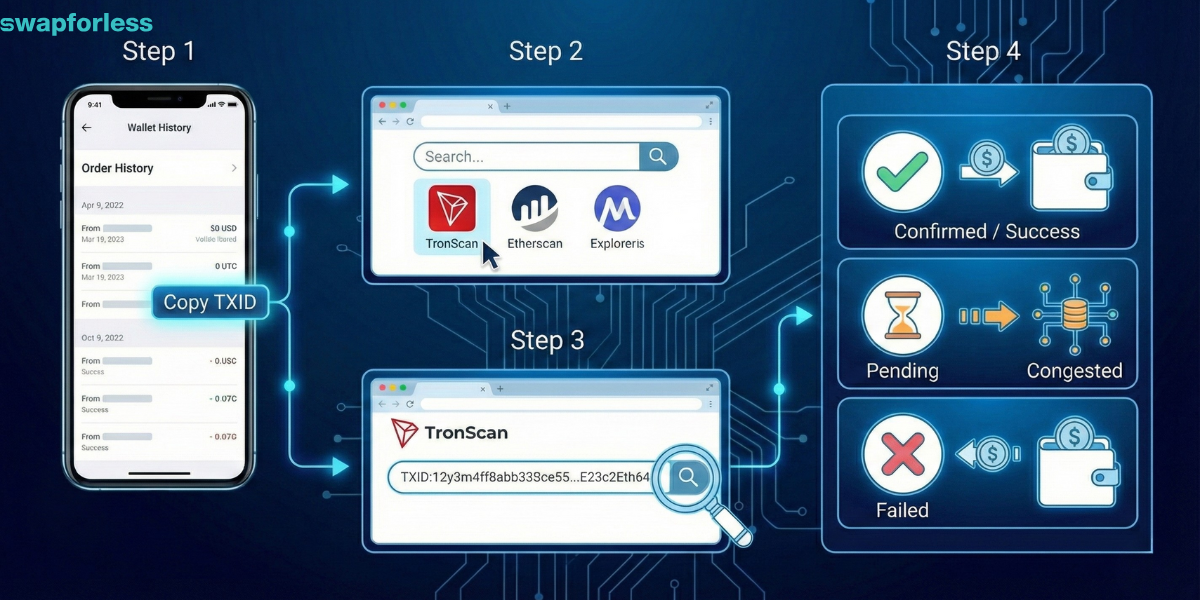
Let’s say you transferred USDT, and the balance is late arriving. Here is exactly what to do:
- Get the TXID: Go to your wallet or order history in your exchange and copy the Transaction ID.
- Choose Explorer: If you sent it via the TRON network, go to TronScan.org. (Make sure you are on the correct explorer!).
- Search: Paste the Transaction ID into the main search bar.
- Read the Results: A detailed page will appear showing the amount sent, the time, the fees paid, and the Status:
-
-
If “Confirmed” or “Success”: The money has definitely reached the destination address. The issue is not with the network (the receiver might just need to update their wallet app).
-
If “Pending”: The network is congested; you just have to wait a little longer.
-
If “Failed”: The process failed, and the funds have returned to (or never left) your wallet.
-
Does the Explorer Violate Your Privacy?
If anyone can see the transactions, where is the privacy?
The answer lies in pseudonyms. The explorer shows that Wallet # (ABC…123) sent $1 million to Wallet # (XYZ…789). However, it does not show your real name or your home address.
However, you must be careful. If you publish your public wallet address on social media under your real name, anyone can then use the Explorer to link your “Name” to your “Balance” and track everything you own.
Transparency here is a double-edged sword, and it is a fundamental part of the nature of the Public Networks we discussed earlier.
In Conclusion
The Blockchain Explorer is your best friend in the world of digital currency. It gives you the power to truly “Be Your Own Bank.”
There is no need to call customer service or wait for monthly bank statements; the full truth is on the blockchain, and the Explorer is your gateway to seeing it whenever you want.