Razer Gold cards are among the most popular virtual currencies in the gaming community for purchasing games and digital content.
However, you might receive these cards as tournament prizes or Razer Silver rewards and prefer to invest them as actual cash liquidity to cover other expenses rather than freezing them in your gaming account.
This is where Swapforless comes in, the reliable digital platform that allows you to easily sell a Razer Gold Card and withdraw it to Kazawallet.
Quick Summary (TL;DR)
Do you own a Razer Gold card and want to turn it into cash right now? The Steps to sell a Razer Gold Card and withdraw it to Kazawallet are straightforward: create a Swapforless account, head to "Gift Cards," and select "Razer Gold."
Set the card's "Region" (e.g., Global) and price category, then paste the code and submit the request.
Once reviewed, the profits will be added to your platform wallet, ready for instant and hassle-free withdrawal to your Kazawallet account in USD or USDT.
How to Sell a Razer Gold Card and Withdraw it to Kazawallet?
The process of selling a Razer Gold card and withdrawing it to Kazawallet is completed in two stages:
First: Selling Razer Gold Global Cards on Swapforless
Follow these simple steps to complete the steps to sell Razer Gold cards with ease:
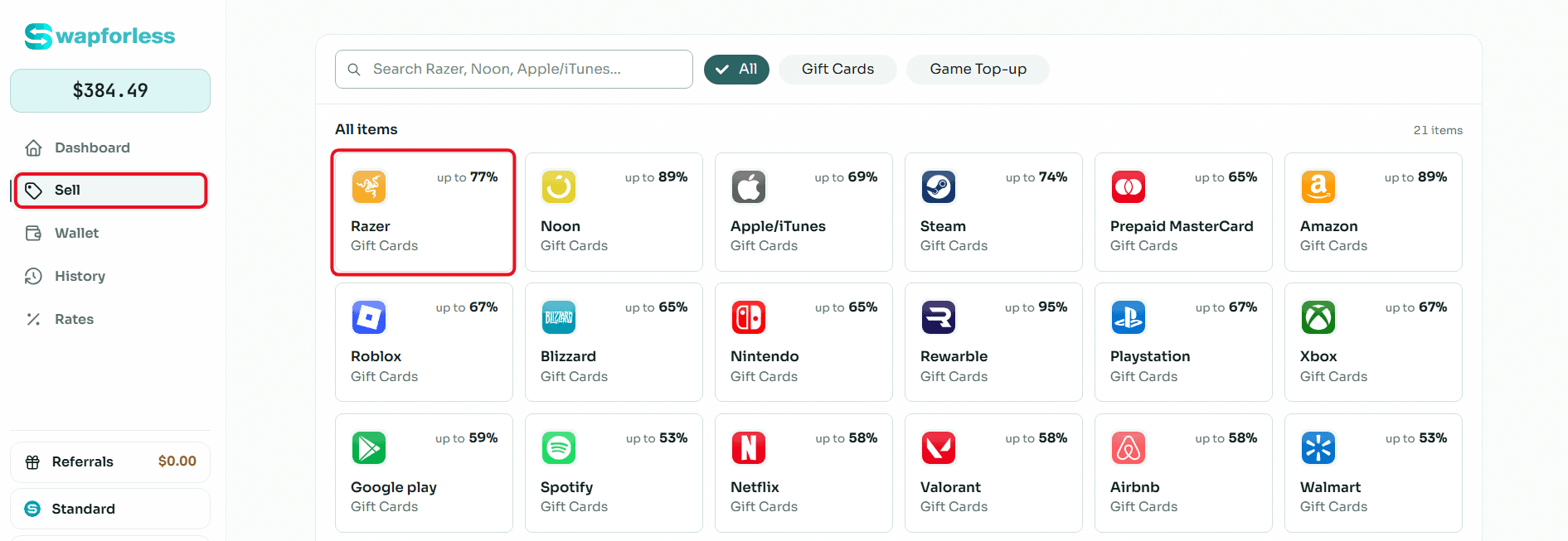
Quick access to the store: From your account's main dashboard, go to the "Sell" section and directly click on the "Razer Gold" icon.
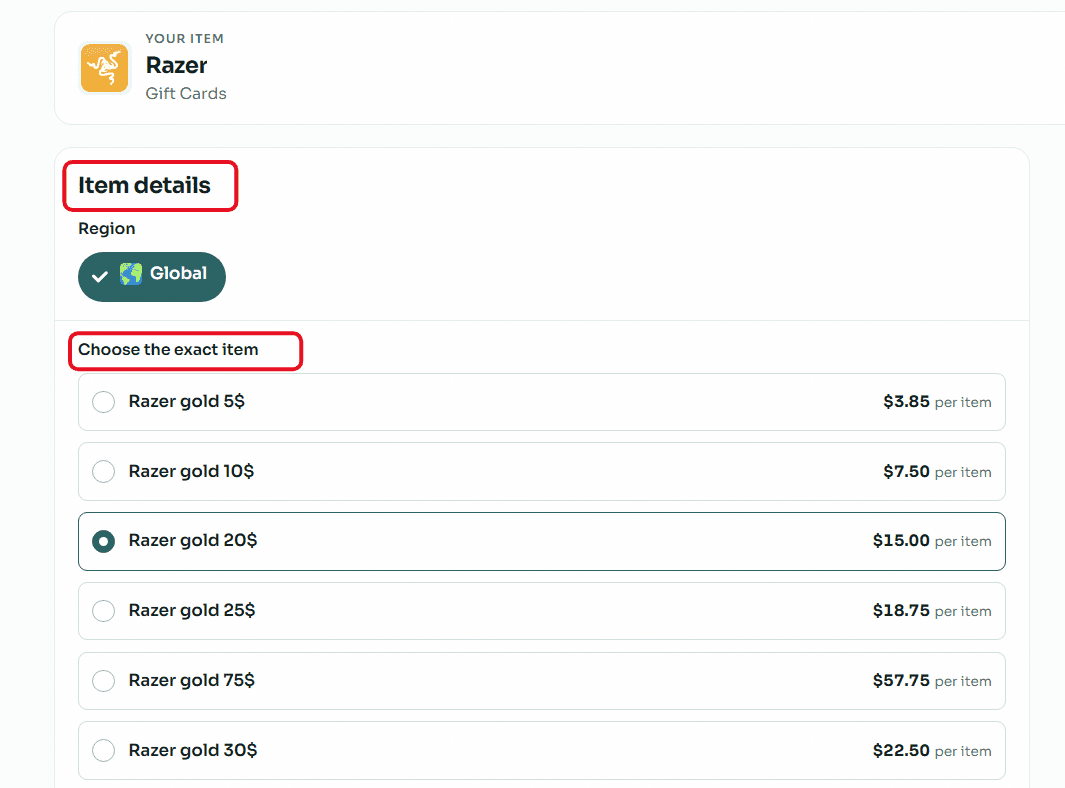
Accurately set card details (Crucial step): Razer Gold cards are very sensitive to the account's region. Make sure to open the "Region" drop-down menu and select "Global". After that, select your card's price category (e.g., $20, $50, or $100) to instantly see its assigned selling rate.
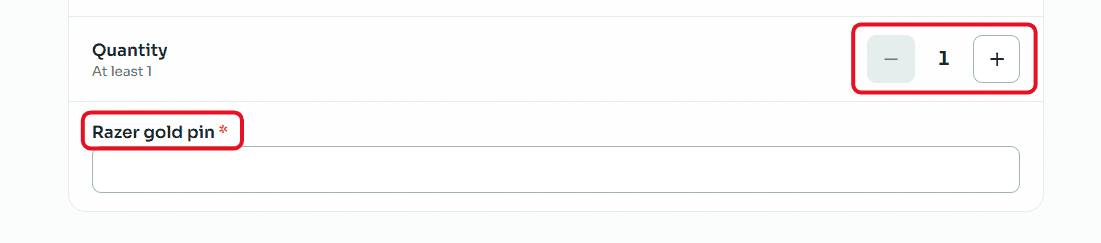
Enter code and quantity: If you want to sell more than one card of the same category and region, set the required number using the (Quantity) buttons. In the designated field, carefully copy and paste the secret code of the Razer Gold card to avoid any error that might lead to rejecting the request.
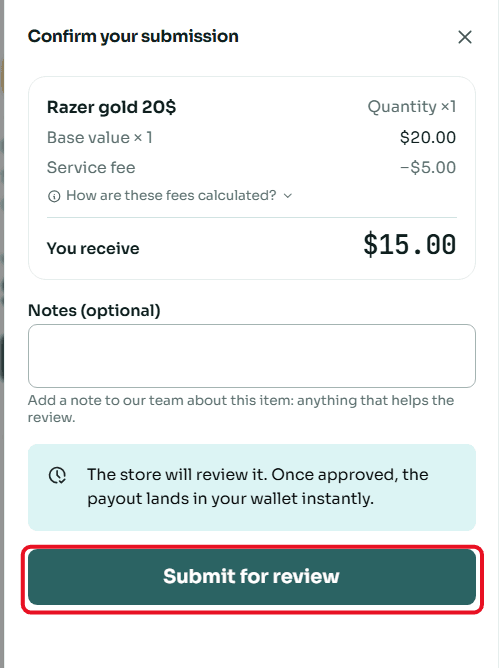
Review and confirm submission: A window will appear summarizing the deal details, including the card's value and the net amount that will be deposited into your account. Review the numbers, then click "Submit for Review".
Second: Withdrawing the Balance from Swapforless to Kazawallet
The steps to withdraw balance from Swapforless to Kazawallet are very simple and take only a few seconds. Follow these steps:
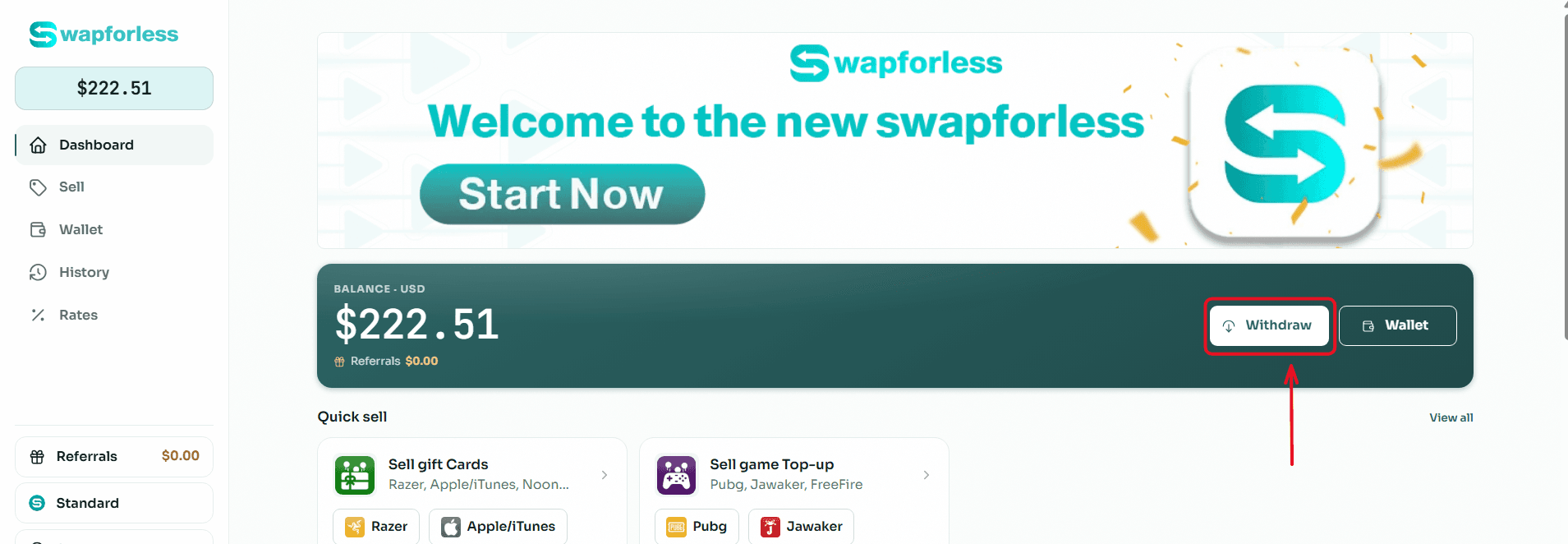
Start the Withdrawal Process: From your main Dashboard, click the "Withdraw" button located next to your available balance.
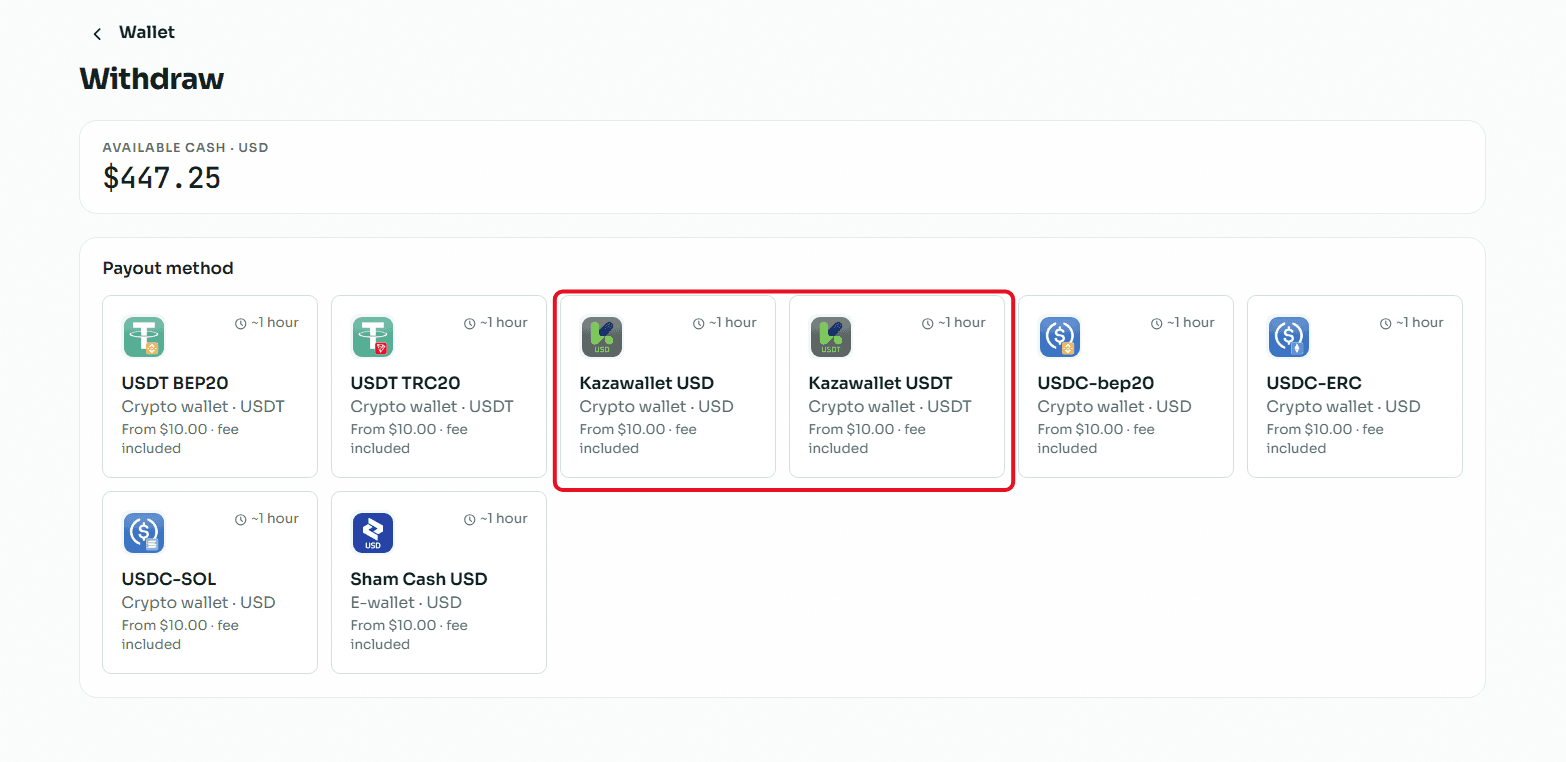
Select the Withdrawal Method: You will be directed to the withdrawal page showing multiple options. Choose "Kazawallet USD or USDT" from the available withdrawal methods.
Enter the Required Amount: In the "Amount" field, type the value you wish to withdraw from your balance, keeping in mind that the minimum withdrawal limit is $10.00 and the maximum limit per transaction is $1,000.00.
Enter Account Details: In the "Your Account Number" field, carefully type or paste your Kazawallet account number to ensure the funds reach the correct destination.
Review and Confirm: Review the transaction summary showing the requested amount, the fixed withdrawal fees, and the net amount you will receive, then click the "Review Withdrawal" button to submit your request.
Read more about how to withdraw balance from Swapforless to Kazawallet
Frequently Asked Questions
How long does it take to verify the code and receive the balance in Kazawallet?
The card code is reviewed and verified promptly. Once the code's validity is confirmed, the net amount is instantly added to your Swapforless wallet.
When you submit a withdrawal request to Kazawallet, the balance is transferred directly to your account, allowing you to use or manage it without delay.
Can I withdraw profits directly via Crypto networks instead of Kazawallet?
Absolutely. The Swapforless platform provides multiple withdrawal options. You can withdraw your profits directly to cryptocurrency wallets via networks like USDT-TRC20 or USDT-BEP20.
However, you must pay strict attention to technical risks; choosing a network that does not match the receiving wallet will result in the permanent loss of your funds.
Read more about the ways to withdraw balance from Swapforless
Conclusion
There is no longer any reason to hold onto Razer Gold cards you don't intend to use.
By adopting the concept of selling digital assets through the Swapforless platform and connecting your profits to a flexible financial system like Kazawallet, managing your cash flow becomes more transparent and professional.
Start selling your surplus cards now, and turn your virtual balance into real financial value in your hands.