After successfully completing your trades and exchanging gift cards for actual money, the most important step is withdrawing your profits so you can use them freely.
Swapforless provides a clear and fast financial system to manage and withdraw your funds via secure digital payout methods.
If you have just executed your first trade using our guide on How to Sell and Exchange Gift Cards, here are the detailed steps to withdraw balance from Swapforless to your personal wallet.
Accessing Your Wallet and Checking Your Balance
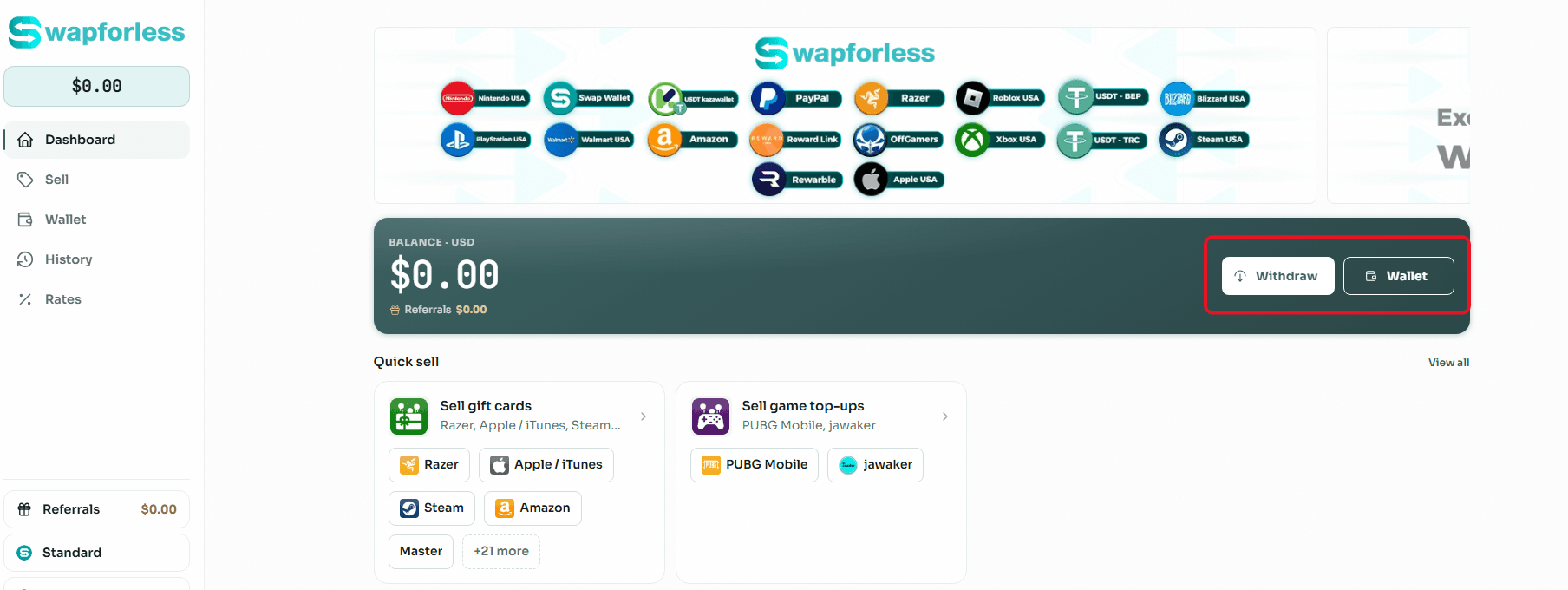
Before starting the withdrawal process, you can always easily monitor your total profits. The platform clearly displays your balance in USD at the top left of the main screen.
To manage this balance, you can click on the quick "Withdraw" button located on the main dashboard or navigate to the "Wallet" tab from the side menu for more precise details.
Steps to Withdraw Balance from Swapforless
The process of withdrawing funds is characterized by complete ease and transparency, requiring only a few clicks:
Enter the Withdrawal Page: Click on the "Withdraw" button.
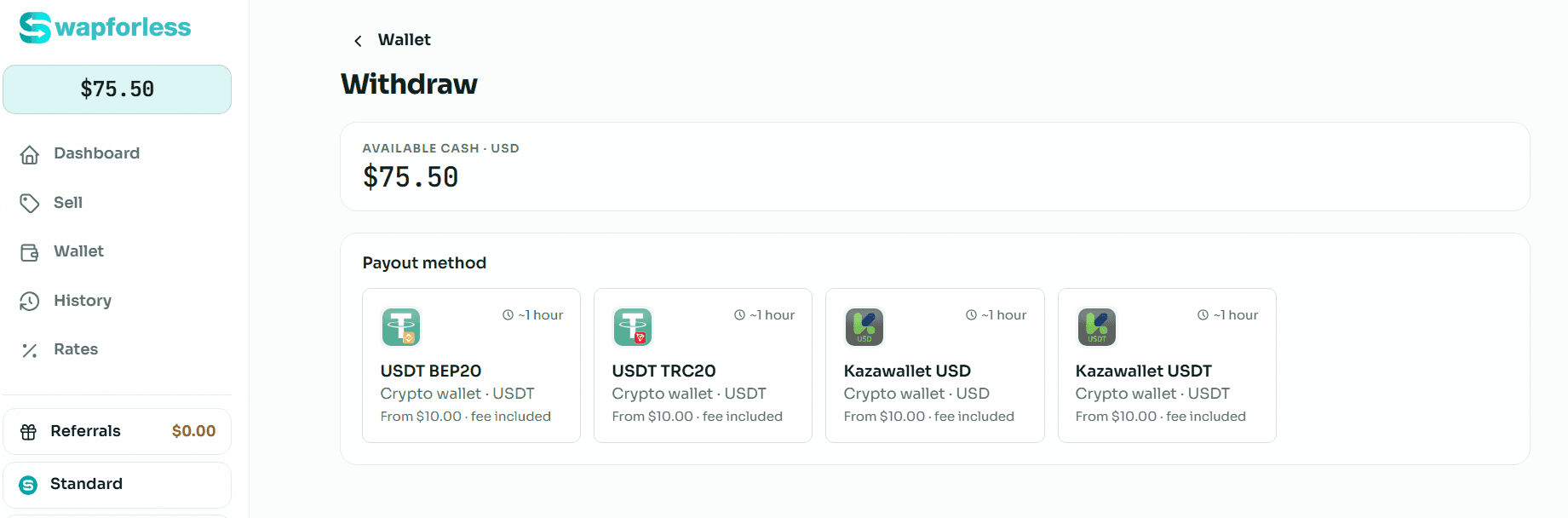
Check Available Funds: The withdrawal page will appear, showing the "Available cash" in USD that is currently available to be withdrawn.
Choosing the payout method: After your gift card is approved, you can withdraw your balance using the available methods. The platform currently supports two main options:
Crypto: Withdraw your balance using supported cryptocurrencies. Available options include USDT, BTC, ETH, LTC, and TRX.
Kazawallet: Transfer your balance directly to your Kazawallet account. This method provides added flexibility by supporting withdrawals in both US Dollars (USD) and Tether (USDT).
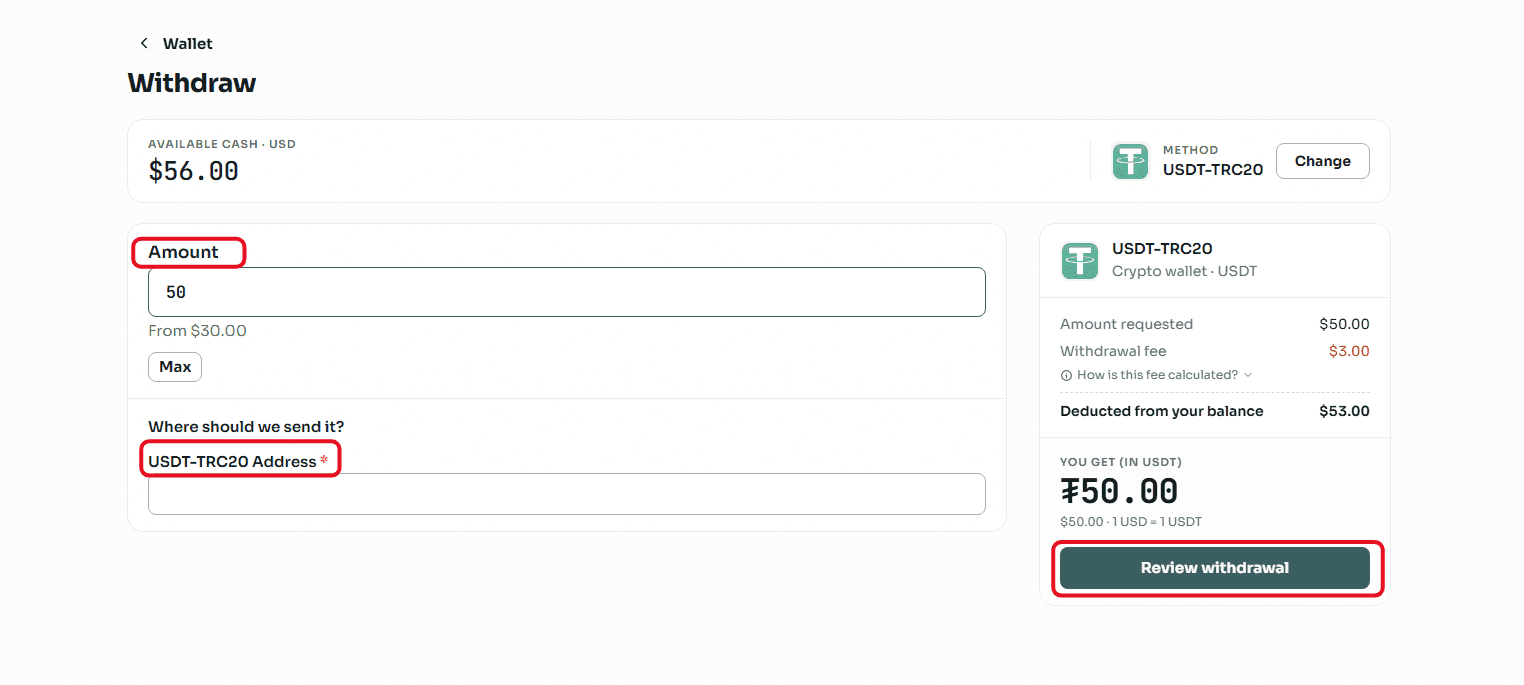
Confirm the Transaction: After selecting the appropriate network for your crypto wallet, entering the receiving address, and the requested amount, confirm the order to send it to the platform's team for review and execution.
Note: To ensure your account's security during these transactions, make sure to enable the advanced security settings we explained in the How to Create an Account on Swapforless.
How to Track Your Financial Activity and Payouts History
The "Wallet" section provides advanced tools to track every cent entering or leaving your account to ensure the highest levels of transparency:
My Payouts: Next to the "Withdraw" button inside the wallet, there is a "My payouts" button. This section allows you to review the status of all previous withdrawal requests.
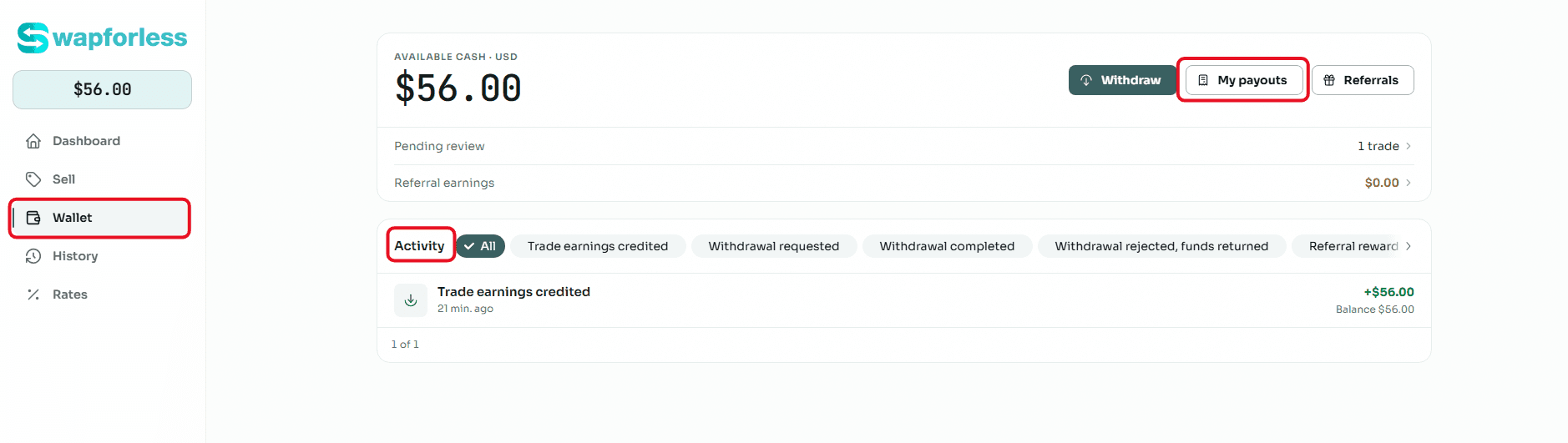
Activity Filters: At the bottom of the Wallet page, you will find a bar dedicated to filtering your financial "Activity". You can filter the history to view specific details such as:
"Trade earnings credited" (from selling cards).
Referral rewards or "Referral earnings".
"Withdrawal requested".
"Withdrawal completed".
"Withdrawal rejected, funds returned".
These filters help you accurately reconcile your accounts and clearly understand the sources and paths of your profits.
What are the available withdrawal methods?
To make the process easier and ensure it is completed without any technical errors, we have prepared detailed step-by-step guides for each network and withdrawal method.
You can jump directly to the practical guide that matches your preferred method:
Conclusion
The Wallet and withdrawal system on Swapforless is designed to give you complete and comfortable control over your funds.
By relying on stable cryptocurrency networks (USDT), the platform ensures your profits arrive quickly and securely once you exceed the simple minimum withdrawal limit.
Once you get used to the Wallet interface and utilizing the Activity filters, managing your cash flow from gift card trading will become an easy and routine part of your platform experience