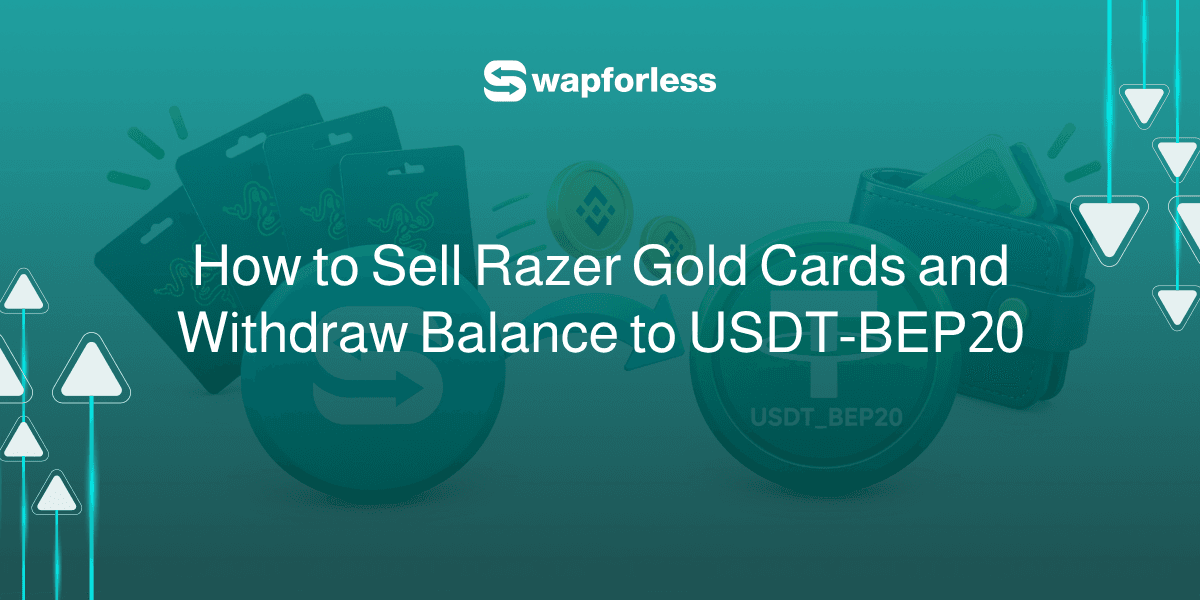
Do you own a Global Razer Gold card and want to convert its value into a stable cryptocurrency over the BEP20 network?
The good news is that this process is entirely safe, straightforward, and doesn't require you to be an expert to pull it off.
This guide is designed to be your clear, direct reference explaining how to sell a Razer Gold Card and withdraw it to USDT-BEP20.
Quick Summary (TL;DR)
The steps to sell a Razer Gold Card and withdraw it to USDT-BEP20 are simple: create your account on the Swapforless platform, head to "Gift Cards," and select Razer Gold Global.
Specify the value and price category, carefully paste the code, and submit your request. Once the code is reviewed, your profits will be added to your platform wallet, ready for instant withdrawal to your digital wallet via the (USDT-BEP20) network.
What is USDT-BEP20?
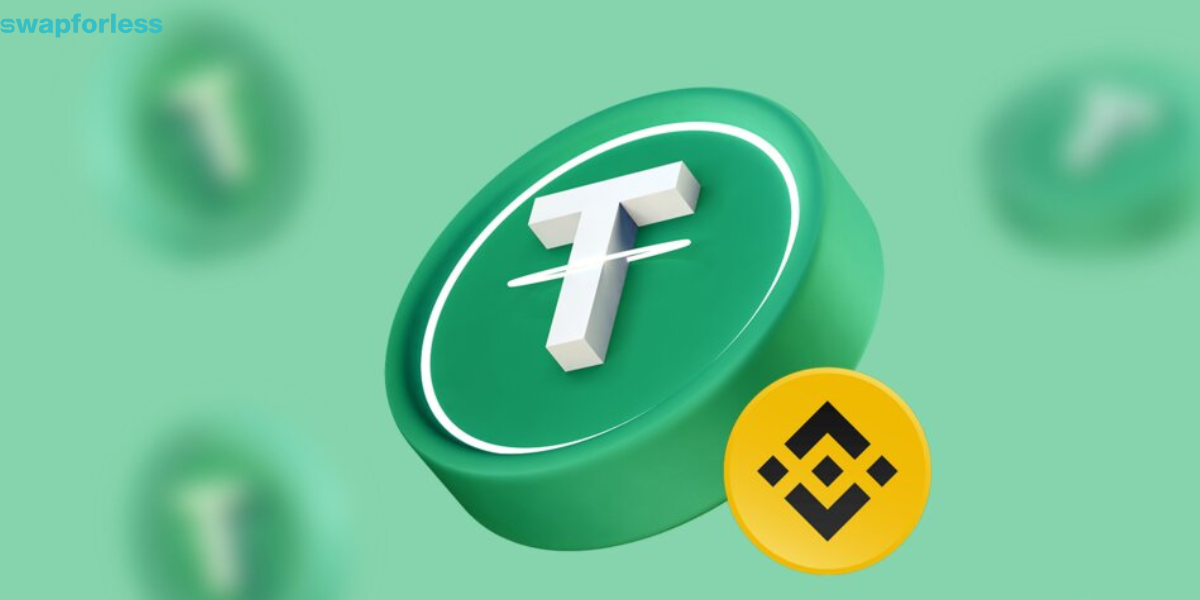
Before you begin, it is essential to know where your funds are heading. While the term USDT-BEP20 might sound technical, the concept is very simple when broken down into two core elements:
USDT (Digital Dollar): A type of stable cryptocurrency, meaning its value is directly and steadily pegged to the US dollar ($1 = 1 USDT).
BEP20 Network (Transfer Network): Also known as the Binance Smart Chain, this is the path or network used to transfer the currency. This network stands out for two main advantages:
Extremely Low Transfer Fees: The cost of sending funds via the BEP20 network is nominal compared to many other networks.
High Transaction Speed: Transfers on this network are confirmed within just a few minutes.
How Does Swapforless Help You?
You cannot convert a Razer Gold code into cryptocurrency directly on your own. You need a specialized and secure platform to manage the process on your behalf to guarantee your rights:
A Trusted Digital Marketplace: Swapforless provides a protected environment for you to sell Razer Gold cards and convert them into liquid capital, rather than risking dealings with unknown parties.
Clarity and Transparency: The platform clearly displays the exact net amount you will receive for your code, with no hidden fees or surprises.
How to Sell a Razer Gold Card and Withdraw it to USDT-BEP20?
The process of selling a Razer Gold card and withdrawing it to USDT-BEP20 is completed in two stages:
First: Selling Razer Gold Global Cards on Swapforless
Follow these simple steps to complete the steps to sell Razer Gold cards with ease:
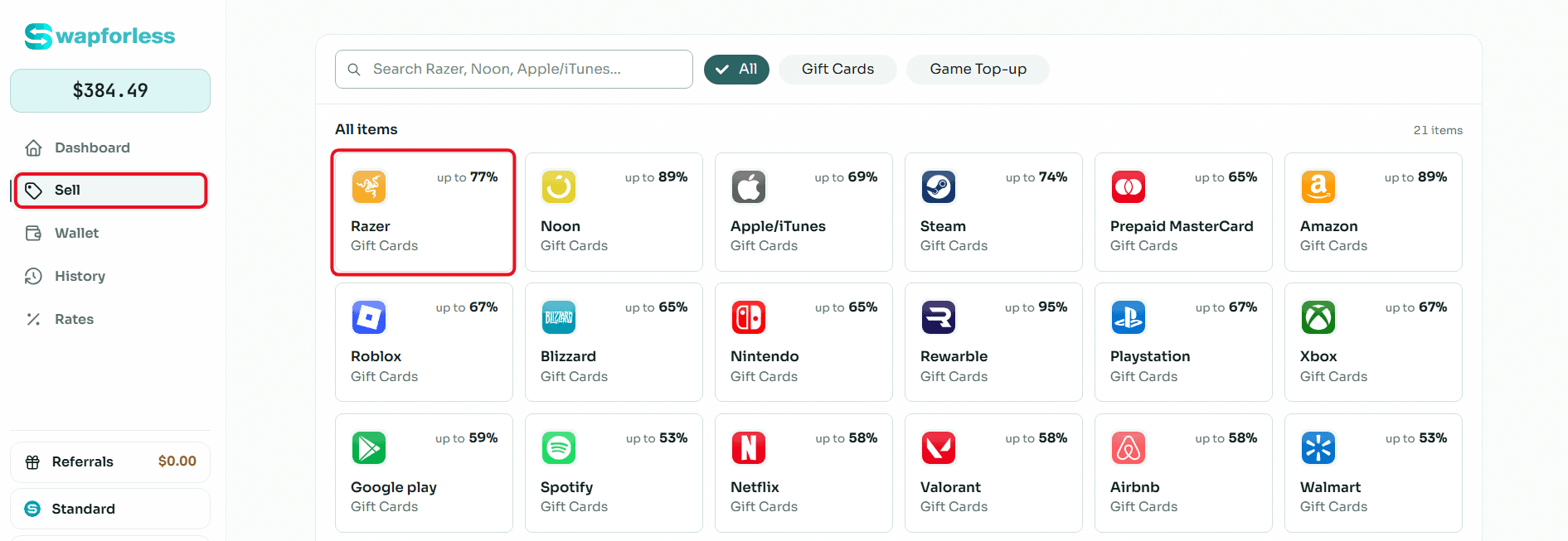
Quick access to the store: From your account's main dashboard, go to the "Sell" section and directly click on the "Razer Gold" icon.
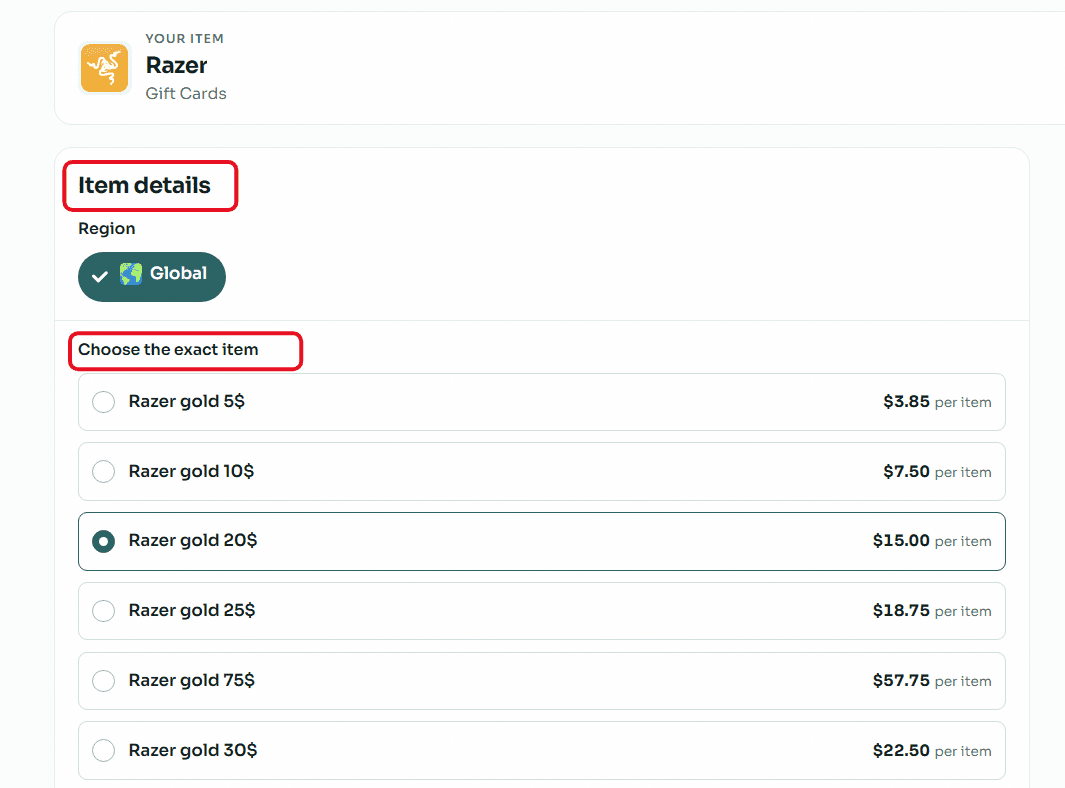
Accurately set card details (Crucial step): Razer Gold cards are very sensitive to the account's region. Make sure to open the "Region" drop-down menu and select "Global". After that, select your card's price category (e.g., $20, $50, or $100) to instantly see its assigned selling rate.
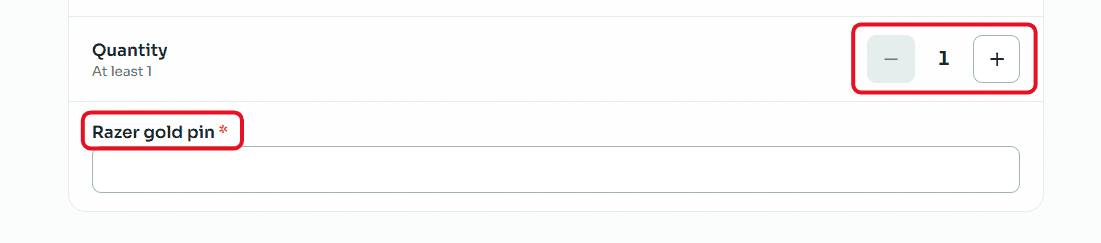
Enter code and quantity: If you want to sell more than one card of the same category and region, set the required number using the (Quantity) buttons. In the designated field, carefully copy and paste the secret code of the Razer Gold card to avoid any error that might lead to rejecting the request.
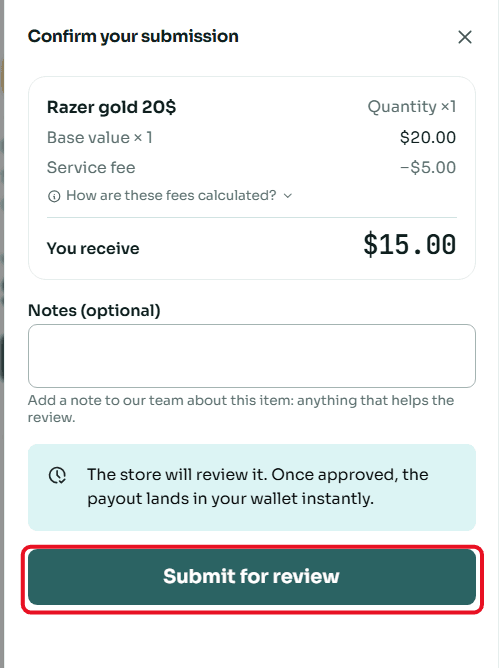
Review and confirm submission: A window will appear summarizing the deal details, including the card's value and the net amount that will be deposited into your account. Review the numbers, then click "Submit for Review".
Second: Withdraw Balance from Swapforless via USDT-BEP20
Sending your profits from the platform to your crypto wallet is very simple. Follow these steps:
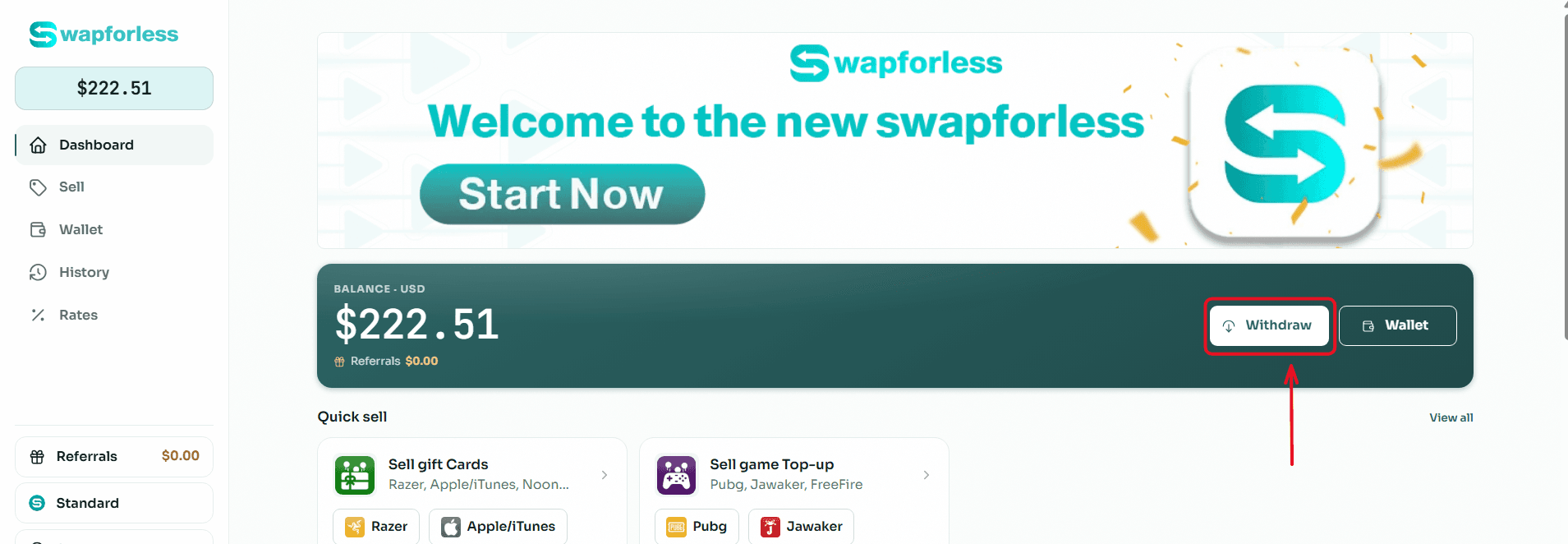
Start the Withdrawal Process: From your main Dashboard, click the "Withdraw" button located next to your available balance.
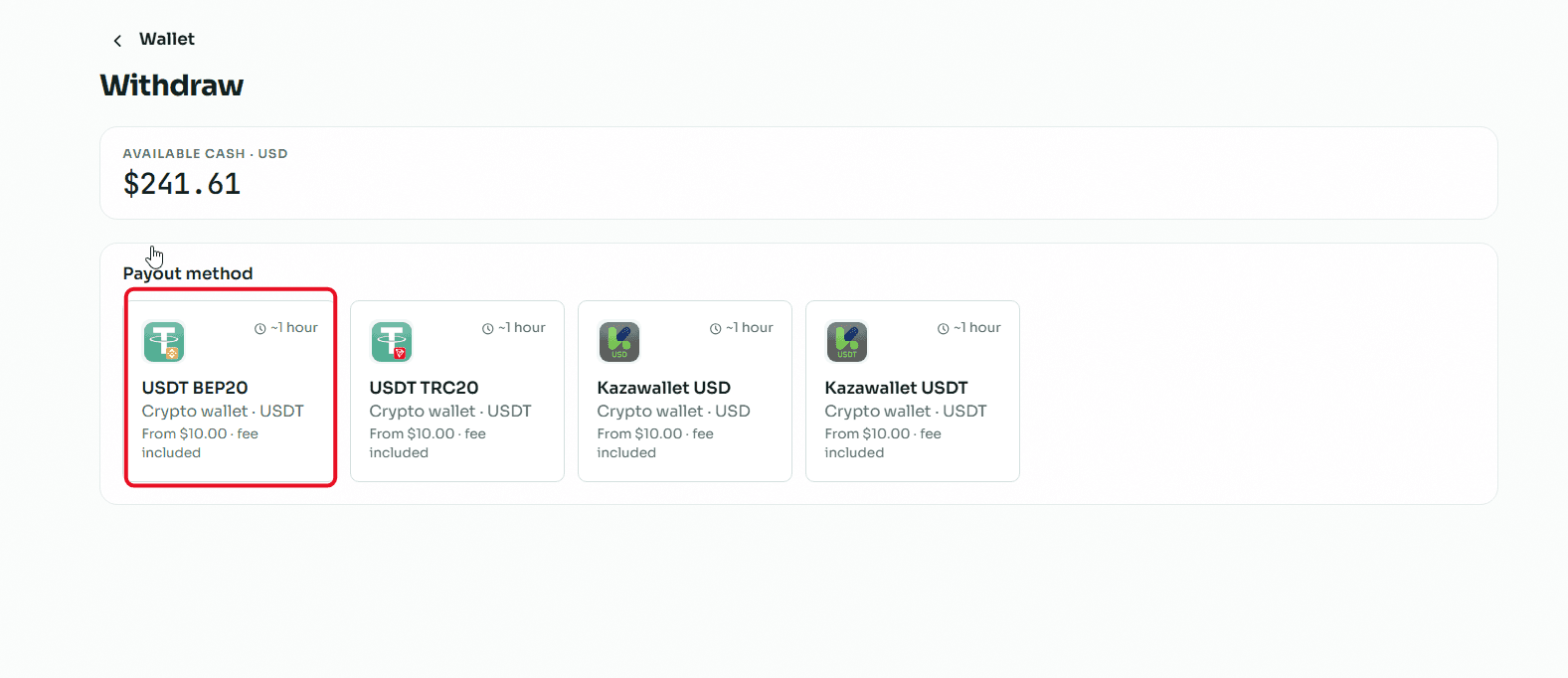
Select the Withdrawal Method: You will be directed to the withdrawal page showing multiple options. Choose "USDT BEP20" from the available withdrawal methods.
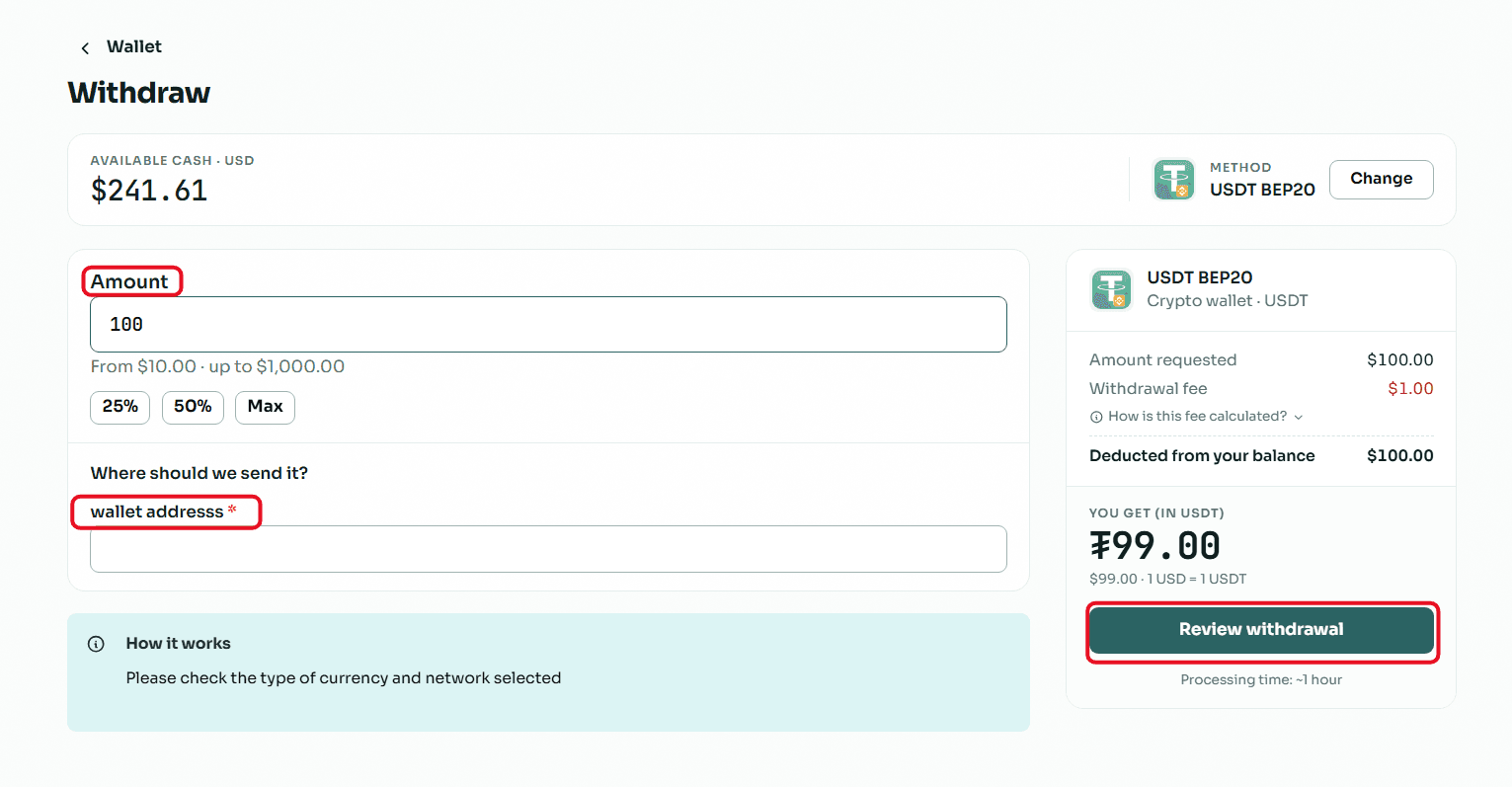
Enter the Required Amount: In the "Amount" field, type the value you wish to withdraw, keeping in mind that the minimum withdrawal limit is $10.00 and the maximum limit per transaction is $1,000.00.
Enter Wallet Details: In the "Where to send the amount?" field, copy and paste your USDT (BEP20 network) wallet address.
Crucial Note: Make sure to select the BEP20 network inside your receiving wallet, and double-check that the address is completely correct, because sending to the wrong network leads to a permanent loss of funds.
Review and Confirm: Review the transaction summary showing the requested amount, the fixed withdrawal fees, and the net amount that will reach your wallet, then click the "Review Withdrawal" button to submit your request.
Read Also: Prefer cashing out using methods other than crypto? Discover all your available options in our article: The Complete Guide to Withdrawing Balance and Profits from Swapforless.
Conclusion
With these simple steps, the profits generated from selling Razer Gold cards are ready to be used across thousands of platforms and decentralized applications supporting the BEP20 network.
You have given your balance greater flexibility and power, unlocking a brand-new world of financial possibilities far away from having funds locked inside gaming accounts.