Do you own a Global Razer Gold PIN and want to convert its value into a stable cryptocurrency? The process is much simpler than you might expect.
This guide walks you through how to sell a Razer Gold Card and withdraw it to USDT-TRC20, allowing you to use your funds anywhere with absolute freedom.
Quick Summary (TL;DR)
Do you want to sell a Razer Gold Card and withdraw it to USDT-TRC20 right now? The steps are straightforward: create your account on the Swapforless platform, head to "Gift Cards", and select Razer Gold Global.
Choose the price category, carefully paste the code, and submit your request.
Once the code is verified, your Balance will be added to your platform wallet, ready for instant withdrawal to your digital wallet via the (USDT-TRC20) network.
What is a Razer Gold Global PIN?
A Razer Gold Global PIN simply means you hold a digital recharge code for Razer Gold, the virtual currency built for gamers.
The most important highlight here is the word "Global", which indicates that the code is international and free from restrictive geographical boundaries (such as US-only accounts).
This grants it higher flexibility and reliability when you decide to sell it and unlock its monetary value.
What is USDT-TRC20?
It is a type of stable cryptocurrency, which can be easily understood through two main pillars:
USDT (Value Pegging): Each 1 USDT equals one US dollar ($1 = 1 USDT). This keeps it completely stable, shielding it from the wild price fluctuations typical of other cryptocurrencies.
- TRC20 (Transfer Network): This is the transport network belonging to TRON, used to transfer digital dollars. The TRC20 network is characterized by exceptionally low transaction fees and high transfer speeds, making it a favorite choice for many.
In short, USDT-TRC20 is a digital dollar sent and received over a fast, cost-effective, and reliable network.
How to Sell a Razer Gold Card and Withdraw it to USDT-TRC20?
The process of selling a Razer Gold card and withdrawing it to USDT-TRC20 is completed in two stages:
First: Selling Razer Gold Global Cards on Swapforless
Follow these simple steps to complete the steps to sell Razer Gold cards with ease:
Quick access to the store: From your account's main dashboard, go to the "Sell" section and directly click on the "Razer Gold" icon.
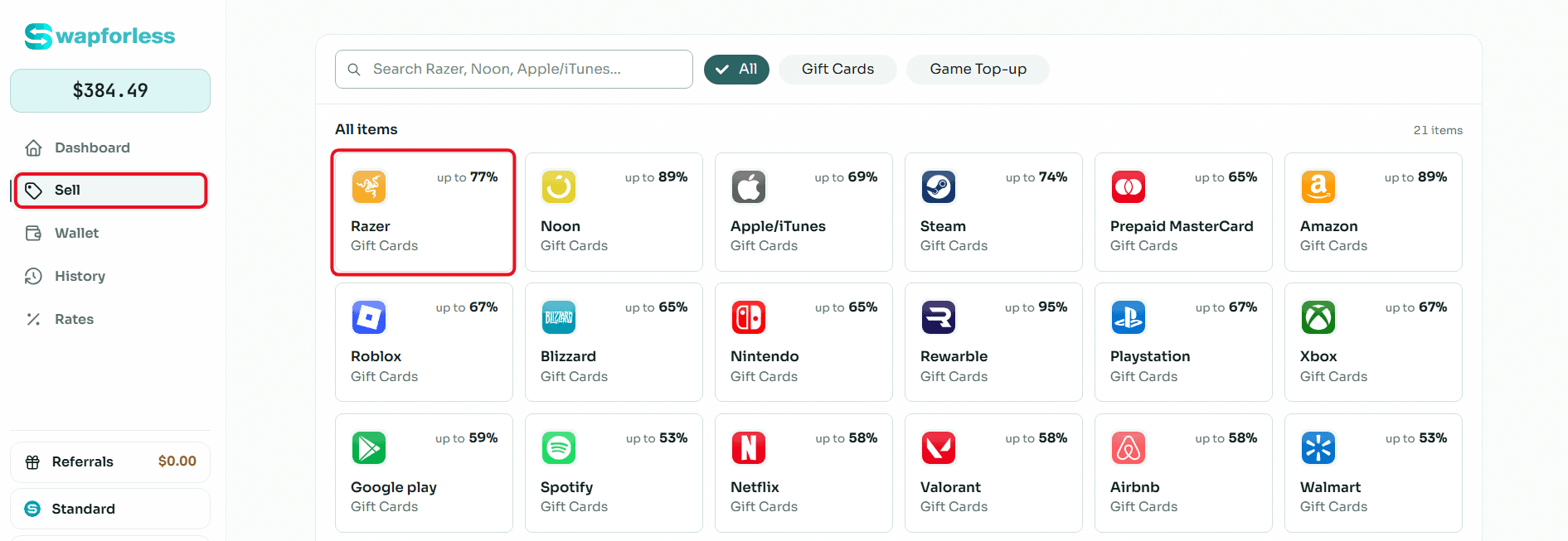
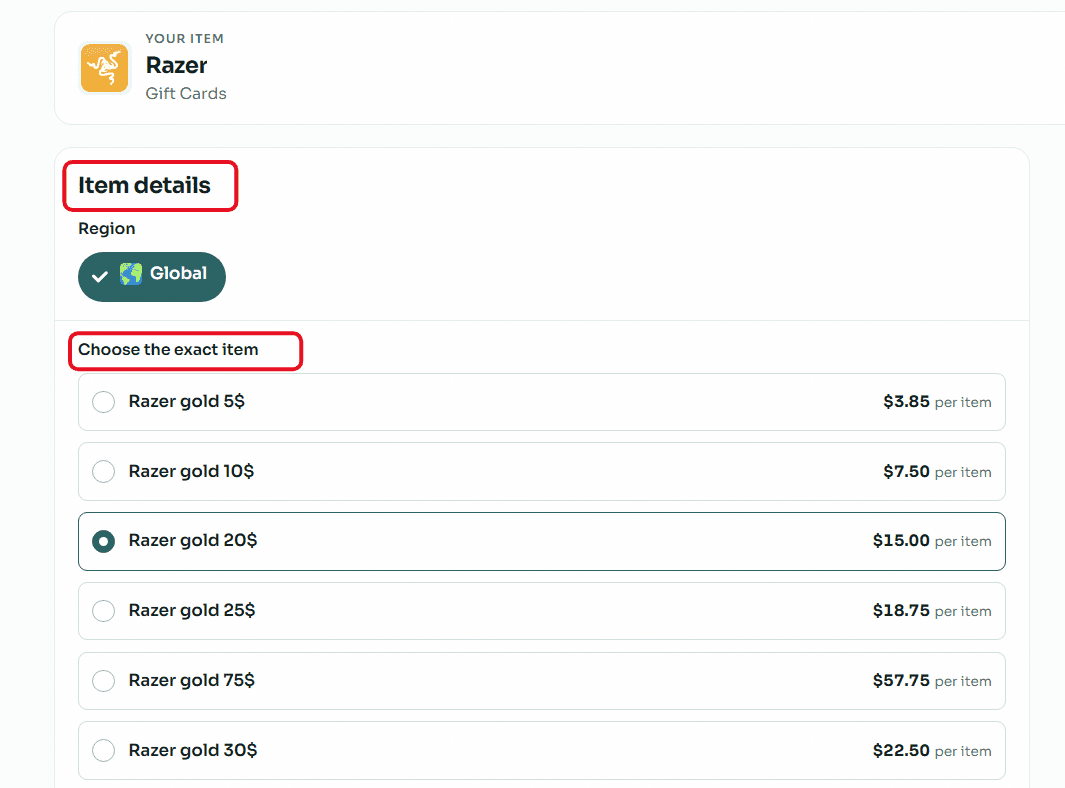
Accurately set card details (Crucial step): Razer Gold cards are very sensitive to the account's region. Make sure to open the "Region" drop-down menu and select "Global". After that, select your card's price category (e.g., $20, $50, or $100) to instantly see its assigned selling rate.
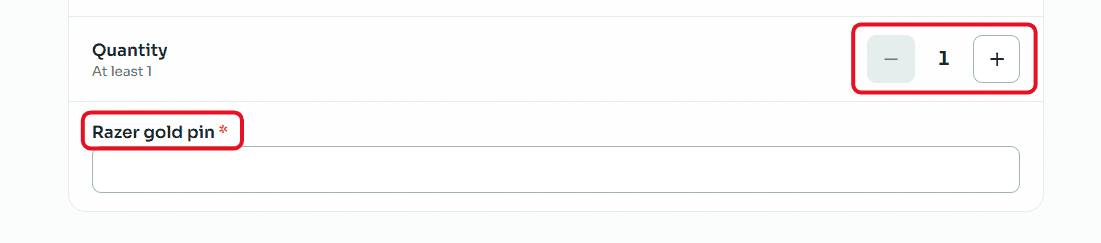
Enter code and quantity: If you want to sell more than one card of the same category and region, set the required number using the (Quantity) buttons. In the designated field, carefully copy and paste the secret code of the Razer Gold card to avoid any error that might lead to rejecting the request.
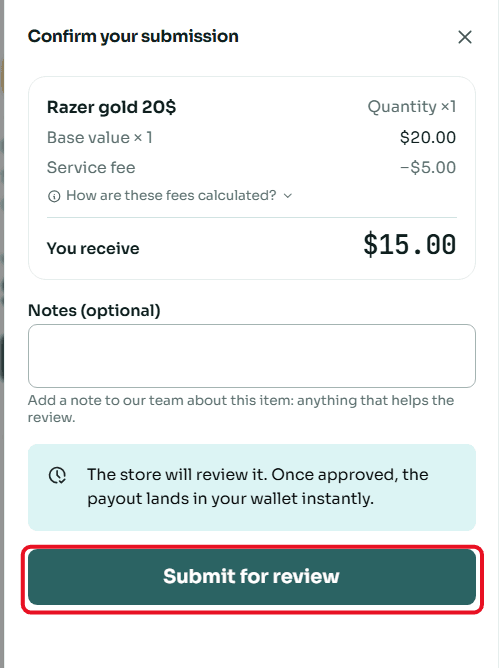
Review and confirm submission: A window will appear summarizing the deal details, including the card's value and the net amount that will be deposited into your account. Review the numbers, then click "Submit for Review".
Second: Withdrawing the Balance from Swapforless to USDT-TRC20
The steps to withdraw balance from Swapforless to USDT-TRC20 are very simple and take only a few seconds. Follow these steps:
Sending your Balance from the platform to your crypto wallet is very simple. Follow these steps:
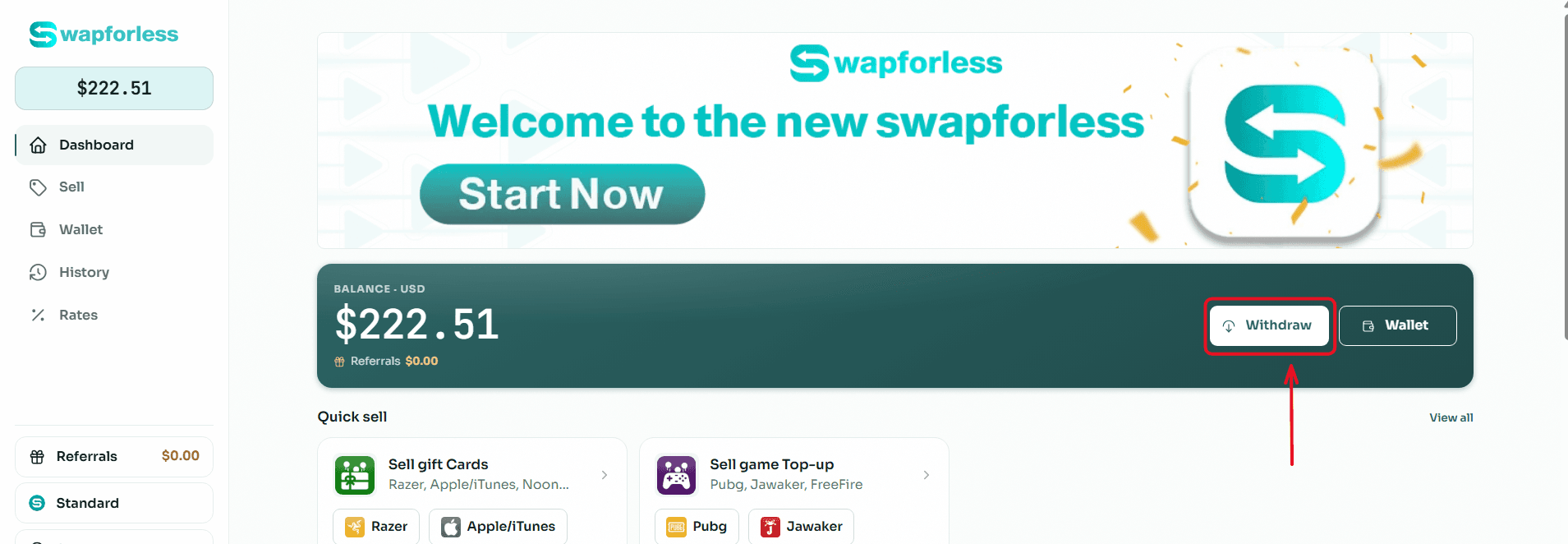
Start the Withdrawal Process: From your main Dashboard, click the "Withdraw" button located next to your available balance.
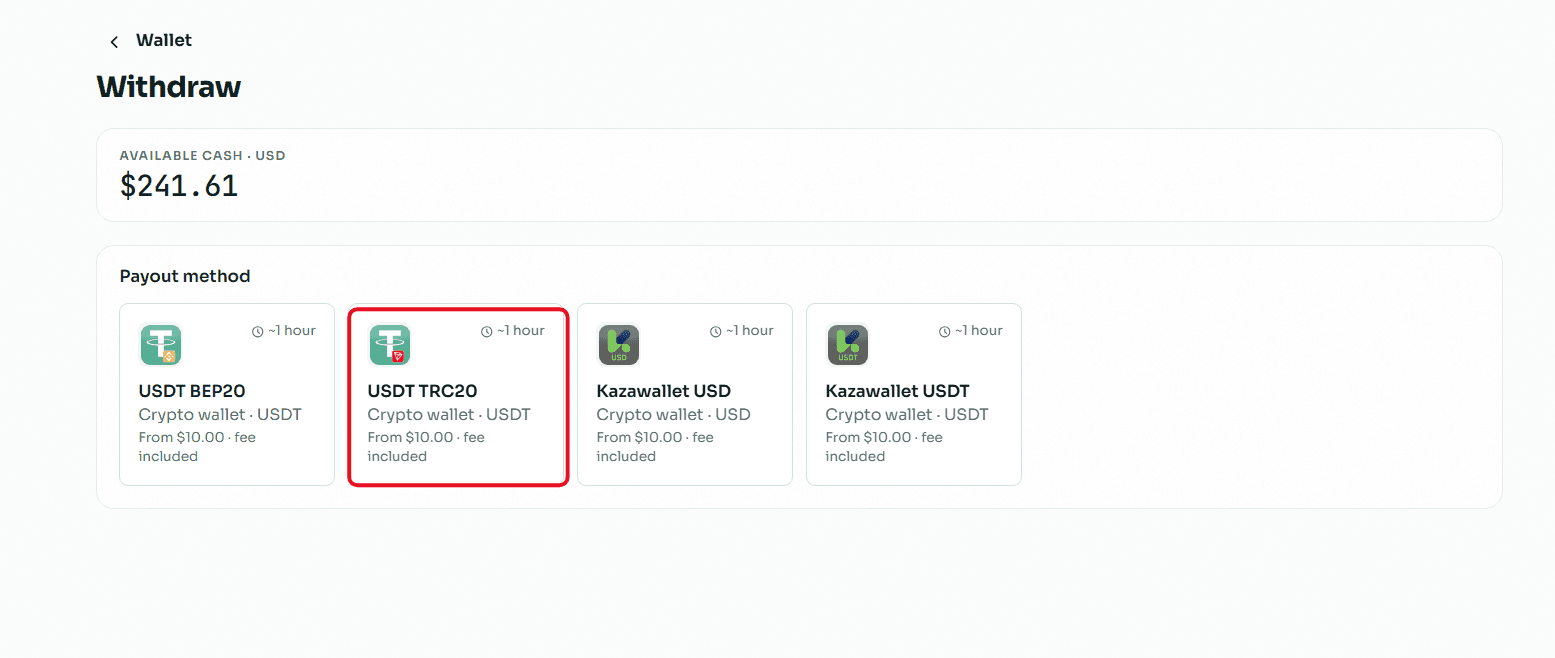
Select the Withdrawal Method: You will be directed to the withdrawal page showing multiple options. Choose "USDT TRC20" from the available withdrawal methods.
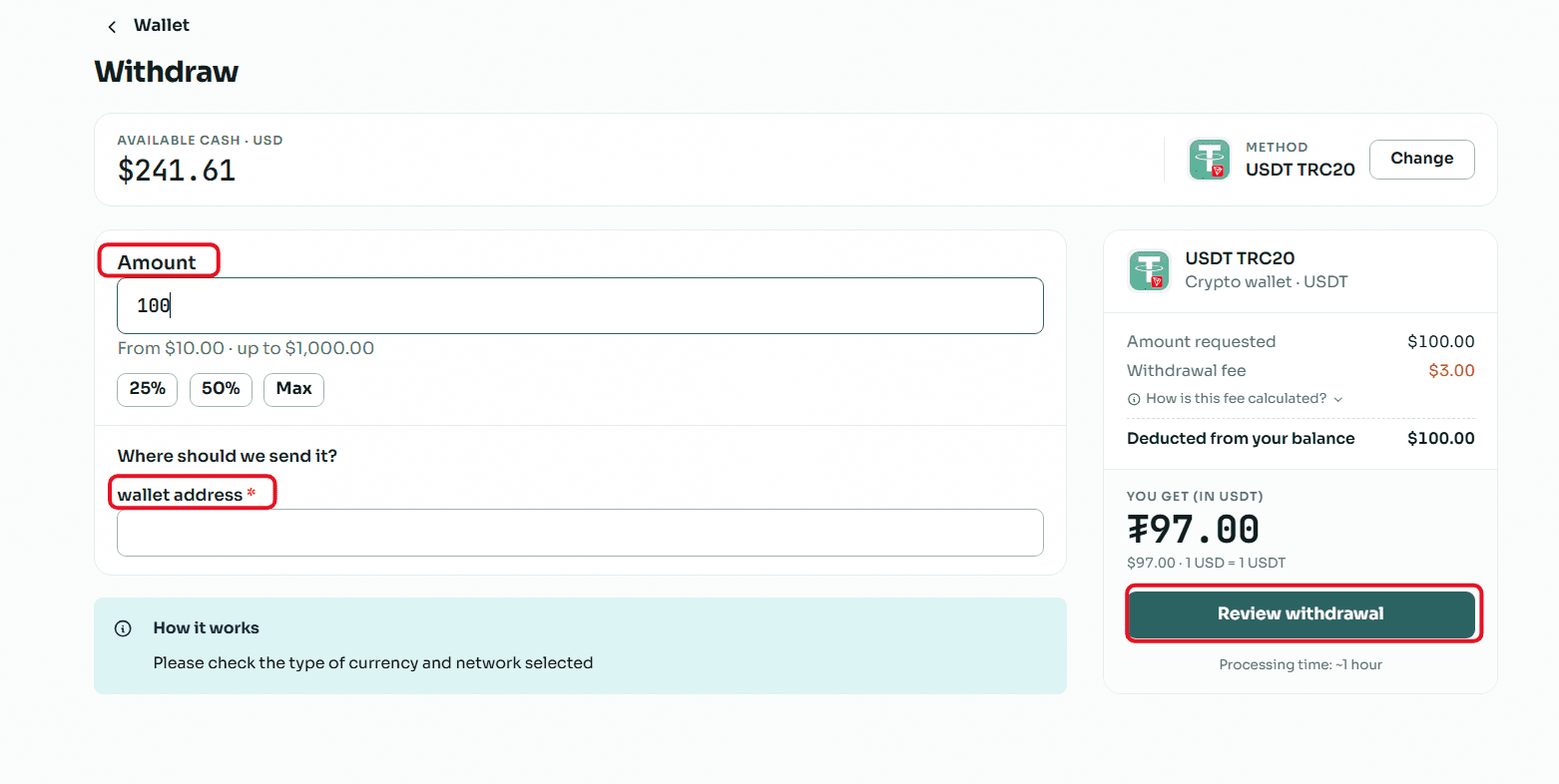
Enter the Required Amount: In the "Amount" field, type the value you wish to withdraw, keeping in mind that the minimum withdrawal limit is $10.00 and the maximum limit per transaction is $1,000.00.
Enter Wallet Details: In the "Where to send the amount?" field, copy and paste your USDT (TRC20 network) wallet address (which usually starts with the letter T).
Crucial Note: Make sure to select the TRC20 network inside your receiving wallet, and double-check that the address is completely correct, because sending to the wrong network leads to a permanent loss of funds.
Review and Confirm: Review the transaction summary showing the requested amount, the fixed withdrawal fees, and the net amount that will reach your wallet, then click the "Review Withdrawal" button to submit your request.
Read Also: Prefer cashing out using methods other than crypto? Discover all your available options in our article: The Complete Guide to Withdrawing Balance and Balance from Swapforless.
Conclusion
With just these simple steps, you can sell Global Razer Gold cards and transform a gaming-specific code into a stable, global digital asset over the TRC20 network.
This process grants you complete freedom in utilizing your money the way you want, far away from having your funds locked inside gaming platforms.