The Steam store enjoys massive popularity in the gaming community, and users often receive Steam Wallet Codes as tournament prizes or gifts.
If you are not planning to buy new games and prefer having actual cash liquidity to meet other obligations, leaving your balance frozen in a gaming account limits your financial options.
Swapforless provides you with a professional and safe environment that allows you to sell Steam cards and turn them into real money.
Quick Summary (TL;DR)
Are you looking to sell a Steam card and turn it into cash right now? The process is very straightforward: log in to your Swapforless account, head to the "Gift Cards" section, and choose the "Steam" icon.
Accurately set its value (e.g., $50). Carefully paste the wallet code and submit the request. Once the code is reviewed and verified, the profits will be added to your wallet for instant withdrawal via Crypto (USDT) or Kazawallet.
Steps to Sell Steam Cards on Swapforless
The platform's interface is designed to speed up the selling process and avoid any technical complications. Follow these steps:
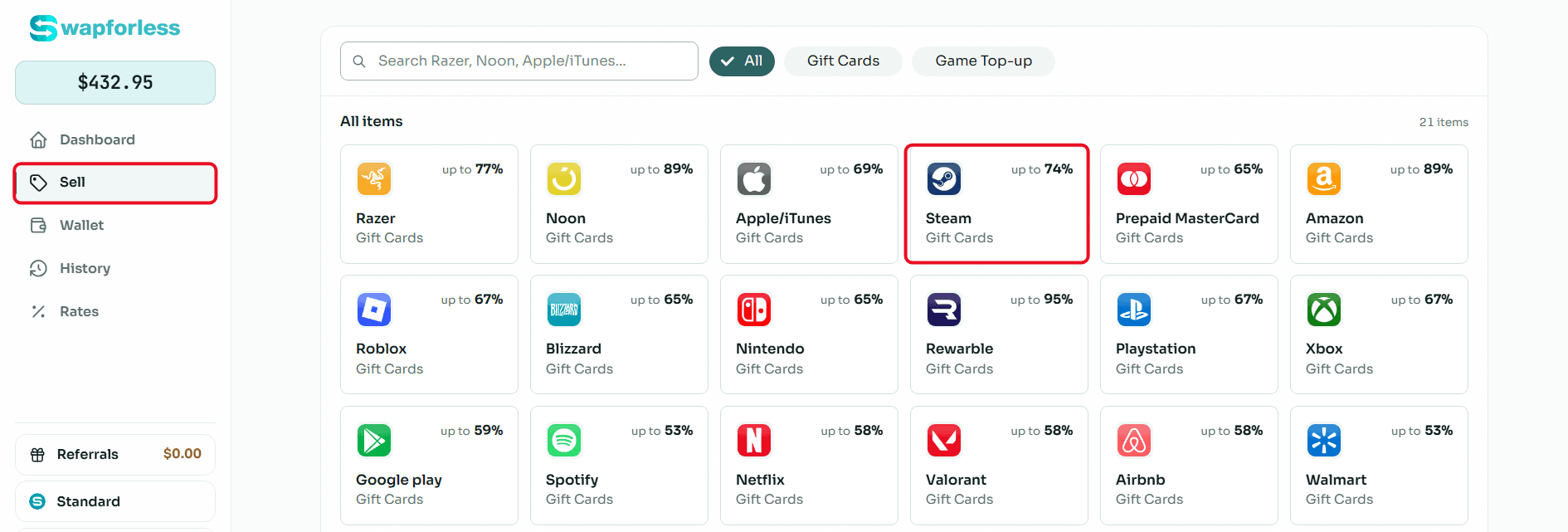
Direct access to the section: From your account's main dashboard, go to the "Sell" section and click the "Steam" icon.
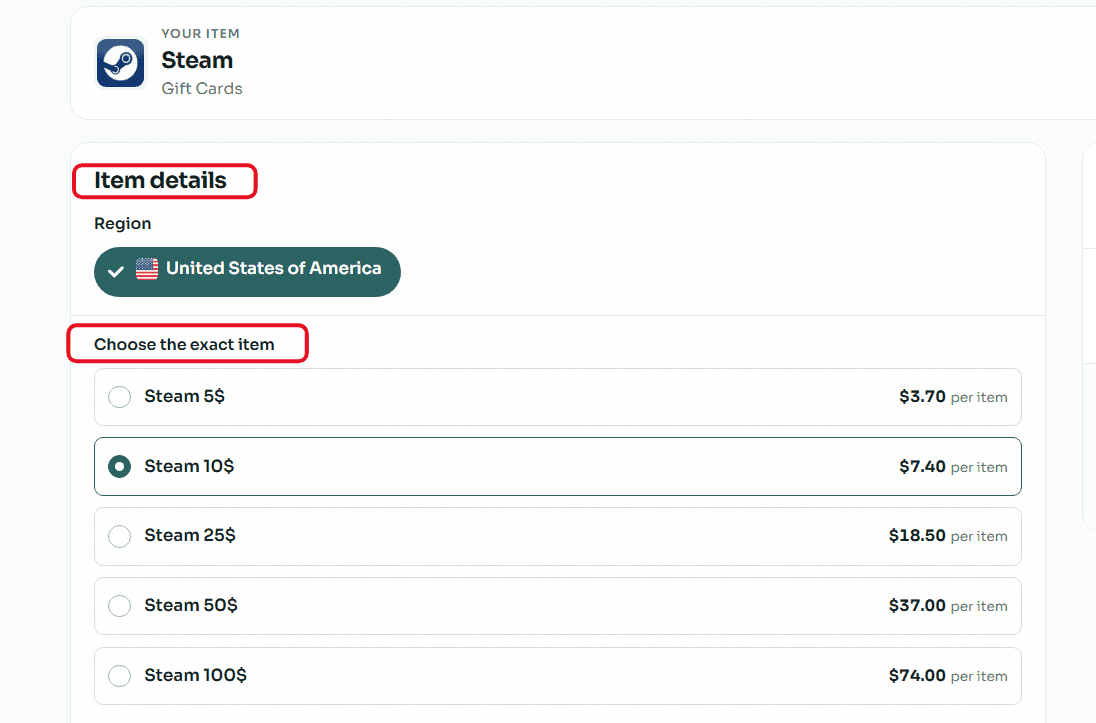
Accurately set card details: Select the card's price category to see its assigned selling rate.
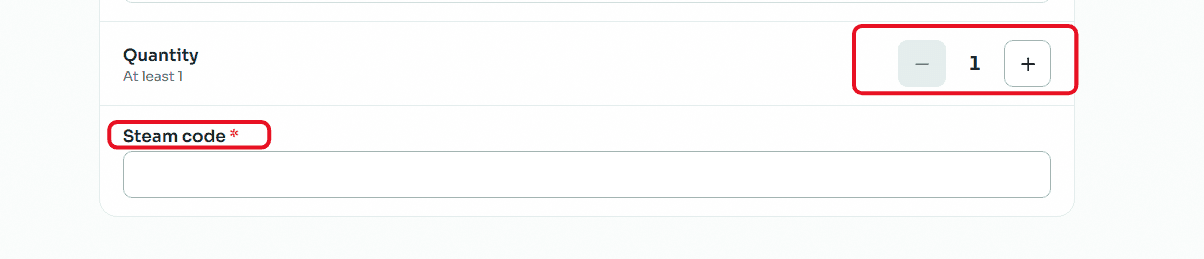
Enter code and quantity: If you own multiple cards of the same category and region, set the number using the "Quantity" buttons. In the designated field, carefully copy and paste the Steam wallet code to avoid request rejection due to typos.
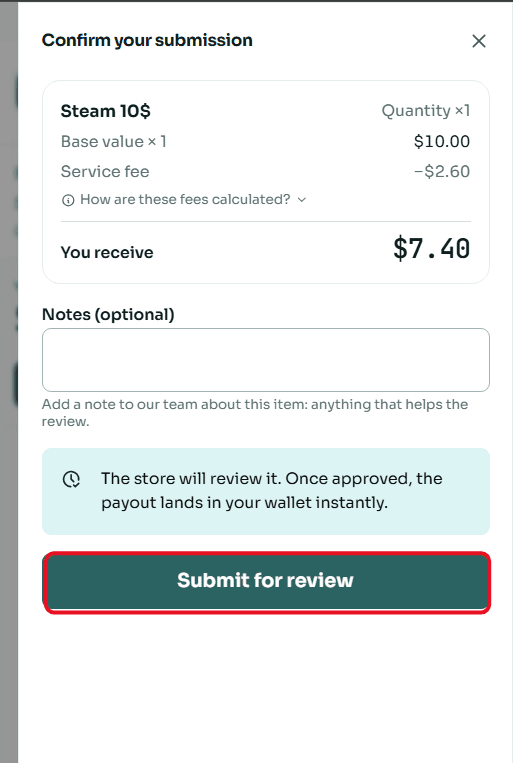
Review and confirm sale: A window will appear showing a summary of the deal and the net amount that will be deposited into your account. Review the details, then click "Submit for Review".
Frequently Asked Questions (FAQ)
Why is choosing the Region important when selling a Steam card?
Valve applies strict regional policies, meaning a US Steam card cannot be redeemed in an Argentine or Turkish account. Demand rates and selling prices vary based on the card's currency and region.
Choosing the correct region is the fundamental condition for your request to be accepted and processed quickly.
When can I withdraw my money after submitting the card?
Once the store or the review team checks the code and verifies its validity, the net amount is instantly transferred to your "Wallet" balance. You can then flexibly request to withdraw your money via Cryptocurrencies (like USDT) or transfer it to your Kazawallet.
For more practical details, read: How to Withdraw Profits and Balance from Your Swapforless Wallet.
How do I get better selling rates for my cards?
Absolutely. Swapforless relies on an automatic Tiers system that rewards active users; the more your activity and sales of Steam gift cards increase, your account will be upgraded to unlock exclusive rates and higher profit margins on your future deals.
To learn how to grow your profits, read: Tiers System in Swapforless: How to Level Up Your Account.
The Bottom Line
Selling your Steam USA balance is no longer complicated. Instead of leaving funds locked in games you don't play, dedicated exchange platforms provide a secure, streamlined path into crypto or digital banking.
Get your valid codes ready, pick your preferred payout channel, and put your digital balance to work wherever you need it.