Excess Fortnite (V-Bucks) balances and coins sitting in your account no longer have to remain frozen, useless assets.
If you are looking for a smart way to convert these digital cards into stable digital dollars with minimal fees and lightning speed, the Swapforless platform offers you the ideal solution.
In this article, we take you on a quick and clear journey to learn how to Sell a Fortnite Card and Withdraw to USDC-SOL.
Quick Summary (TL;DR)
Do you want ro Sell a Fortnite Card and Withdraw to USDC-SOL right now? The process is fast and organized: log into the Swapforless platform, head to the "Game Recharges" section, and select Fortnite.
Specify the card category and region accurately, paste the secret code, and submit your request.
Once our team manually reviews and approves the code to ensure security, your net profits will be added to your platform wallet, ready for instant withdrawal to your digital wallet via the (USDC-SOL) network.
Steps to Sell a Fortnite Card and Withdraw to USDC-SOL
The process of exchanging Fortnite vouchers into digital liquidity goes through two essential stages:
First: Selling Fortnite Cards on Swapforless
We have designed the platform's interface to ensure the selling process is fast, clear, and free of any technical complications.
Follow these simple steps to exchange your cards:
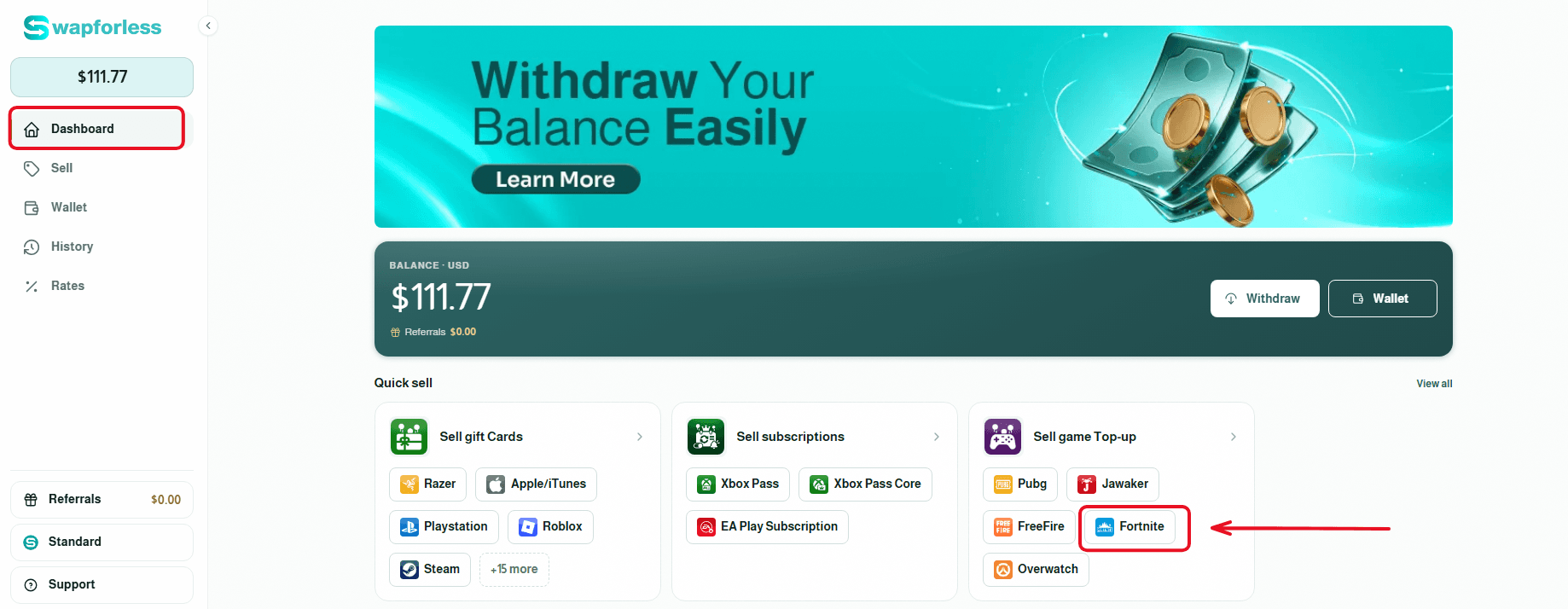
Fast Access to the Store: From your account's main dashboard, head directly to the "Sell Game Recharges" section and click on the Fortnite icon to begin the process immediately.
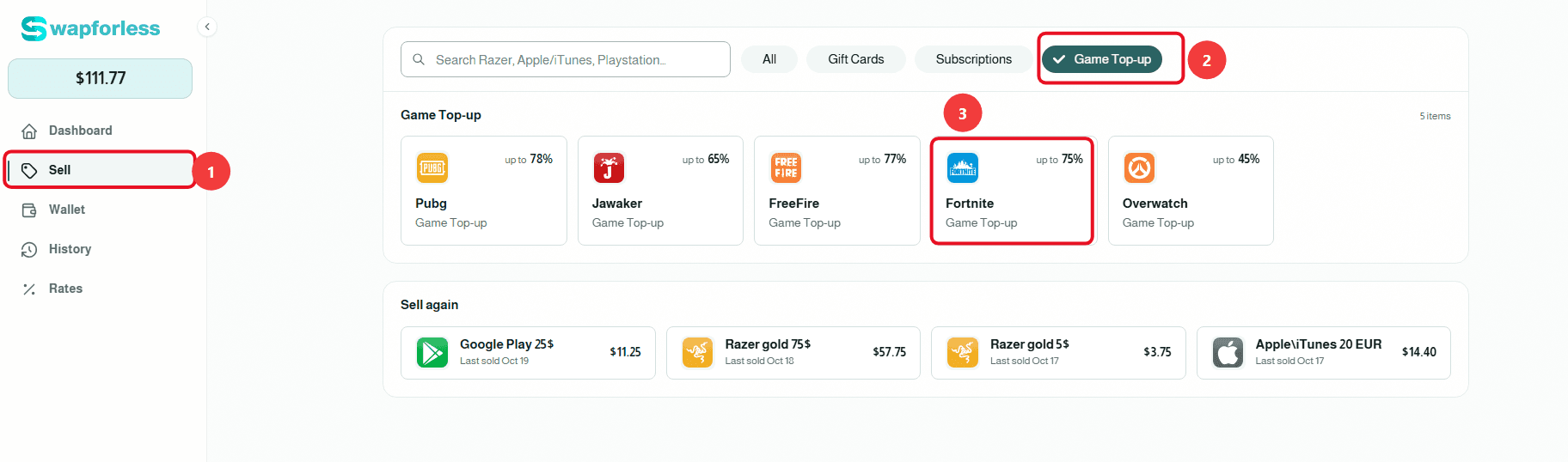
Or via the Sidebar Menu: Alternatively, you can navigate to the "Sell" tab from the menu, select the "Game Recharges" section, and then choose "Fortnite," where the current selling rate dedicated to these cards will be clearly displayed.
Set Item Details: First, make sure to select the correct "Region" for your card (e.g., Global or US). Next, specify the exact category that perfectly matches your card (for example: 1000 V-Bucks, 2800 V-Bucks, or 5000 V-Bucks) to see its specific net profit rate.

Enter Quantity and Secret Code: Specify the number of cards you wish to sell using the (+) and (-) buttons in the "Quantity" field. Then, carefully type or paste the card's secret code with extreme precision to avoid any typos that could lead to request rejection.

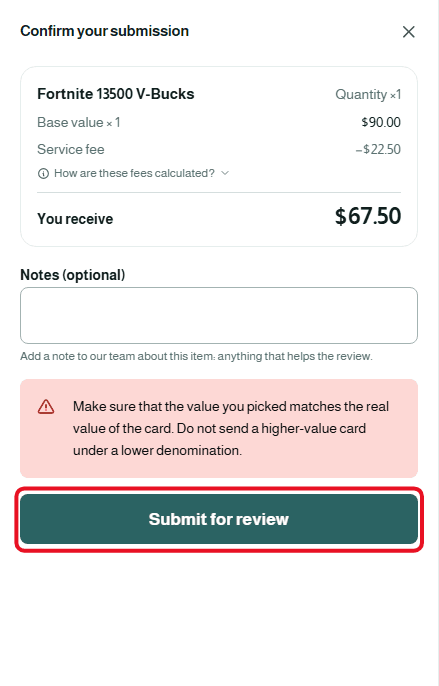
Review and Confirm Submission: Once finished, a "Confirm Submission" window will appear showing the complete deal summary. You can add any optional notes you deem necessary for the support team, then click the "Submit for Review" button.
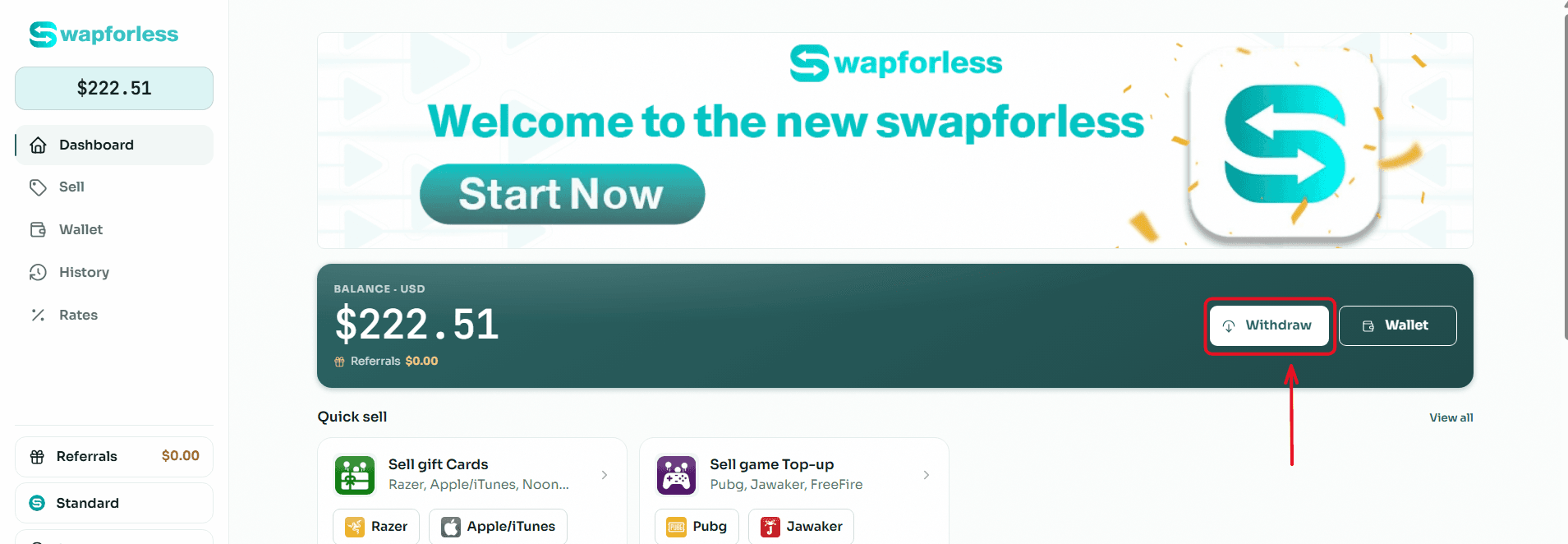
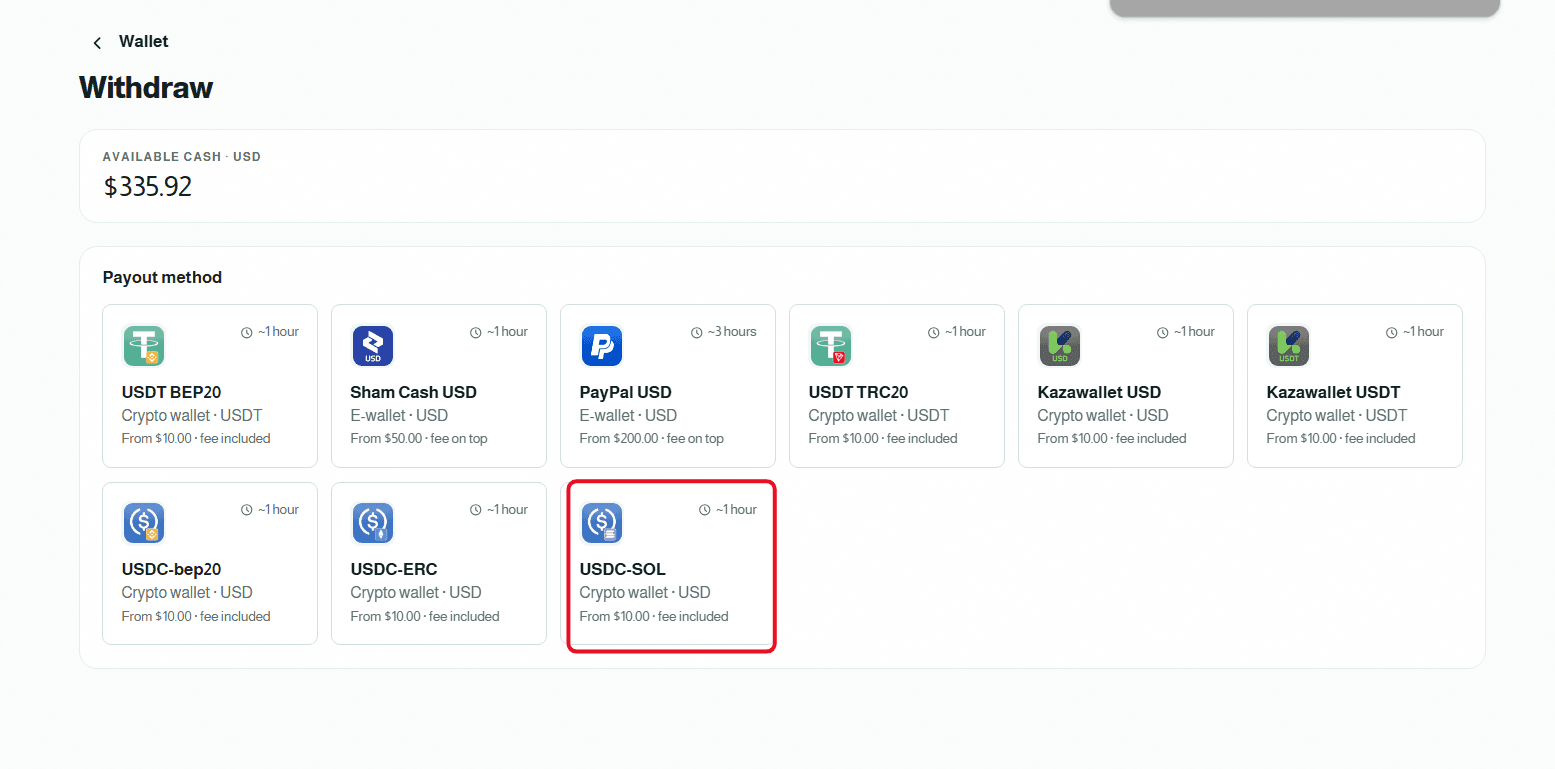
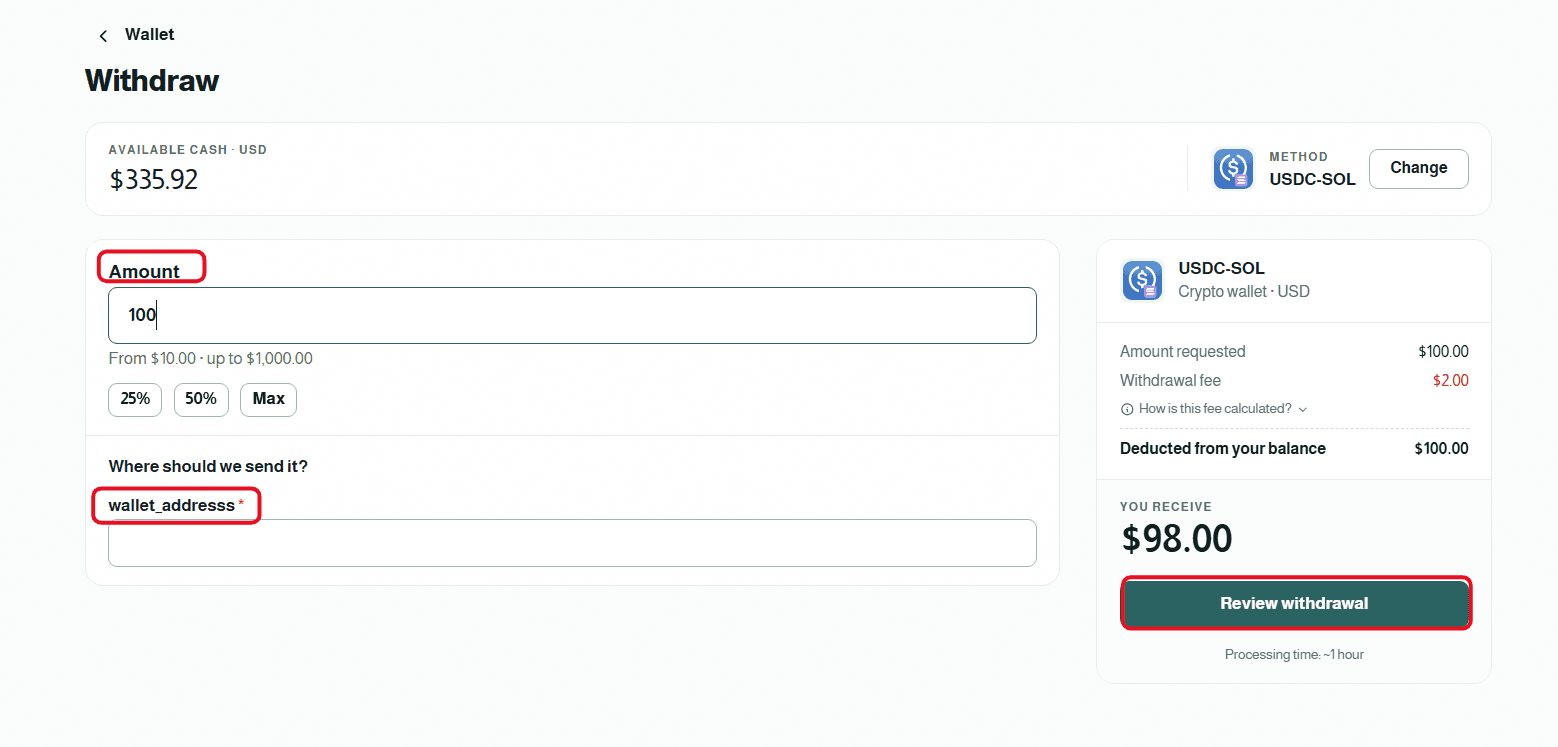
Second: Withdraw Balance from Swapforless via USDC-SOL
Sending your profits from the platform to your crypto wallet is very simple. Follow these steps:
Conclusion
Investing excess Fortnite cards and V-Bucks by converting them into digital liquidity via the SOL network is the smartest financial decision, granting you blazing-fast execution speeds and near-zero transfer fees.
By relying on the Swapforless platform to sell your cards and safely withdraw your returns, you ensure your virtual assets transform into stable crypto assets that give you complete freedom to manage, trade, or hold them for the future.