If you prefer holding flexible digital cash liquidity or investing its value in the crypto market, the Swapforless platform gives you the most reliable way to sell Noon cards and exchange their value directly into a stable digital dollar via the Binance Smart Chain (BEP20) network.
In this article, we will walk you through the practical steps to sell a Noon Card and withdraw it to USDT-BEP20 and use it anywhere.
Quick Summary (TL;DR)
Looking to sell a Noon gift card and exchange its value into USDT via the BEP20 network right now? The steps are straightforward and organized: create your account on the Swapforless platform, head to the "Gift Cards" section, and select Noon.
Specify the price category, carefully paste the code, and submit your request.
Once the code is reviewed and approved, your profits will be added to your platform wallet, ready for instant withdrawal to your digital wallet via the (USDT-BEP20) network.
Steps to Sell a Noon Card and Withdraw it to USDT-BEP20
To sell a Noon Card and withdraw it to USDT-BEP20, you will need to complete two essential stages:
First: Selling Noon Cards on Swapforless
Follow these simple steps to sell Noon UAE cards:
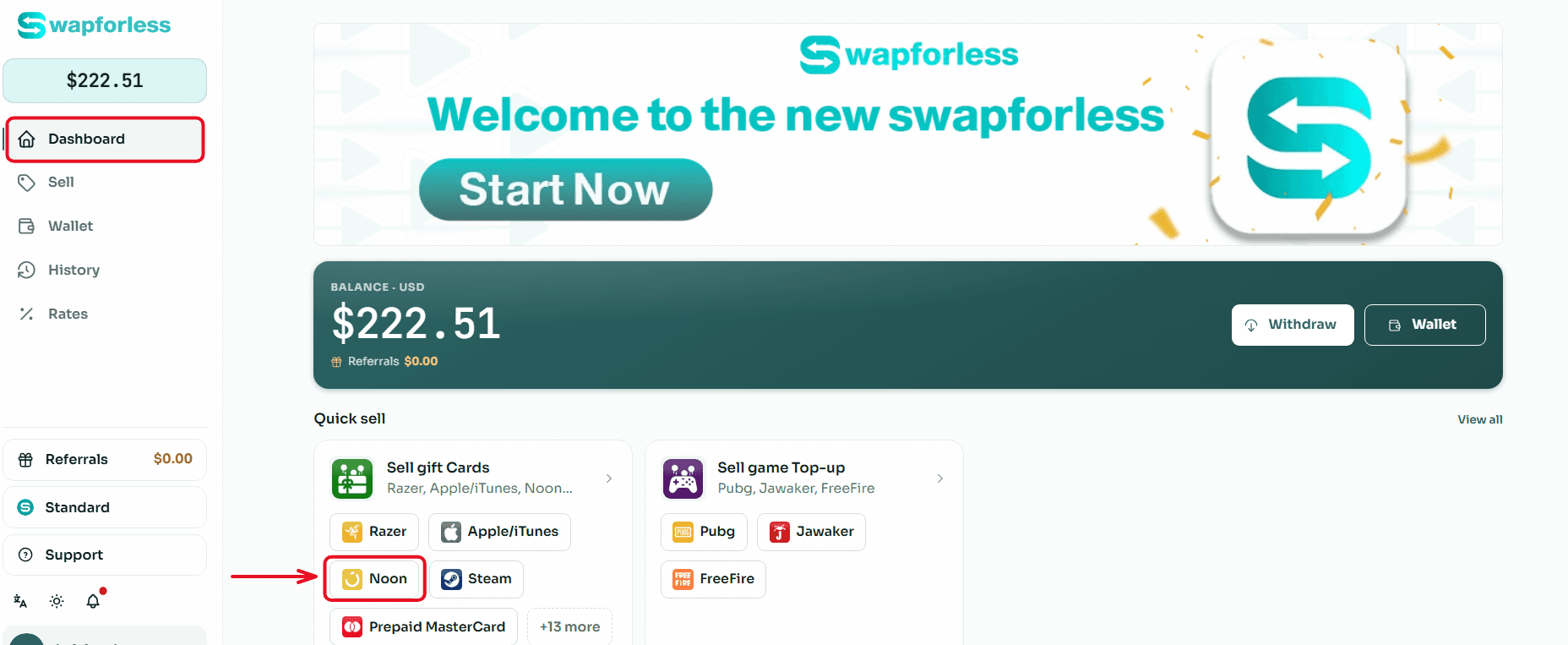
Quick Access: From your main Dashboard, you can head directly to the "Sell Gift Cards" section and click the "Noon" icon to start the process immediately.
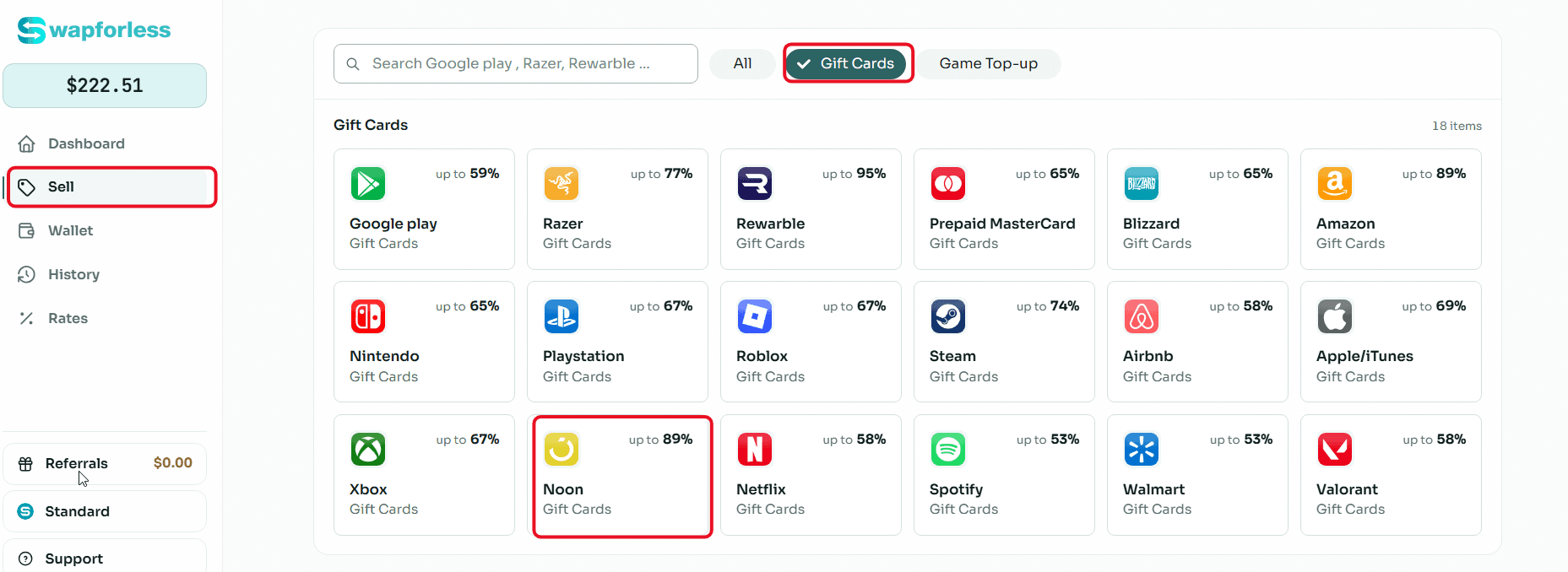
Or Via the Menu: Alternatively, you can go to the "Sell" tab from the side menu, select the "Gift Cards" section, then choose "Noon"; where the current selling rate for these cards will be clearly displayed.
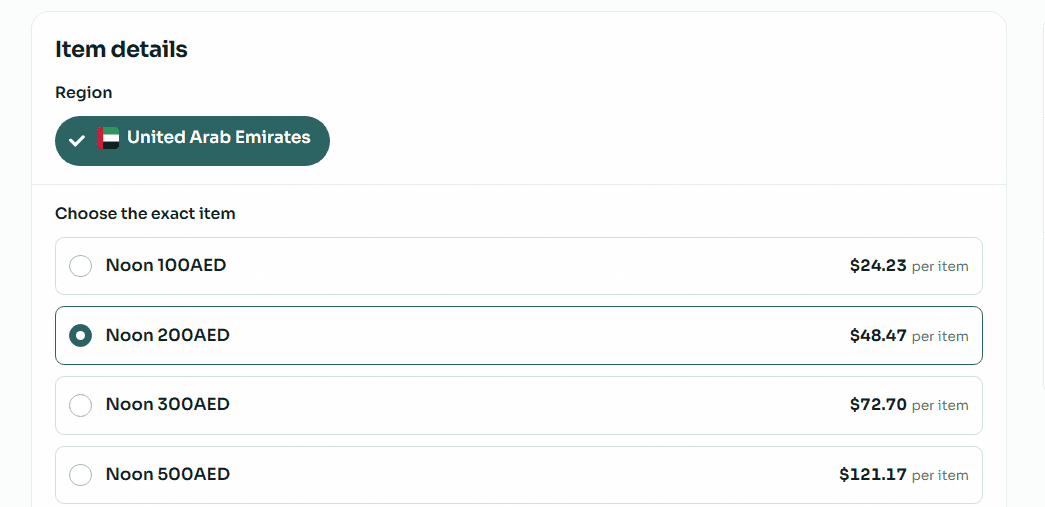
Item Details: In the "Item Details" section, first make sure to select the correct "Region" for your card (e.g., UAE). Next, select the category that exactly matches your card (for example: 100 AED, 200 AED, or 500 AED) to see its specific price.
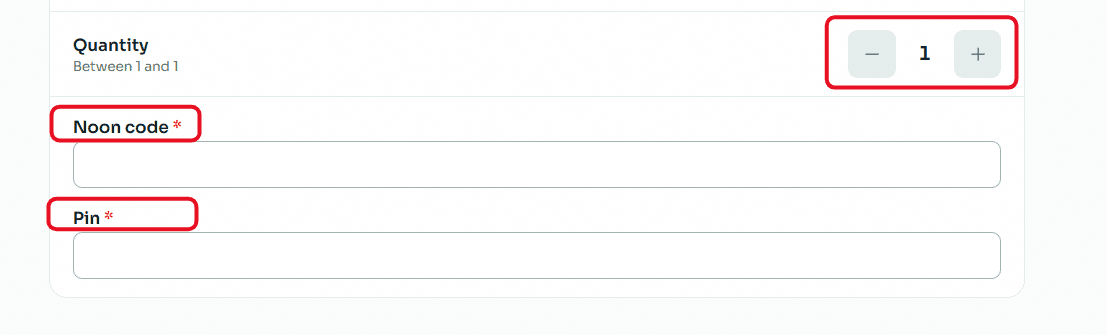
Enter Quantity and Secret Code: Choose the number of cards you want to sell using the (+) and (-) buttons in the "Quantity" field. Then, carefully type or paste the card's secret code and Noon PIN.
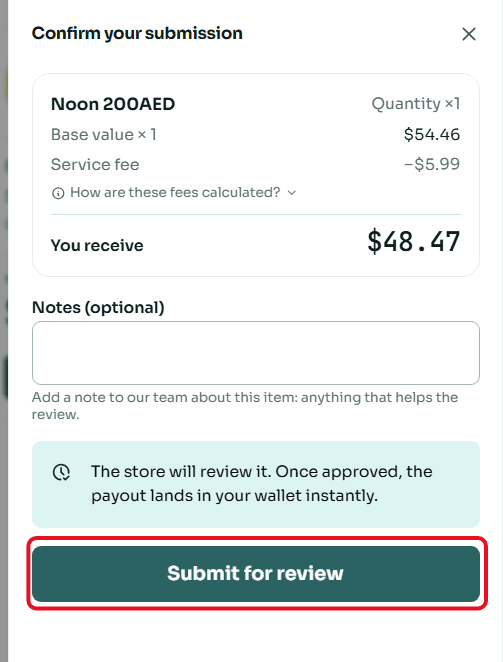
Review and Submit: Once done, a "Confirm Submission" window will appear showing the full summary of the deal. You can add any optional notes you think are necessary for the support team, then click the "Submit for Review" button.
Second: Withdraw Balance from Swapforless via USDT-BEP20
Sending your profits from the platform to your crypto wallet is very simple. Follow these steps:
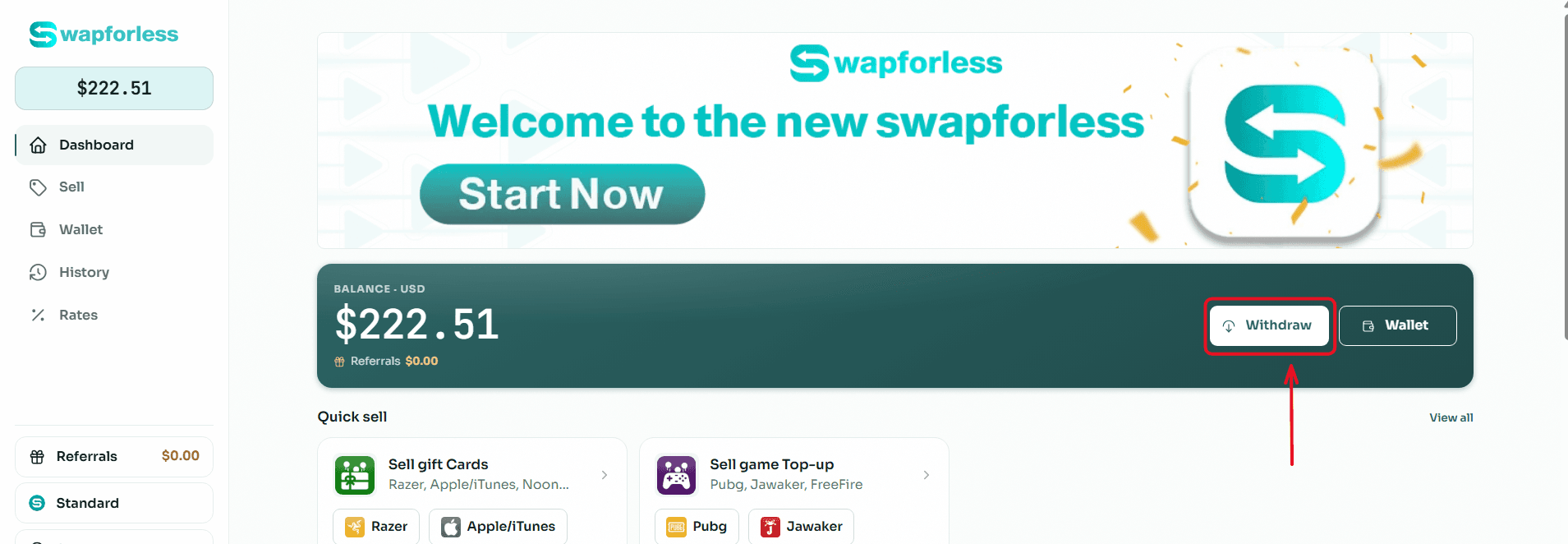
Start the Withdrawal Process: From your main Dashboard, click the "Withdraw" button located next to your available balance.
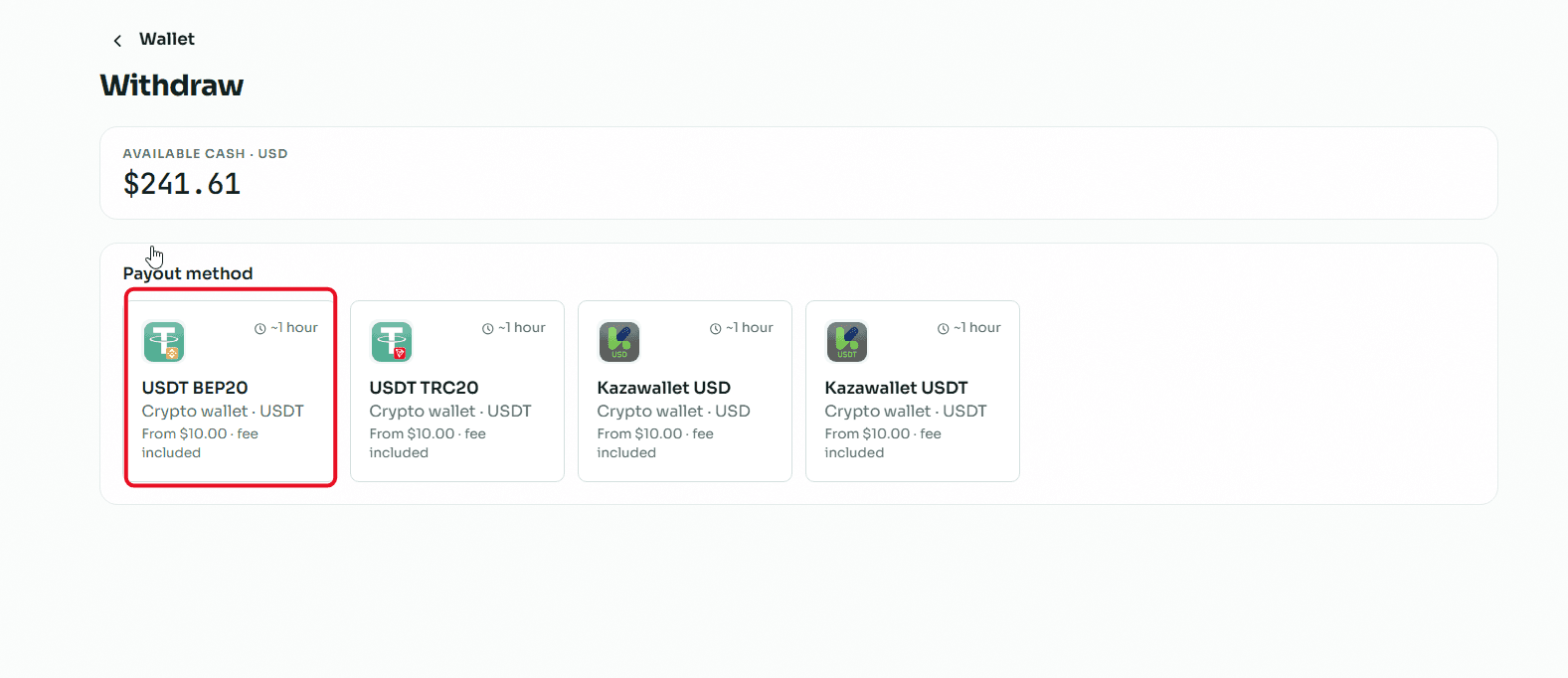
Select the Withdrawal Method: You will be directed to the withdrawal page showing multiple options. Choose "USDT BEP20" from the available withdrawal methods.
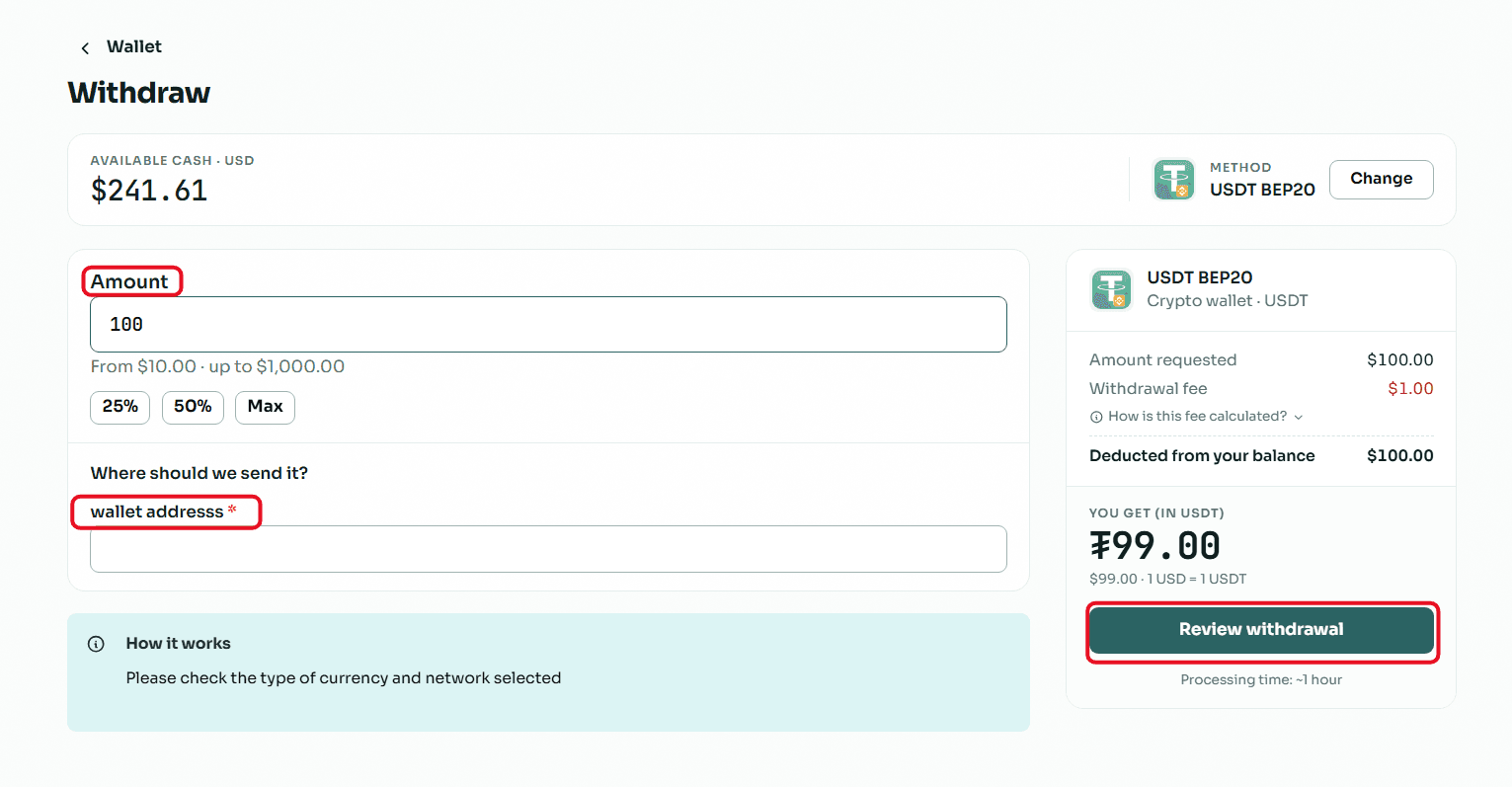
Enter the Required Amount: In the "Amount" field, type the value you wish to withdraw, keeping in mind that the minimum withdrawal limit is $10.00 and the maximum limit per transaction is $1,000.00.
Enter Wallet Details: In the "Where to send the amount?" field, copy and paste your USDT (BEP20 network) wallet address.
Crucial Note: Make sure to select the BEP20 network inside your receiving wallet, and double-check that the address is completely correct, because sending to the wrong network leads to a permanent loss of funds.
Review and Confirm: Review the transaction summary showing the requested amount, the fixed withdrawal fees, and the net amount that will reach your wallet, then click the "Review Withdrawal" button to submit your request.
Read Also: Prefer cashing out using methods other than crypto? Discover all your available options in our article: The Complete Guide to Withdrawing Balance and Profits from Swapforless.
Conclusion
There is no longer any reason to let unused shopping gift cards pile up or spend them on items that aren't a priority for you.
By selling Noon cards through the Swapforless platform and withdrawing their value as USDT-BEP20, you can easily transfer your funds into a space that grants you the freedom to trade, invest, or keep stable, secure digital cash liquidity right inside your wallet.