Have you ever considered turning your gaming balance into flexible digital cash liquidity?
The Swapforless platform provides the smartest and most secure solution to sell PUBG cards and exchange their value directly into a stable digital dollar via the Binance Smart Chain (BEP20) network.
This article takes you on a clear, straightforward journey to learn how to sell a PUBG Card and withdraw to USDT-BEP20 through simple, practical steps.
Quick Summary (TL;DR)
Want to get rid of excess PUBG cards and exchnage their value into USDT via the BEP20 network in minutes? The process is very simple: open your account on the Swapforless platform, head to the "Gift Cards" section, and select PUBG Mobile.
Specify the card category or balance, paste the code, and submit your request.
Once the platform team verifies the code's validity, the net profits will be added to your internal platform wallet, ready for instant withdrawal to your external digital wallet via (USDT-BEP20).
Steps to Sell a PUBG Card and Withdraw to USDT-BEP20
Turning gaming vouchers into flexible cash liquidity is carried out through two organized stages:
First: Selling PUBG Cards on Swapforless
Follow these simple steps to sell PUBG cards:
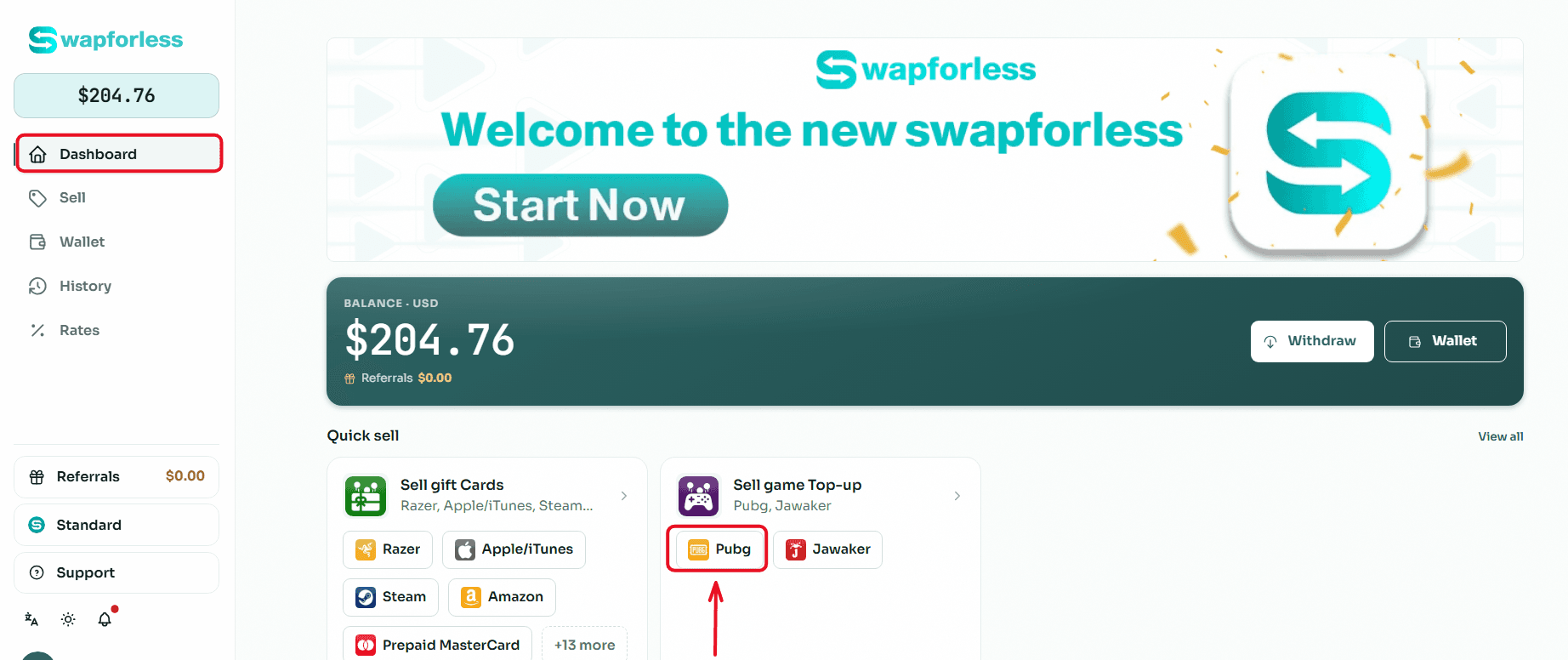
Quick Access: From your main Dashboard, you can head directly to the "Sell Game Top-ups" section and click the "PUBG" icon to start right away.
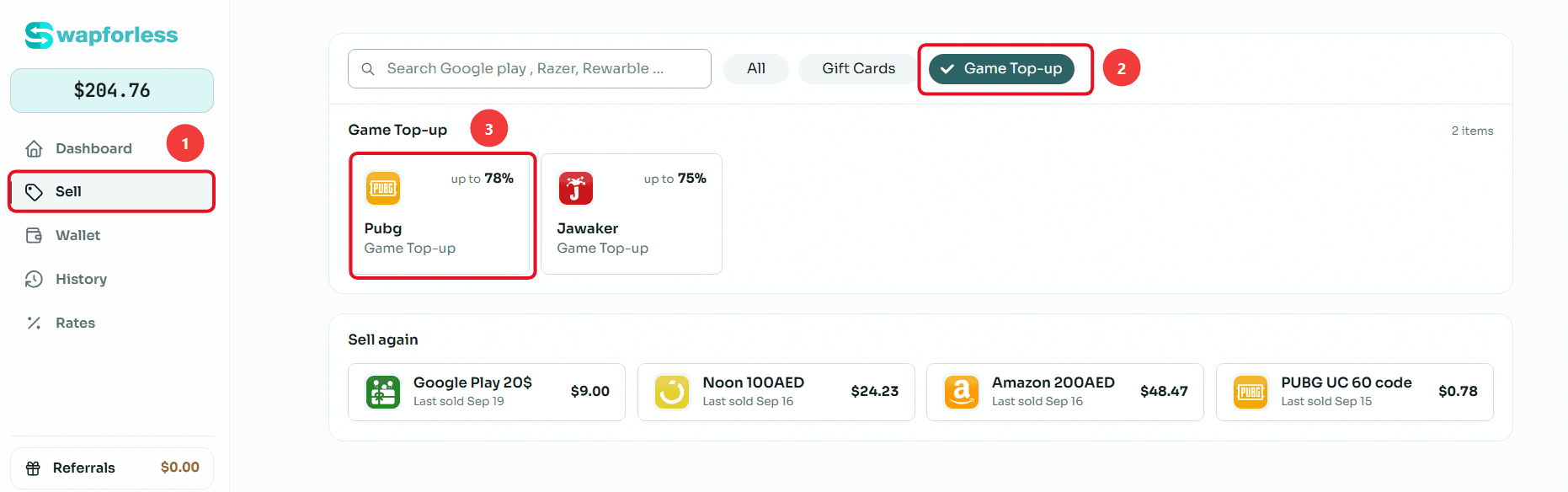
Or via the Menu: Alternatively, you can go to the "Sell" tab on the side menu, choose the "Game Top-ups" section, then select "PUBG." There, you will clearly see the current selling rate for these cards (e.g., 78%).
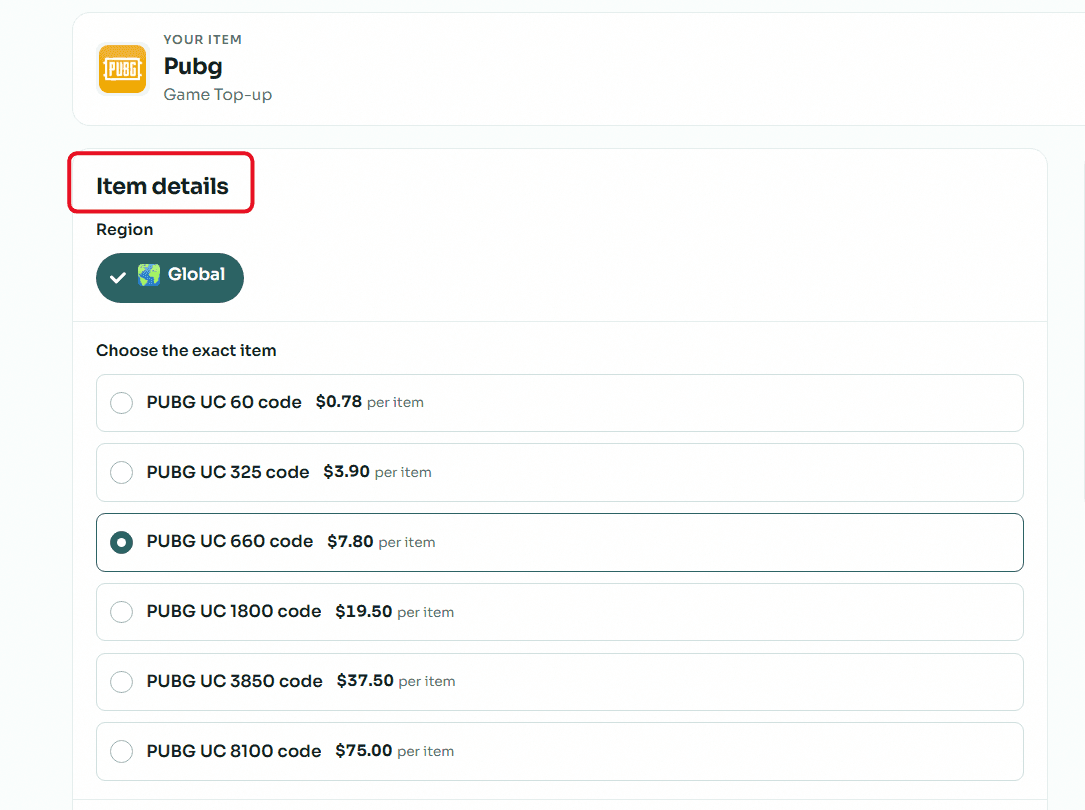
Item Details: First, make sure to choose the correct "Region" for your card (e.g., Global). Next, select the exact category that matches your card (for example: 60 UC, 325 UC, or 660 UC) to see its specific price.
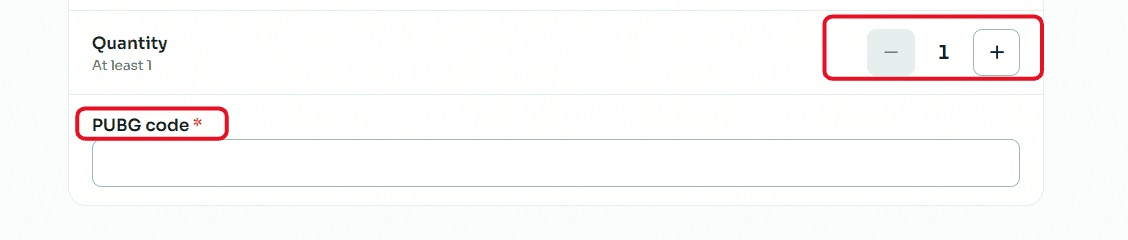
Enter Quantity and Secret Code: Choose how many cards you want to sell using the (+) and (-) buttons in the "Quantity" field. Then, carefully type or paste the card's secret code.
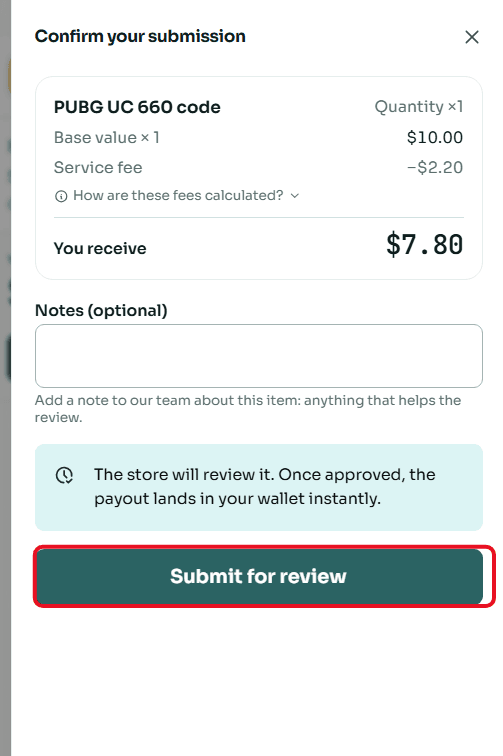
Review and Submit: Once done, a "Confirm Submission" window will appear showing a full summary of the deal. You can add any optional notes you find necessary for the support team, then click "Submit for Review."
Second: Withdraw Balance from Swapforless via USDT-BEP20
Sending your profits from the platform to your crypto wallet is very simple. Follow these steps:
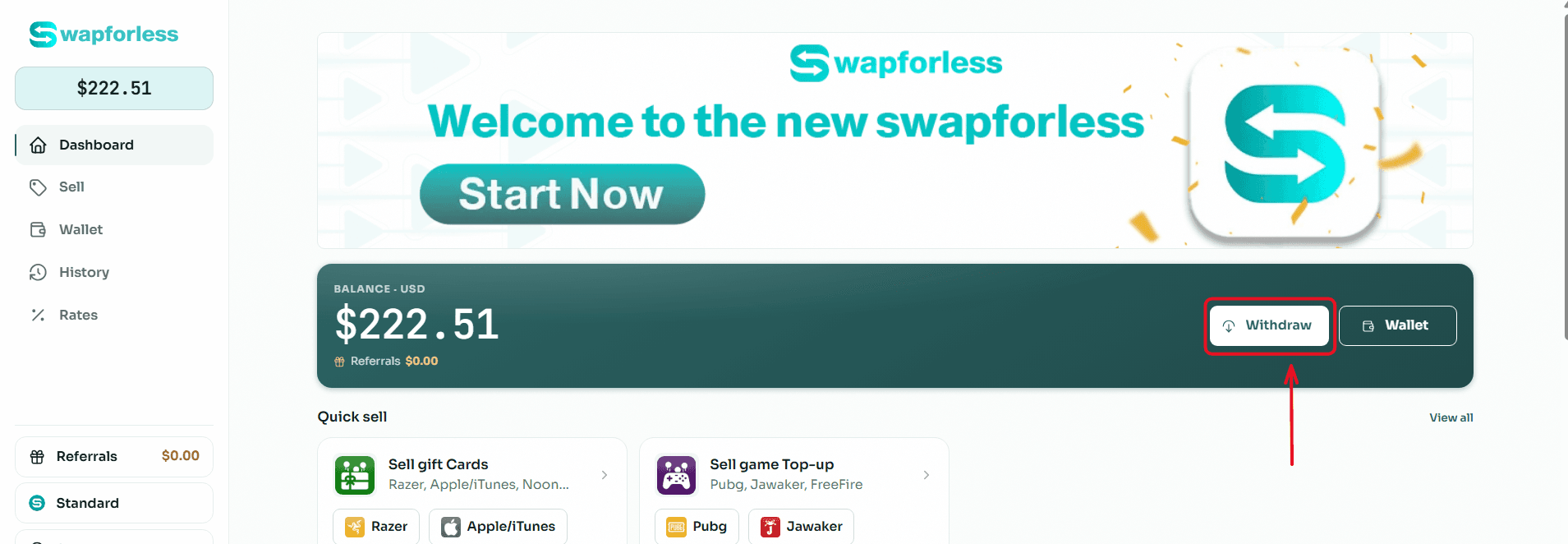
Start the Withdrawal Process: From your main Dashboard, click the "Withdraw" button located next to your available balance.
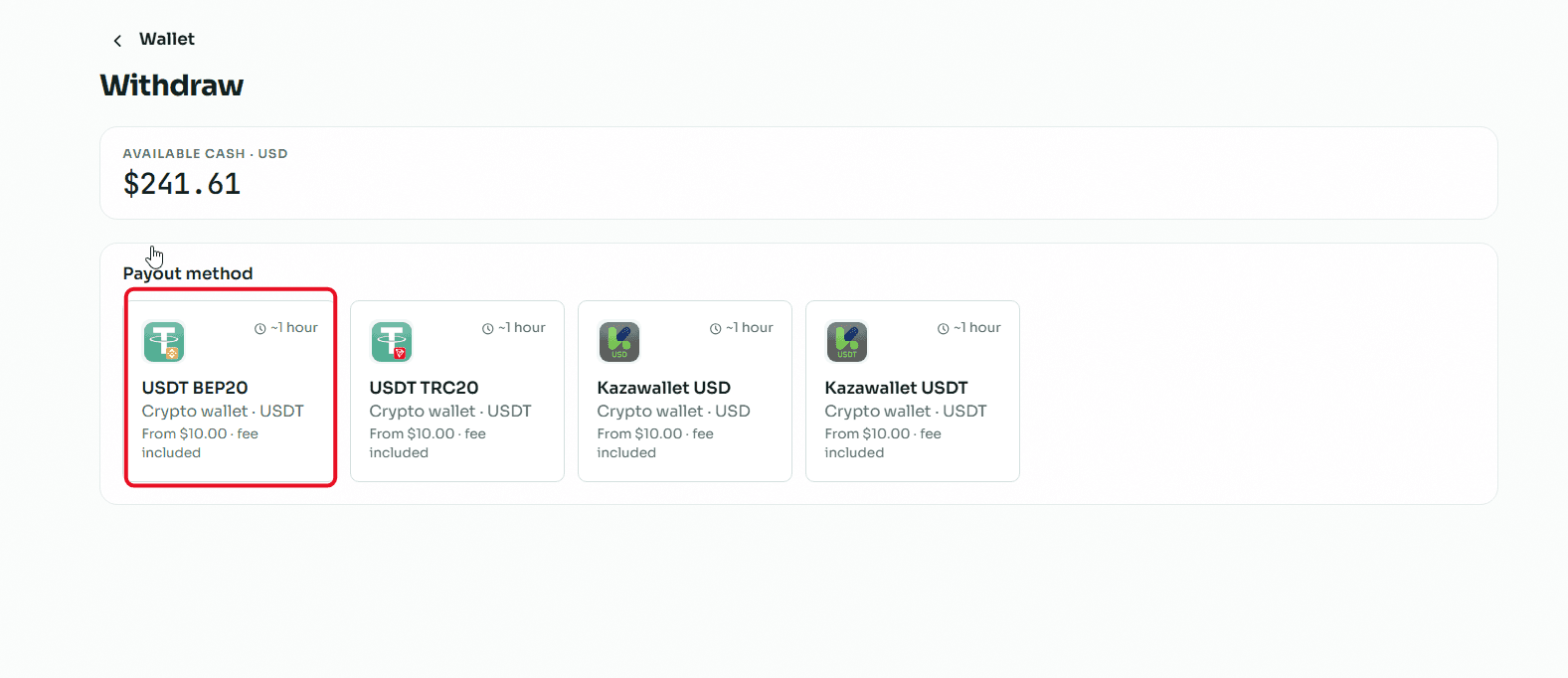
Select the Withdrawal Method: You will be directed to the withdrawal page showing multiple options. Choose "USDT BEP20" from the available withdrawal methods.
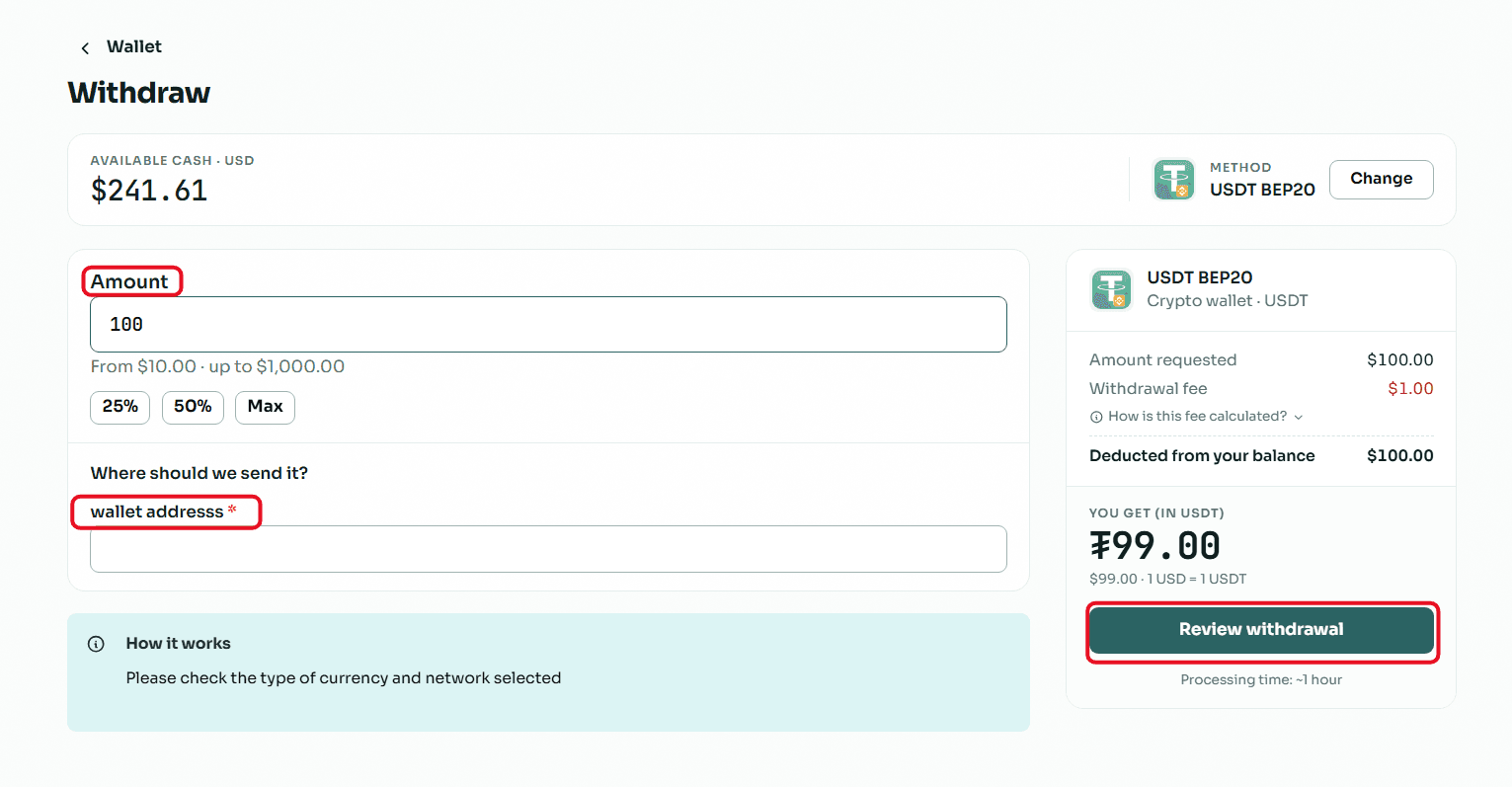
Enter the Required Amount: In the "Amount" field, type the value you wish to withdraw, keeping in mind that the minimum withdrawal limit is $10.00 and the maximum limit per transaction is $1,000.00.
Enter Wallet Details: In the "Where to send the amount?" field, copy and paste your USDT (BEP20 network) wallet address.
Crucial Note: Make sure to select the BEP20 network inside your receiving wallet, and double-check that the address is completely correct, because sending to the wrong network leads to a permanent loss of funds.
Review and Confirm: Review the transaction summary showing the requested amount, the fixed withdrawal fees, and the net amount that will reach your wallet, then click the "Review Withdrawal" button to submit your request.
Read Also: Prefer cashing out using methods other than crypto? Discover all your available options in our article: The Complete Guide to Withdrawing Balance and Profits from Swapforless.
Conclusion
Keeping frozen gaming balances and recharge vouchers means missing out on real financial opportunities.
By selling PUBG cards via the Swapforless platform and withdrawing your returns as USDT-BEP20, you grant your virtual assets full flexibility to turn into stable liquidity, allowing you to reinvest or use them freely and safely whenever you choose.