Millions rely on Google Play Cards to buy apps, games, and subscriptions.
However, if you receive one as a gift and prefer actual cash liquidity instead of a digital balance, the Swapforless platform provides a reliable environment to sell Google Play cards and turn them into real money you can freely withdraw and use.
Quick Summary (TL;DR)
Looking for a direct way to sell Google Play cards for cash? The process is very simple: log in to your Swapforless account, head to the "Gift Cards" section, and choose the "Google Play" icon. Accurately set the card's "Region" and its value.
Paste the code carefully and submit your request.
Once reviewed and approved, the profits are added to your wallet for instant withdrawal via Crypto or Kazawallet.
Steps to Sell Google Play Cards on Swapforless
The platform's interface is designed to be straightforward so you can complete the selling process without complications:
Direct Access: From your account dashboard, go to the "Sell" section and click the "Google Play" icon.
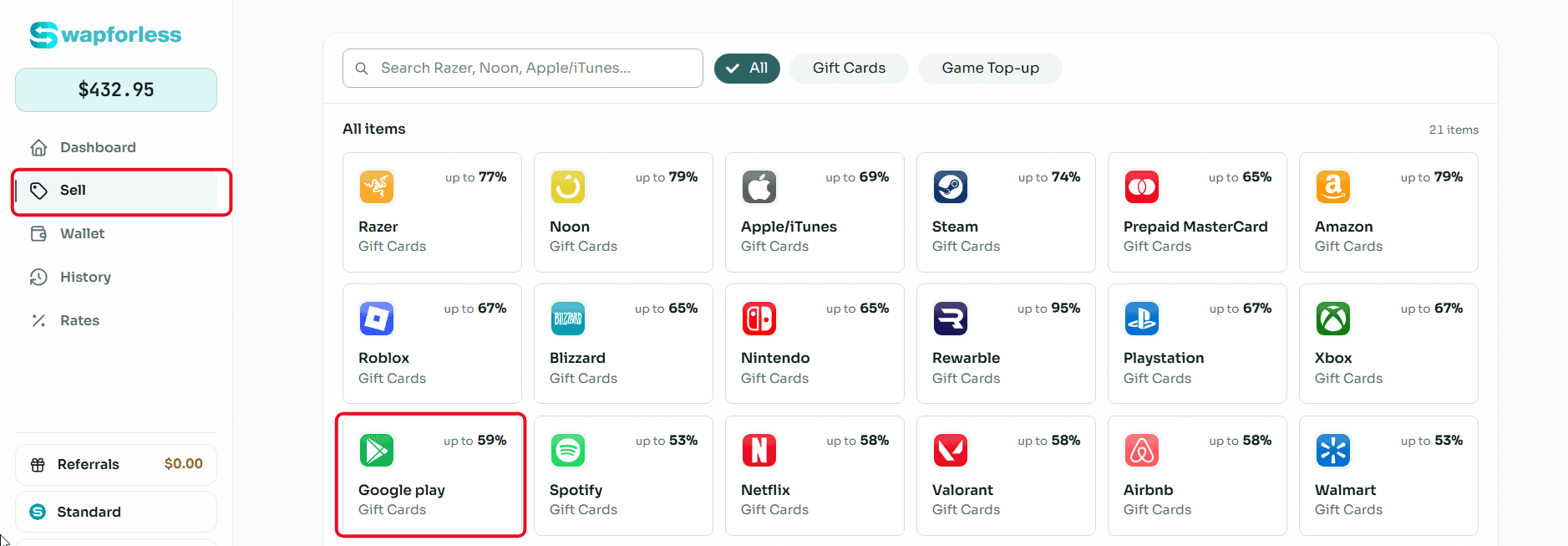
Set Region and Details: Google Play cards are strictly region-locked. Open the "Region" menu and choose the one that exactly matches your card. Please note that entering the wrong region or an incorrect code format will inevitably result in request rejection.
Then, select the price category to see its assigned selling rate.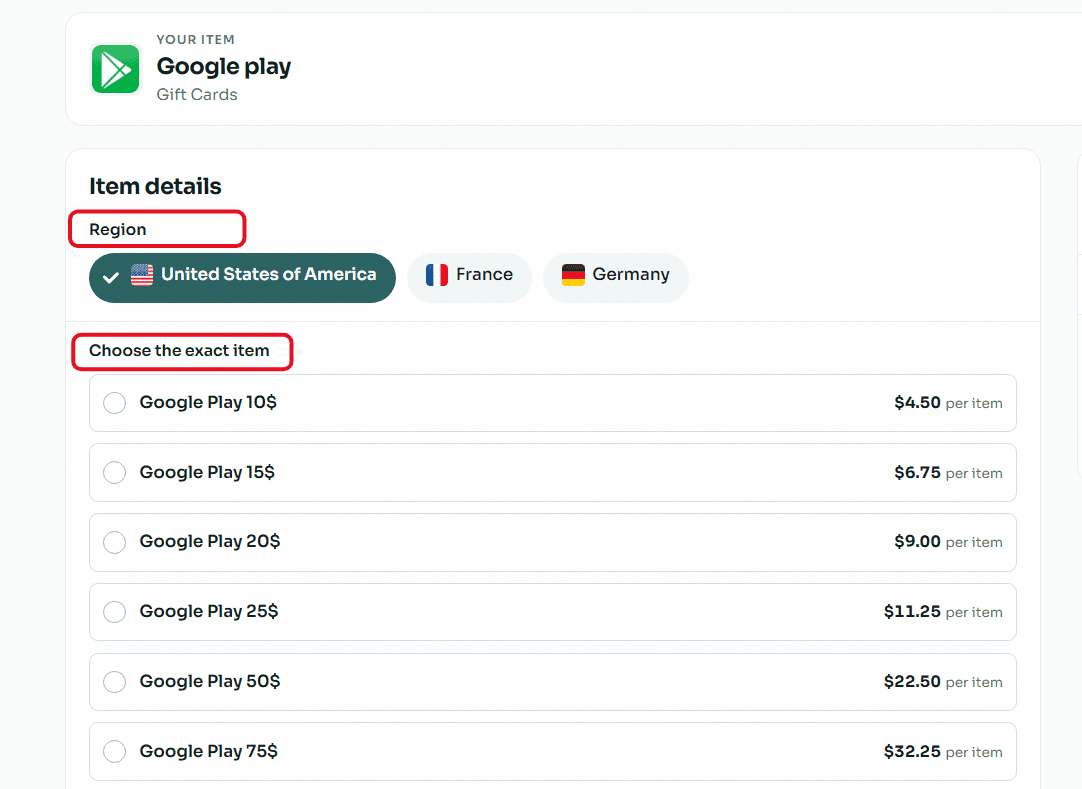
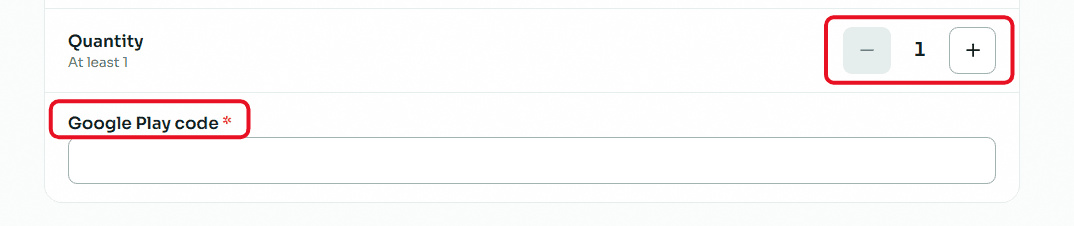
Enter Code and Quantity: If you are selling multiple cards, adjust the "Quantity." Carefully copy and paste the card's secret code to avoid any typos.
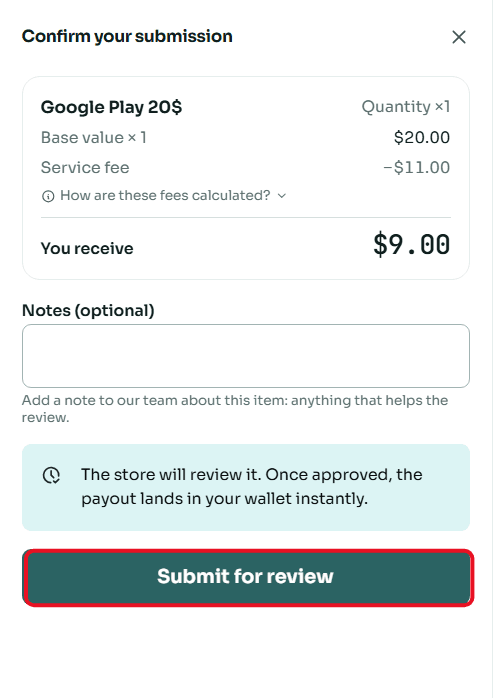
Review and Confirm: A window will summarize the deal and the net amount you will receive. Review the details, then click "Submit for Review."
Frequently Asked Questions
Why is choosing the Region important?
Google applies strict regional policies; a US Google Play card cannot be used on a European or Arab account. Therefore, selling rates and market demand vary by region.
Choosing the correct region is the fundamental condition for your request to be accepted and processed quickly.
When can I withdraw my money?
Once the store or review team verifies your code, the net amount is instantly transferred to your "Wallet." You can then request a withdrawal with high flexibility.
You can use Cryptocurrency networks (such as USDT-TRC20 or USDT-BEP20)or use Kazawallet as a flexible and essential bridge to get easy fiat liquidity.
For more practical details, read: How to Withdraw Profits and Balance from Your Swapforless Wallet.
How do I get the best selling rates for my cards?
Selling rates fluctuate based on market supply and demand, so always check the real-time updated "Rates" page from within your dashboard.
Additionally, as you continue selling, the platform's automatic Tiers system will gradually upgrade your account to unlock exclusive rates and higher profit margins for your future deals.
To learn how to grow your profits, read: Tiers System in Swapforless: How to Level Up Your Account.
Conclusion
Don't let unused Google Play codes lose their actual value.
By relying on Swapforless, the process of selling digital codes and exchanging them for cash liquidity has become reliable and accessible to everyone.
Submit your request now, and turn your digital assets into real money you can flexibly and safely use to meet your actual needs.