You might find yourself owning a Razer Gold Global card as a gift or reward, and you prefer to get its value in cash to cover other expenses instead of charging your gaming account.
Instead of leaving your card unused, the Swapforless platform offers you the fastest and safest solution to sell Razer Gold cards and turn them into actual cash liquidity.
Quick Summary (TL;DR)
Do you want to sell Razer Gold cards? The process is very simple: log in to your Swapforless account to start the process to turn Razer Gold into cash with quick steps.
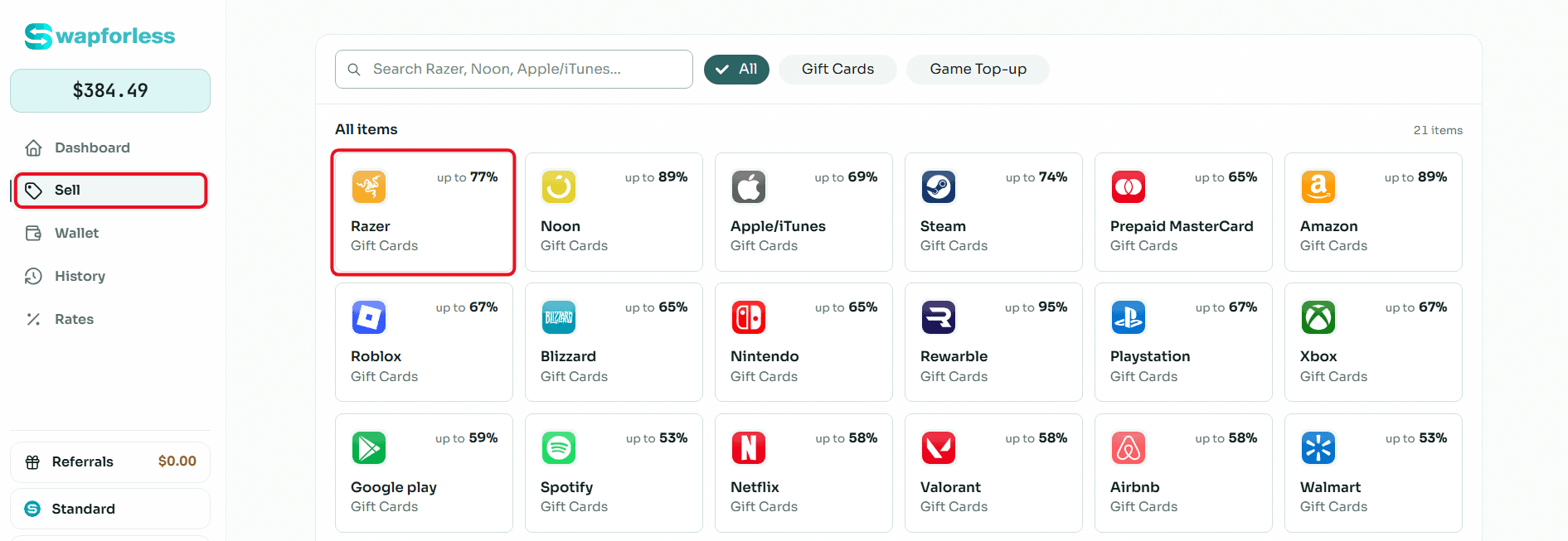
Head to "Gift Cards", and choose the "Razer Gold" icon, then set its value (for example, $10 or $50). Paste the code accurately and submit the request.
Once the code is reviewed, the net amount will be added to your wallet, so you can instantly withdraw it via Crypto or Kazawallet.
Steps to Sell Razer Gold Cards on Swapforless
Follow these simple steps to complete the process to sell Razer Gold cards with ease:
Quick access to the store: From your account's main dashboard, go to the "Sell" section and directly click on the "Razer Gold" icon.
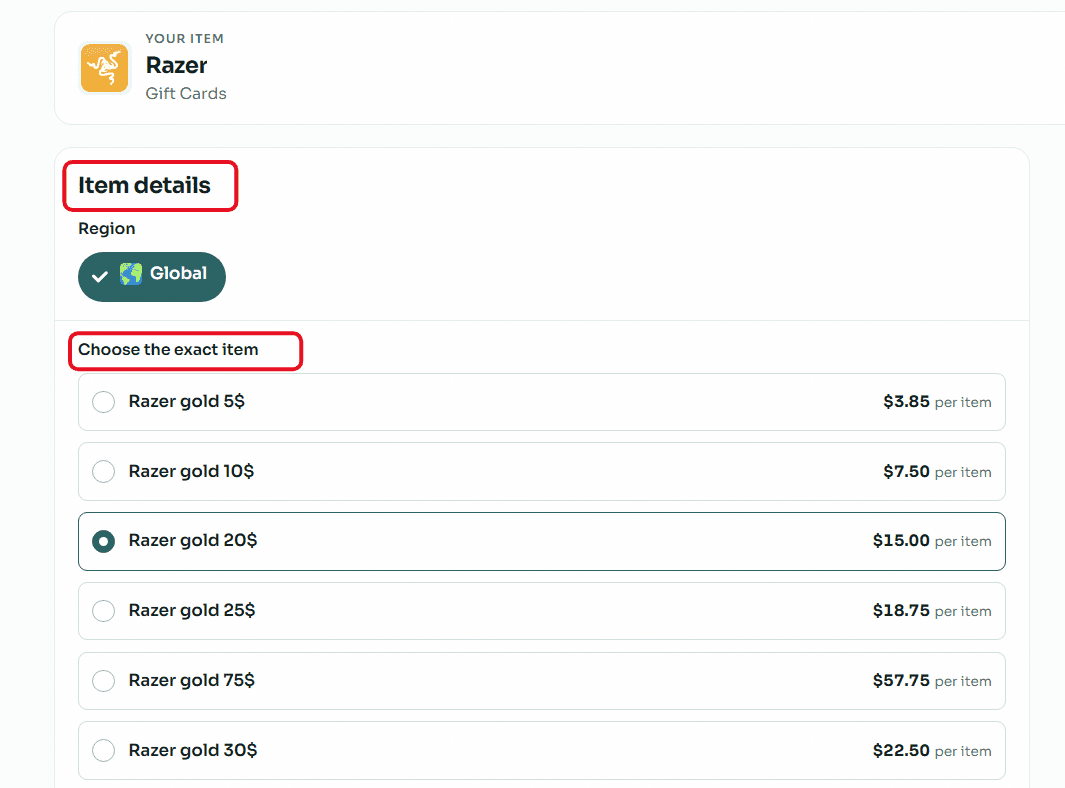
Accurately set card details (Crucial step): Razer Gold cards are very sensitive to the account's region. Make sure to open the "Region" drop-down menu and select "Global". After that, select your card's price category (e.g., $20, $50, or $100) to instantly see its assigned selling rate.
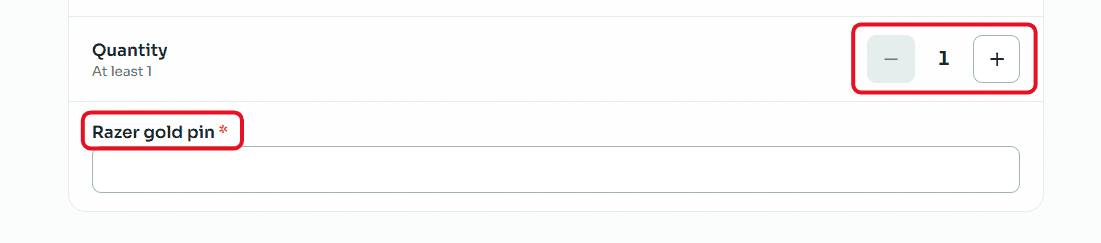
Enter code and quantity: If you want to sell more than one card of the same category and region, set the required number using the (Quantity) buttons. In the designated field, carefully copy and paste the secret code of the Razer Gold card to avoid any error that might lead to rejecting the request.
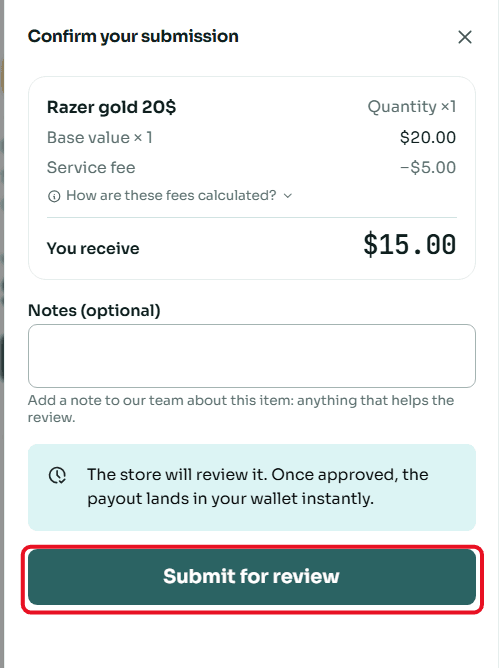
Review and confirm submission: A window will appear summarizing the deal details, including the card's value and the net amount that will be deposited into your account. Review the numbers, then click "Submit for Review".
Frequently Asked Questions
When can I withdraw my money after submitting the card?
We understand the importance of your time. Once the review team or the store checks the card code and verifies its validity, the net amount is instantly transferred to your "Wallet" balance. You can then withdraw your money at any time via (USDT) networks or Kazawallet.
For more practical details, read: How to Withdraw Profits and Balance from Your Swapforless Wallet.
Can I sell different categories of Razer Gold Global cards?
Yes, we support purchasing multiple categories of Razer Gold gift cards. To know the currently available categories for sale and their real-time exchange rates, you can always visit the continuously updated "Rates" page inside your account.
How do I get better rates for my cards?
The more active you are on the platform, the higher your profits. Swapforless relies on an automatic Tiers system; as you continue selling cards, your account will be gradually upgraded to unlock exclusive rates and higher profit margins for your upcoming deals.
To learn how to grow your profits, read: Tiers System in Swapforless: How to Level Up Your Account.
Conclusion
Don't let your cards pile up unused. With the Swapforless platform, monetizing gaming cards and turning them into actual cash liquidity has become incredibly easy and safe. Start selling your Razer Gold Global card now, and enjoy the freedom to use your money wherever and however you want.