Starting to sell gift cards and exchange them for a cash balance on the Swapforless platform requires having a trusted account.
The registration process is designed to be quick and straightforward, offering multiple options to secure your account and facilitate future access.
In this guide, we will explain the steps to create a Swapforless account and how to benefit from advanced account linking features and Passkey technology.
How Do You Create a Swapforless Account?
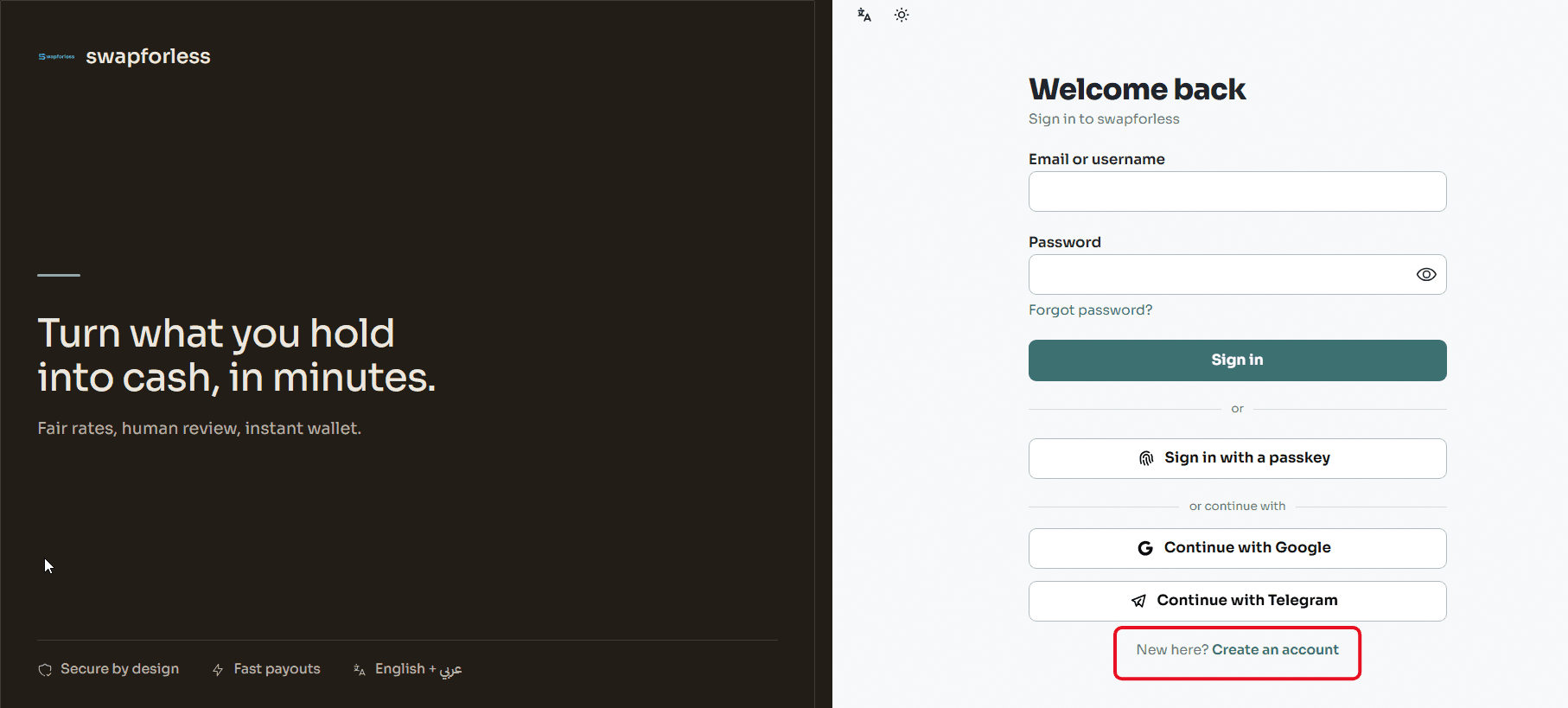
To get started, head to the platform's homepage and click on the "Create Account" button located at the top of the screen.
When the registration page appears, click on "Create Account".
First and Last Name: Enter your real name to ensure the data matches when conducting financial transactions later.
Email: Use an active email address to receive notifications and verify your account.
Password: Choose a strong, complex password to protect your balance.
- Referral Code:
At the bottom of the registration form, you will find a dedicated field for the referral code. This field is entirely optional and not mandatory for account creation.
To learn more about how this feature works and its returns, you can check our comprehensive article on the Referral Program.
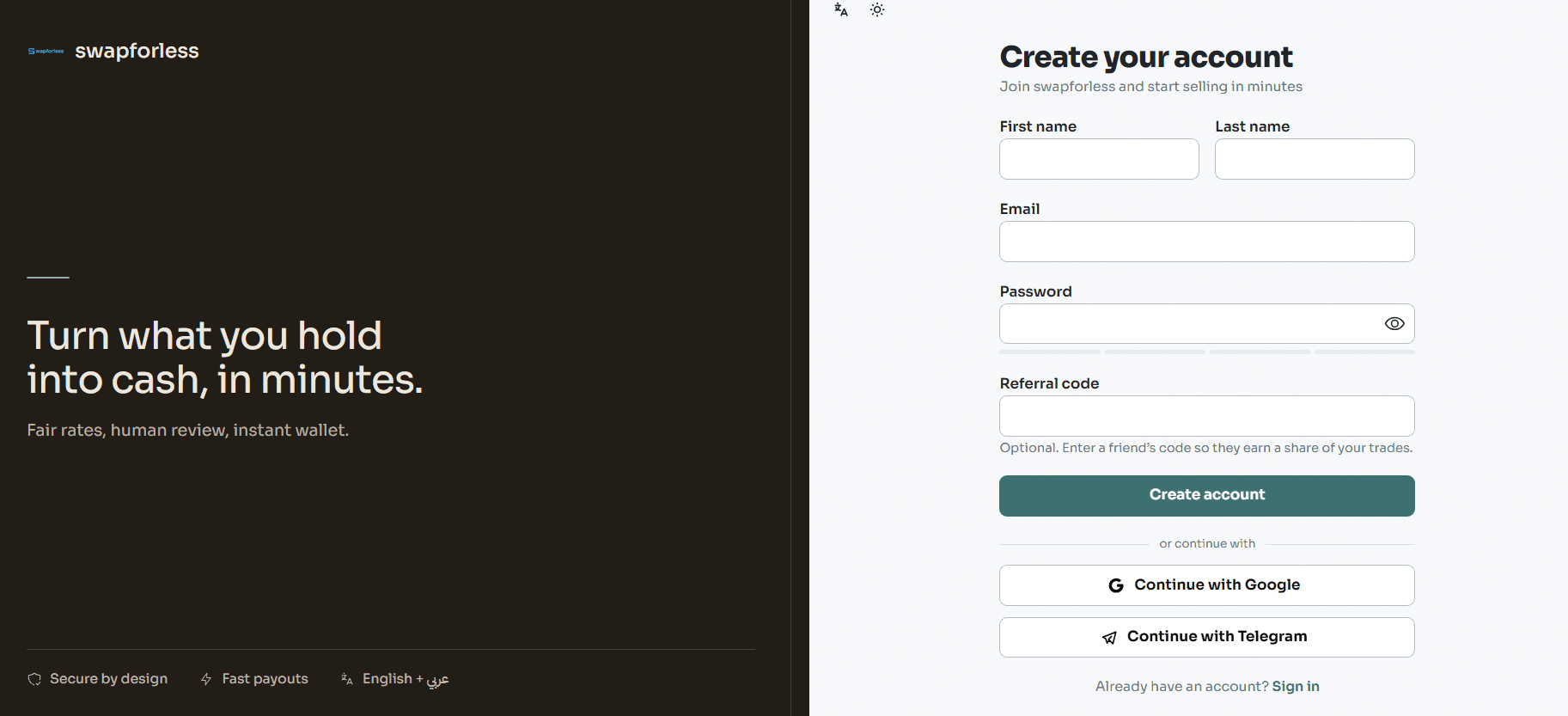
- After filling in the details, click on "Create Account" to be ready to use your dashboard.
Quick Signup and Login Methods (One-Click Registration)
To save time and avoid the need to fill in your details manually or remember passwords, the platform allows you to create an account and log in instantly with a single click right from the signup page.
How to Use Quick Login: On the "Create Account" (or Login) page, you will find two quick options below the form:
Continue with Google: Allows you to instantly create your account using the Gmail account active on your device.
Continue with Telegram: Allows you to create your account and link it directly to your Telegram app.
Once you click your preferred option and grant permission, your Swapforless account will be created, and you will be directed to the dashboard immediately. For future visits, you only need to click the same button to log in in seconds.
Note: If you choose the traditional manual registration, you can always link your Google and Telegram accounts later from within your account settings in the dashboard for easier access in the future.
What is Passkey Technology and How to Use It?
Alongside traditional passwords, Swapforless supports Passkey technology.
What is a Passkey? It is a modern standard that allows you to log into your account using the built-in biometric authentication methods on your device, such as Fingerprint, Face ID, or your phone/computer's screen lock code.
This technology eliminates the need to memorize or type passwords, making it faster and more secure against hacking attempts.
How to Set Up a Passkey:
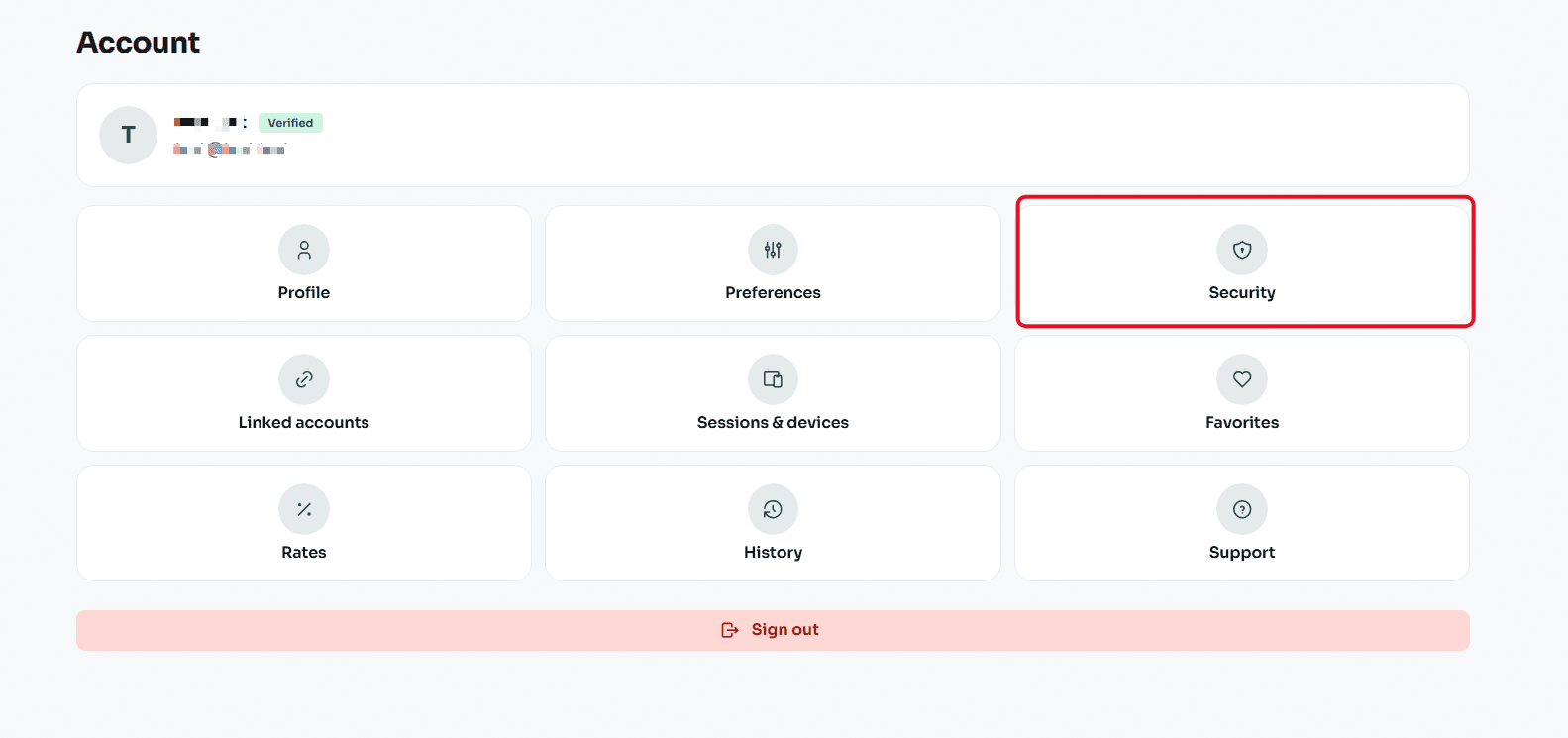
From your account dashboard, click on the "Security" section.
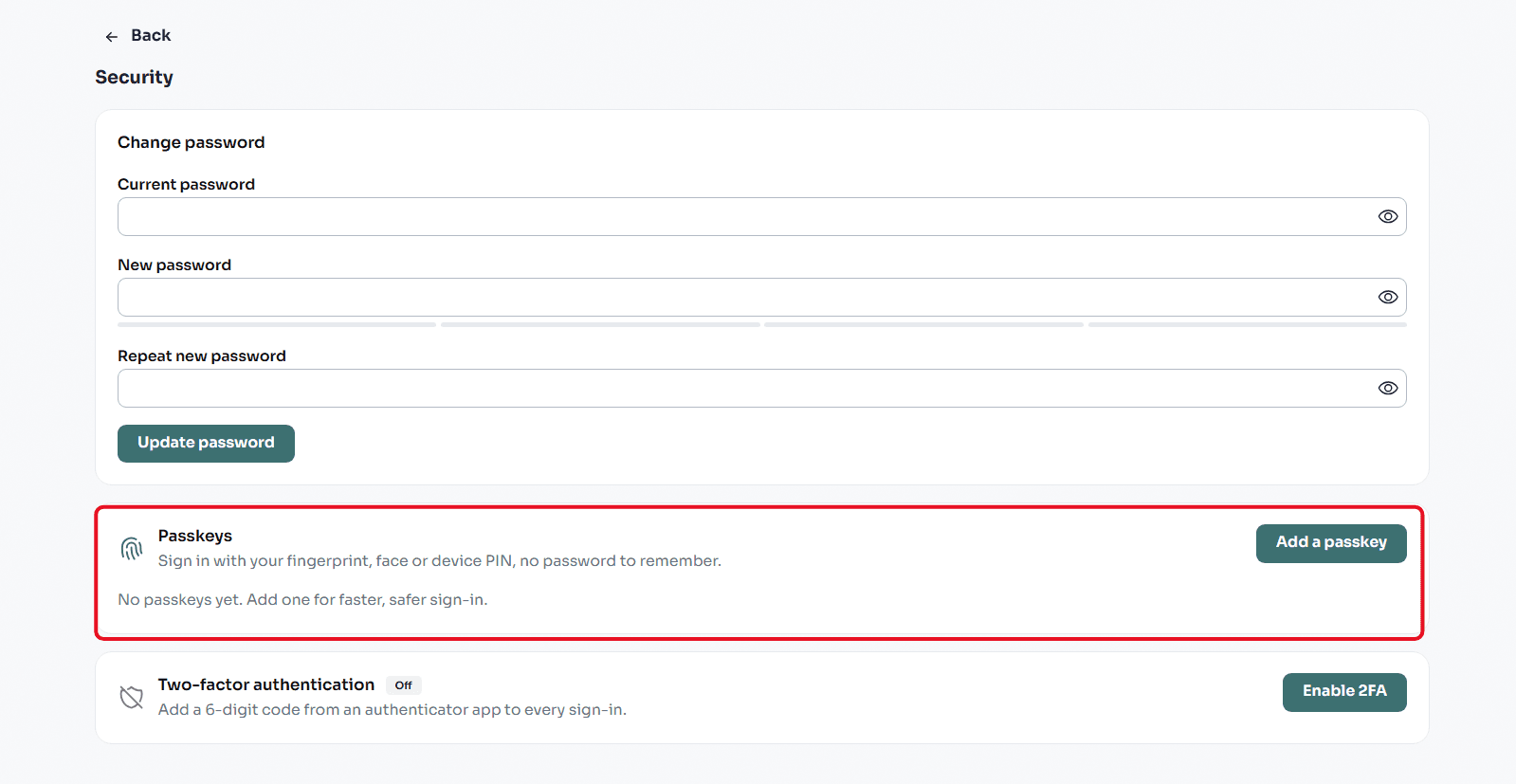
Scroll down until you reach the "Passkeys" section.
Click on the "Add Passkey" button.
Your browser or device will prompt you to confirm your identity (via fingerprint, face, or device PIN).
Once confirmed, this device will be saved as a trusted method. Next time, you will be able to log into Swapforless instantly using just your fingerprint, without needing to type any details.
Once you have finished setting up and securing your account, you will be ready to start. You can now head to the dashboard to explore prices, or read our guides on How to Sell Gift Cards and Withdrawal Methods to launch your first successful trades.
Conclusion
Creating an account on Swapforless is your first secure step into the gift card trading market.
By providing quick linking options and adopting Passkey technology, the platform guarantees a seamless and protected user experience, leaving you completely free to manage your balance and complete your trades.