Do you have gift cards you don't plan to use? Leaving these cards sitting around means missing a real opportunity to benefit from their actual value.
Through the Swapforless platform, you can easily sell gift cards on Swapforless and exchange them for a flexible cash balance added directly to your wallet.
In this practical guide, we will walk you step-by-step through how the card selling and pricing process is done with complete transparency, ensuring you are fully aware of your net profit before confirming any order.
How to Sell Gift Cards on Swapforless?
The selling process is characterized by complete clarity, as the platform displays prices and fees upfront to ensure a reliable user experience.
If you haven't registered on the platform yet, you can check our guide on How to Create an Account on Swapforless to get started. If your account is ready, here are the selling steps in detail:
1. Choosing the Card to Sell
Log in to your account on the Swapforless platform.
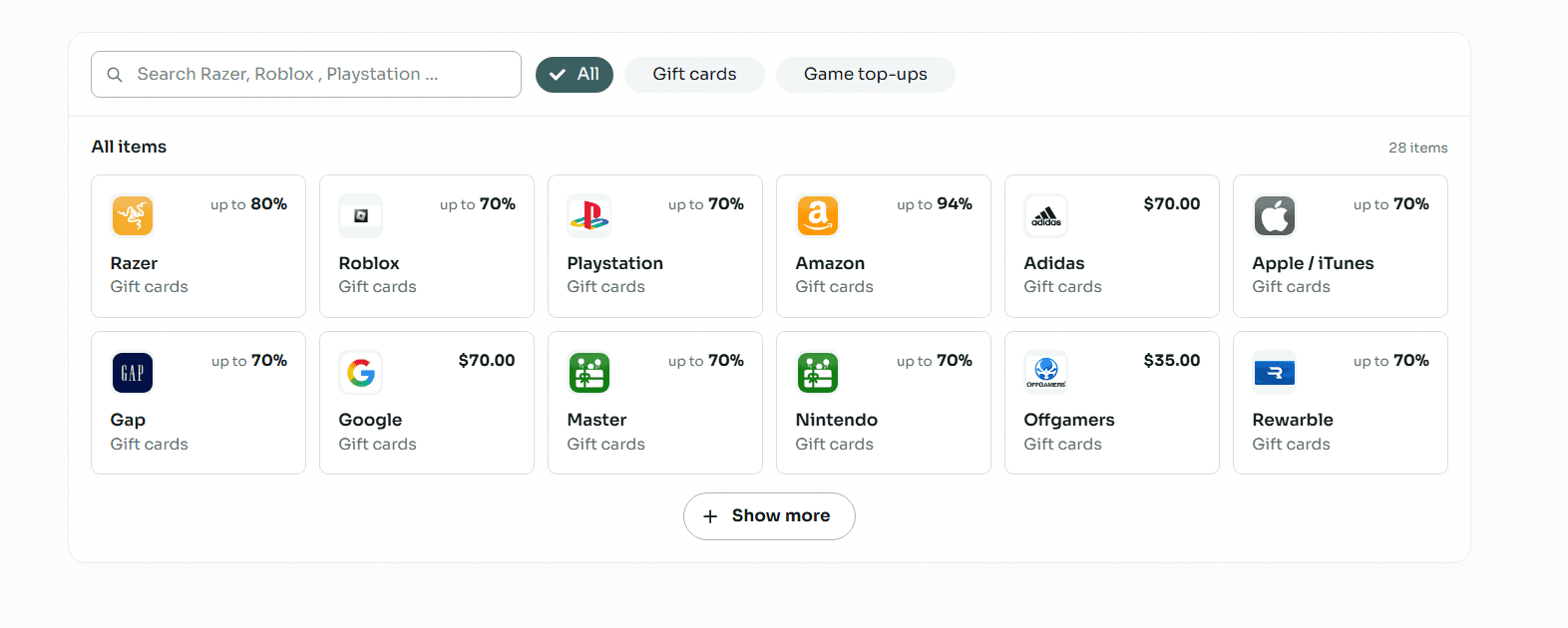
You can start by clicking on the "Sell" tab from the main side menu.
As a faster alternative, the dashboard provides a "Quick Sell" interface allowing you to choose the card directly from the homepage.
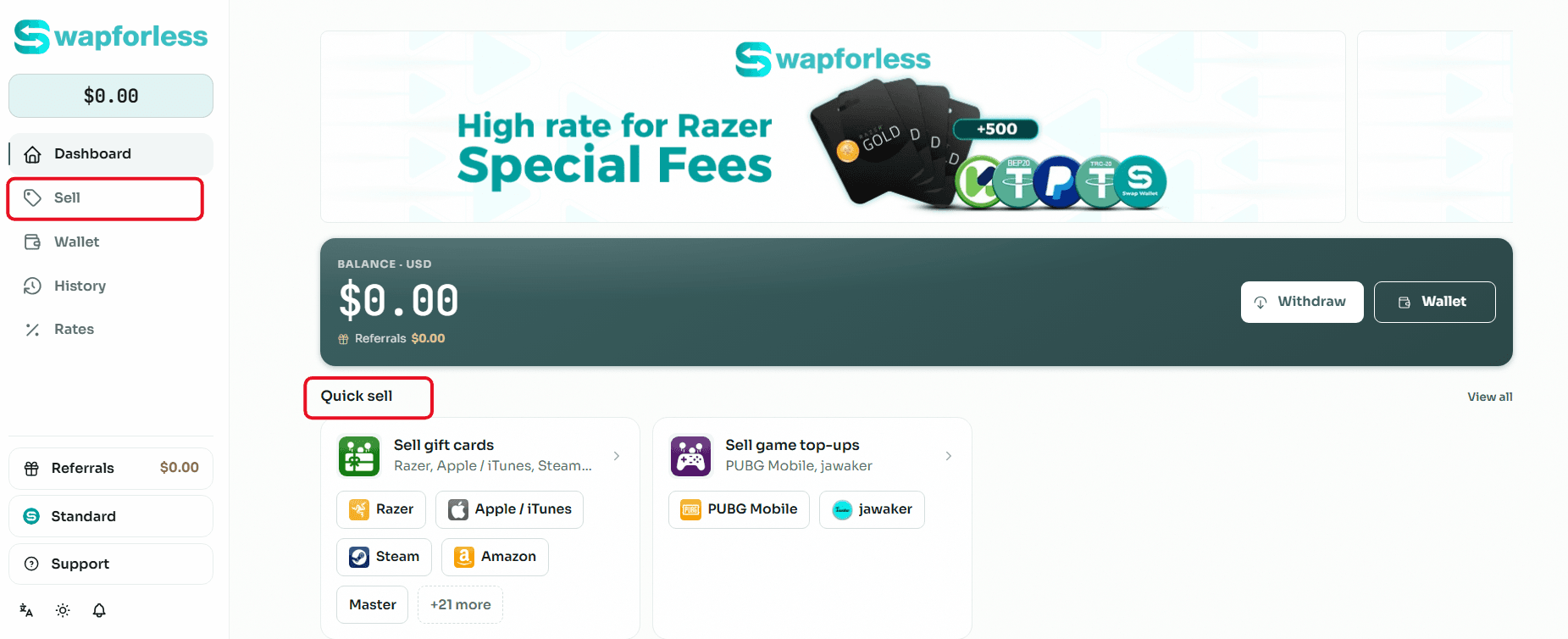
The platform supports a wide range of options, including gift cards like Amazon, Apple/iTunes, and Razer, in addition to game top-ups like PUBG Mobile and Jawaker.
2. Enter Item Details
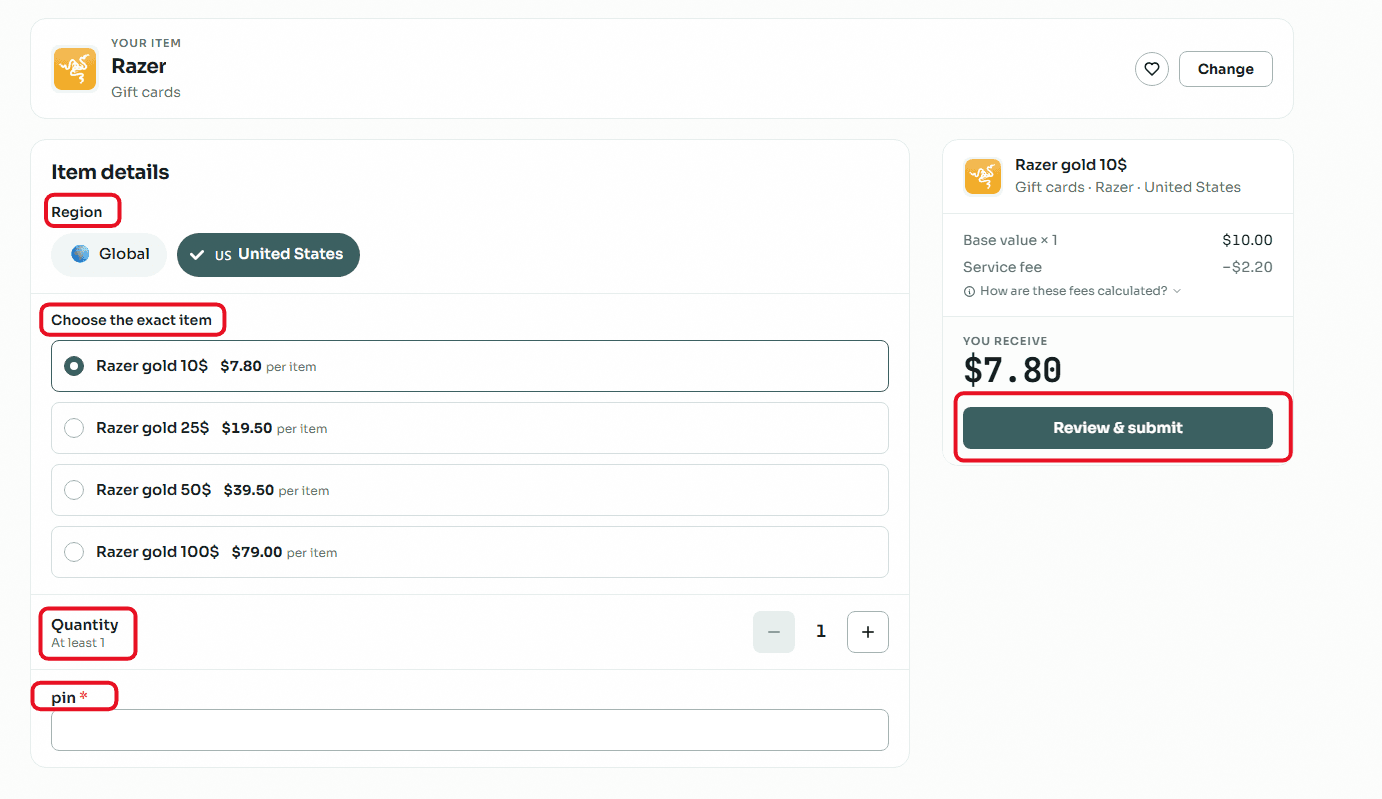
After selecting the card (for example: Amazon), you will need to specify the "Region" of the card, such as the United States (US).
Choose the "Card Value" you own from the available denominations, such as $5, $10, $25, $50, or $100.
Select the "Quantity" to be sold; the system will automatically display the exact financial calculation.
The platform transparently displays the "Base Value" of the card, the deducted "Service Fee", and the net amount you "Will Receive" in your wallet (e.g., when selling a $10 card, the net amount might show as $5.50 after fees).
In the "Card PIN" field, enter the secret code of your card.
If you increase the quantity (e.g., to two items), the system will automatically update the total amount expected to be received, and additional fields will appear to enter the code for each card separately (Item 1, Item 2).
After verifying the PIN, click on the "Review and Submit" button.
A final "Confirm Submission" window will appear for review, containing an optional field to add "Notes" that might help the review team.
Finally, click on "Submit for Review" so your order can be audited and the balance added to your wallet upon approval.
How to Track Your Trade Status
After submitting the order, it is important to monitor its status to ensure the selling process is completed successfully.
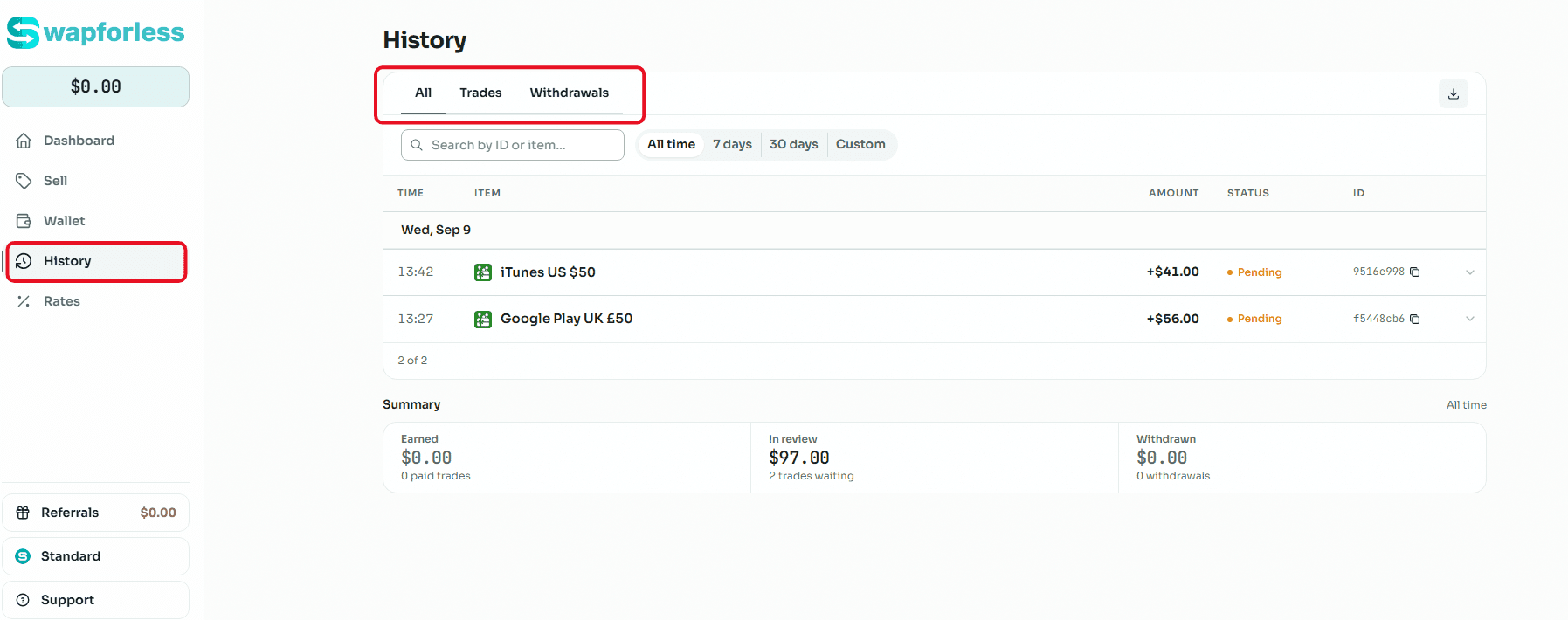
Navigate to the "History" tab from the side menu to access all your trades.
The history displays a list of sold cards, the time of the transaction, and the expected amount to be received.
You can clearly see the status of the order; a "Pending" indicator appears for orders that are still under review by the platform's team.
Once the status of your orders in the history changes to completed, you can move on to the next step and read our article on Withdrawal Methods to benefit from your final balance.
Conclusion
The process of selling gift cards on the Swapforless platform is an effective tool that ensures you exchange your digital assets for a real balance with minimal effort.
Thanks to transparent pricing and a straightforward user interface, you can always know what you will get before confirming any trade.
Now that you are familiar with the selling steps and how to track your trades in the history, you are ready to benefit from your profits.